.svg)
Subscribe to our newsletter and get insights on how to grow your personal brand.
Thank you! Your submission has been received!
Oops! Something went wrong while submitting the form.
.svg)



Most creator time-management advice starts with the wrong question. It asks how you can make more content, faster, as if your calendar is being defeated by slow writing or a lack of discipline. In practice, many creators lose their best hours to admin, distribution, platform switching, audience replies, and poorly defined handoffs before they ever reach the creative work.
That's why this guide focuses on reclaiming stolen hours first. You'll audit the week, batch work by stage, choose a scheduling model that fits your output, delegate the work that doesn't require your judgment, and use AI as a controlled drafting layer rather than an unreviewed publishing machine.
Most creator time problems are operational, not creative. You may have enough ideas and plenty of motivation, yet still finish the week with an unfinished edit, an empty queue, and a crowded inbox. The problem is that your content calendar usually counts only the visible deliverable, not everything required to produce and distribute it.
A 2025–2026 creator-industry survey found that full-time creators work an average of 36.5 hours per week, but only 46% of that time goes to creating content. The remaining time goes to administration, distribution, marketing, and other business work, according to this creator time-management benchmark. That works out to roughly 16.8 hours of direct creation and 19.7 hours of non-creation work each week.
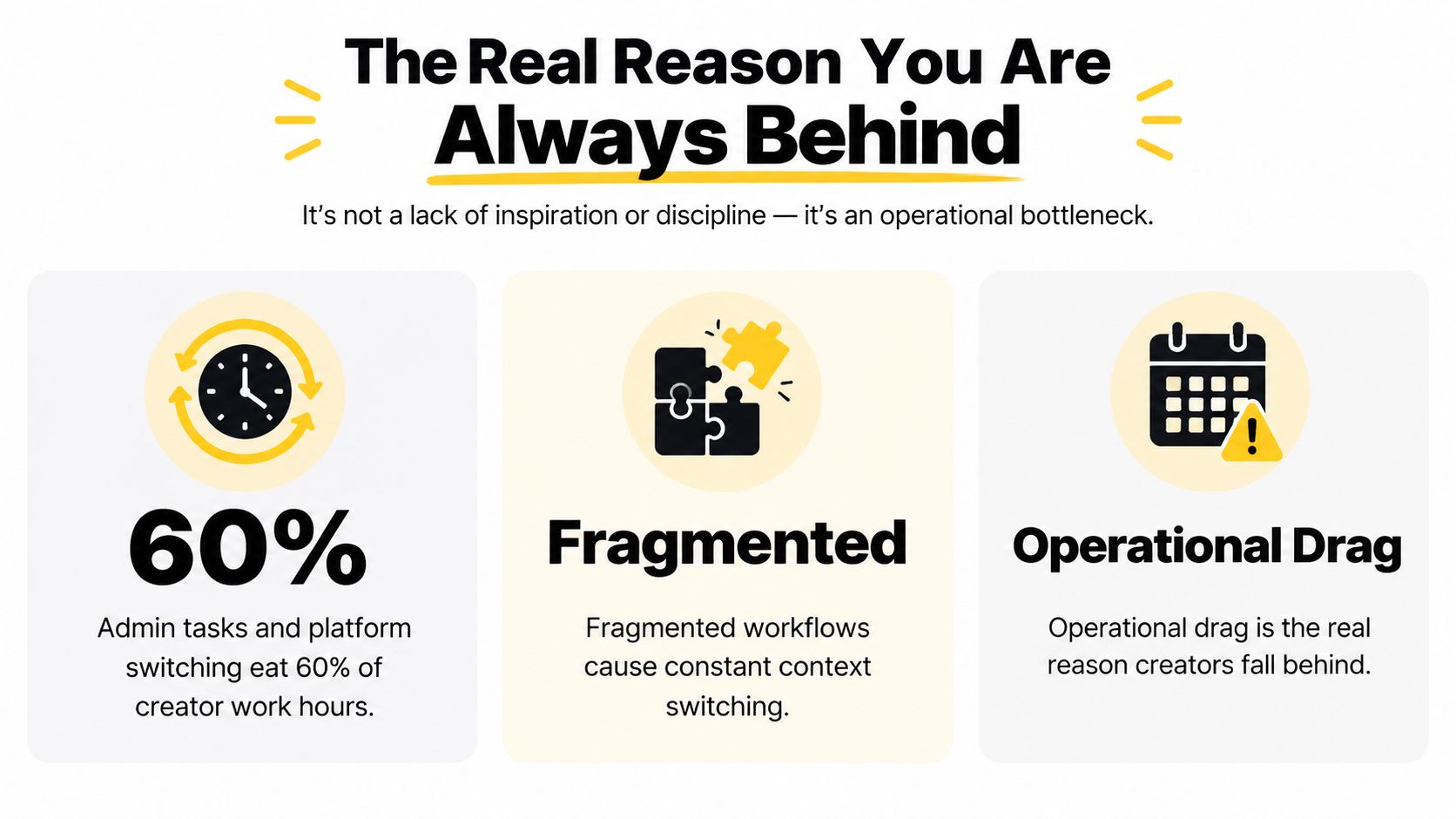
The implication is uncomfortable but useful. If you plan a week as though all working hours are creative hours, your schedule is broken before Monday begins.
These leaks create the familiar experience of being busy without building inventory. You're not necessarily procrastinating. You're operating a small media company with no production system.
Practical rule: Don't solve an overloaded calendar with more motivation. First identify which non-creation tasks are consuming the capacity your calendar assumes you have.
Time management for content creators starts with separating creative capacity from operational capacity. Once you see the difference, batching, scheduling, delegation, and automation stop looking like productivity tricks. They become basic business infrastructure.
Your calendar is not the problem until you know what fills it. Before buying another planning tool or changing your schedule, audit one working week. The record will expose forgotten work, interruptions, and distribution tasks that a color-coded calendar hides.
Start on a weekend or the next working day. Track five full workdays plus one weekend day, but skip fifteen-minute time slices. Log each meaningful task and place it in one of five buckets:
Keep creation separate from production. Recording a podcast belongs in creation. Removing pauses, selecting clips, adding captions, and exporting files belong in production. Combining them under “content” conceals the actual constraint. You need to know whether ideas and recording take too long, or whether the work around the asset consumes the available hours.
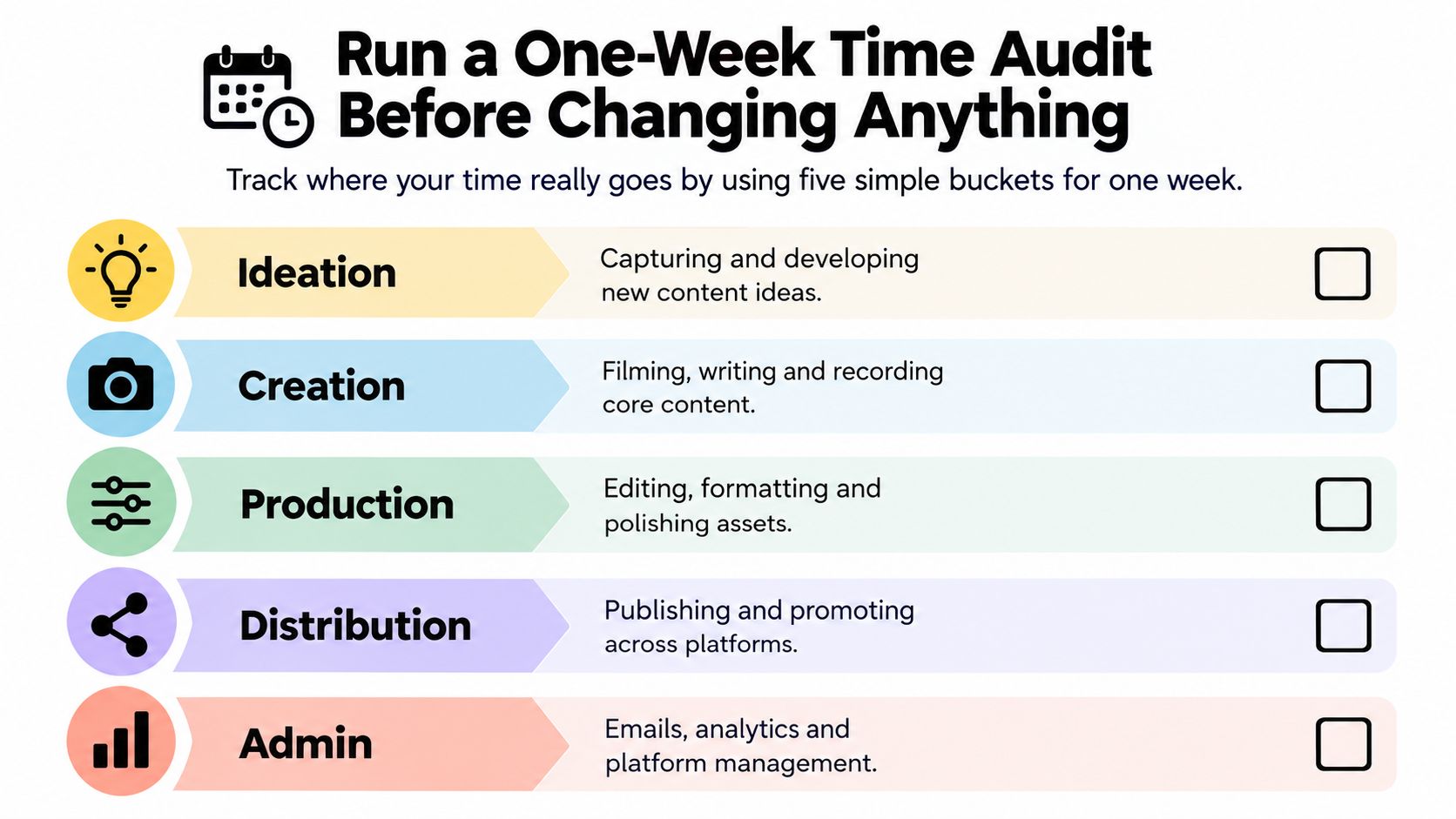
Use a spreadsheet, notes app, or paper. Create five columns, then record the task, category, and rough duration. Put “answered partnership emails” under admin, “replied to comments” under community, and “turned interview into three post drafts” under distribution.
Avoid three logging errors:
After the six-day audit, total each bucket and compare those totals with the expectations you wrote down before starting. The gap shows which hours your operating model leaves for actual content creation. The point is not to copy another creator's proportions. It is to identify the administrative, distribution, and fragmented-work costs your schedule currently ignores.
Use the Thareja Technologies AI audit tool for a separate review of your digital workflow if you need one. Treat its output as a prompt for investigation, not a substitute for your own task log.
End with a one-page summary. List total time by bucket, the tasks that appeared most often, and the three interruptions that caused the greatest disruption. Then choose one specific leak to address. Do not rebuild the workflow until the audit shows exactly what is stealing the hours.
Batching by platform creates another queue to maintain. Batch by production stage instead. Keep research, scripting, recording, editing, and publishing in separate work periods so your attention stays on one type of decision at a time. This recovers hours that fragmented handoffs and distribution tasks consume.
Use five stages: research, scripting, recording, editing, and publishing. Reserve two-to-four-hour blocks for research and scripting, where sustained judgment matters. Put recording, editing, and publishing into 25-to-90-minute sprints, following the time-blocking guidance in Movavi's time-management techniques.
| Stage-Batched Weekly Production Blocks | Block Size | Frequency | Best Day |
|---|---|---|---|
| Research | 2 to 4 hours | Once or twice weekly | Monday |
| Scripting | 2 to 4 hours | Once or twice weekly | Monday or Tuesday |
| Recording | 25 to 90 minutes per session | Several sessions | Tuesday or Wednesday |
| Editing | 25 to 90 minutes per asset | Multiple focused blocks | Wednesday or Thursday |
| Publishing | 25 to 90 minutes | One or two blocks | Friday |
Your format determines the exact layout. The operating rule does not change: avoid researching one topic, answering email, filming another, returning to the first script, and scheduling a post between edits. Every switch forces you to reload context, so a flexible day can produce less finished work.
A solo creator publishing three long-form pieces per week should use a two-week rotation. Trying to take every asset from idea to publication in one day mixes creative and administrative work until neither gets enough attention.
Week one focuses on the next cycle's research and scripting. Use one deep block for topic development, another for outlines, then schedule shorter sessions for recording or source collection.
Week two focuses on recording, editing, and publishing. Record related pieces together, place the files in clearly named folders, and edit them in a separate block. Schedule finished work only after reviewing titles, descriptions, thumbnails, and calls to action.
Define each handoff before production starts. Name files consistently, attach the brief to the project, store source links beside the draft, and display the current status. A usable workflow answers three questions without another meeting: what is this asset, what happens next, and who owns that step?
Use these podcast workflow timing estimates to test your assumptions about production time. Do not copy another team's process. Look for the tasks between recording and publishing, including file handling, revisions, metadata, and scheduling.
Protect batched blocks from meetings, open DMs, and notification-heavy apps. Give community responses their own window. If a file or brief is missing, mark the handoff as blocked and assign the next action. Random low-value work should not become the default filler.
A publishing calendar should protect creation time, not fill every open slot. The right system recovers hours lost to admin, distribution, approvals, and fragmented work before you decide how much content to produce.
Choose one primary model. Calendar batching assigns finished content to specific future dates, making it suitable for launches, events, and campaigns planned well ahead. A rolling pipeline keeps the next few items approved and ready without assigning every asset to a distant date. It suits frequent publishers because one delay does not empty the queue. Theme days reserve a day or half-day for research, recording, editing, or publishing. They work well for deep-work formats and teams with defined handoffs.
| Scheduling Systems Compared | Best for | Watch for |
|---|---|---|
| Calendar batching | Event-driven work and planned campaigns | A delay can affect several fixed dates |
| Rolling pipeline | Frequent publishing and changing topics | The queue can become vague without ownership |
| Theme days | Video, podcasts, newsletters, and coordinated teams | Meetings can consume the protected day |
Do not combine all three equally. That creates a busier calendar without giving you more control.
A creator promoting a course launch should use calendar batching because the campaign has dependencies and fixed deadlines. A daily short-form publisher should usually use a rolling pipeline, keeping enough approved material ready to prevent one missed edit from creating a publishing gap. A podcast host working with an editor and designer can use theme days to keep each episode moving through repeatable handoffs.
Add a light buffer to the model you choose. Keep one to two unscheduled slots per week for delayed reviews, technical problems, unexpected opportunities, and audience work. Treat those slots as capacity, not spare time to fill with more production.
Review deadlines, lead times, and channel requirements every Friday. Short-form work may need a shorter planning window than newsletters or long-form video. The review question stays the same: did the miss occur during ideation, production, approval, or distribution? Fix that stage instead of adding more hours everywhere.
A content calendar tool helps only after the workflow is clear. Use this comparison of content calendar software for 2026 to compare features and interfaces. Software will not repair unclear ownership, missing approvals, or an empty production queue. Build the operating rules first, then choose the interface that makes deadlines, status, and available capacity visible.
Your calendar should not carry tasks that require consistency but not your judgment. Keep the work that makes the brand recognizable: personal stories, original opinions, final editorial decisions, sensitive audience replies, and high-stakes communication. Assign the repeatable execution around those decisions to someone else.
Start with the task that steals time every week. Uploading, formatting, scheduling, asset organization, and basic clipping are strong first candidates because the expected result is easy to define. Research synthesis, campaign planning, and voice-sensitive writing come later, after you've documented how you make decisions.
Write the handoff before assigning the task. Specify:
“Handle the posts” creates questions and revisions. “Upload the approved video, apply the supplied caption, check the first frame, schedule it in the platform queue, and move the card to review” gives someone a process they can follow.
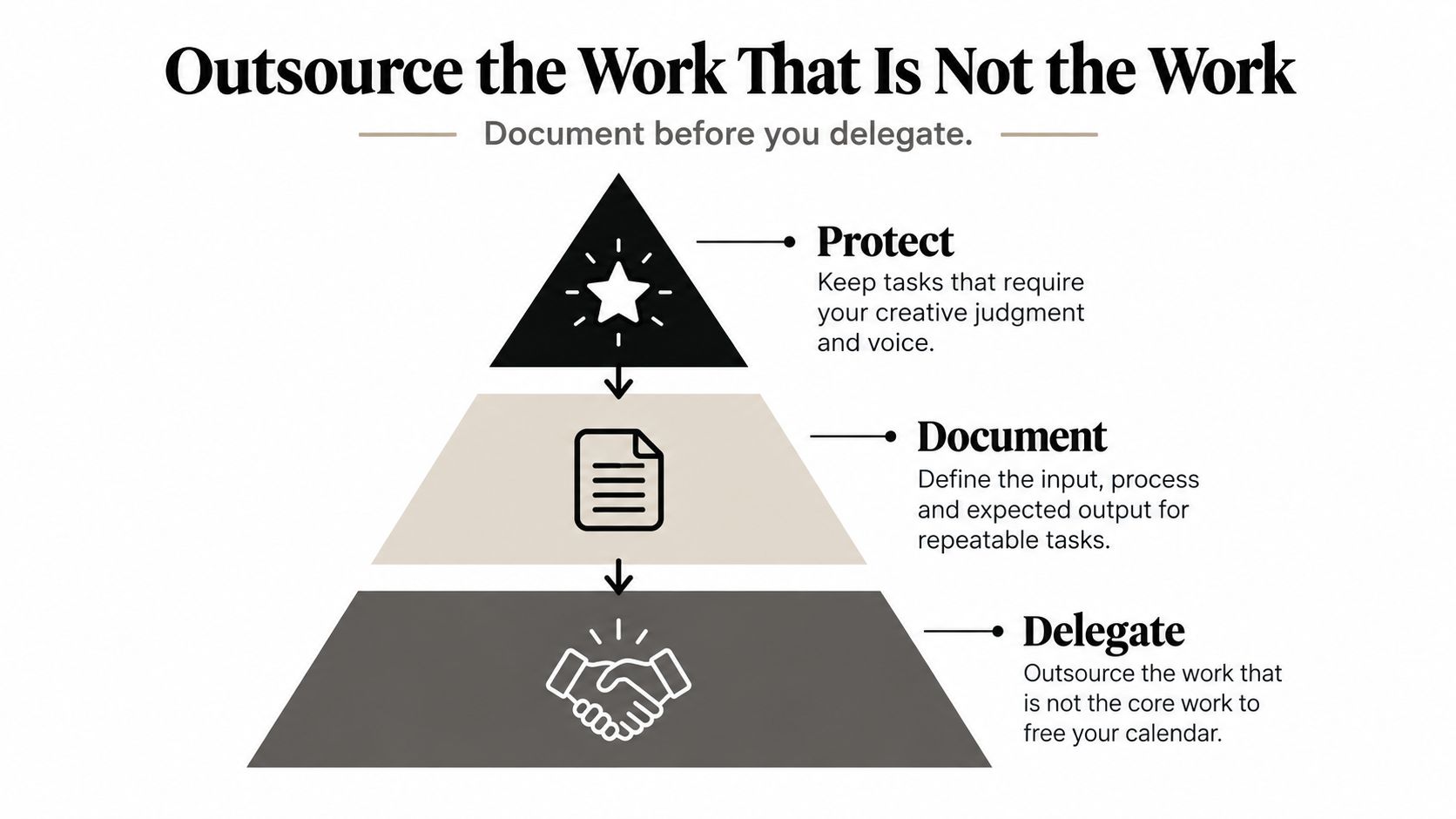
Tier one, operational support: Assign uploading, resizing creative, formatting captions, scheduling posts, naming files, and organizing assets. These jobs need access, accuracy, and consistency more than strategic judgment.
Tier two, repeatable specialist work: Add video editing, graphic design, transcription, clip selection, and first-pass community moderation. Supply approved examples, a revision limit, and a firm approval deadline. Without those boundaries, delegated work turns into an open-ended review queue.
Tier three, context-heavy work: Assign research synthesis, long-form repurposing, analytics summaries, and campaign planning only after your audience priorities, voice guidelines, and decision rules are documented. A specialist can prepare the work, but you should retain the final call until their judgment has proved reliable.
Use a simple board with five statuses: assigned, in progress, review, approved, and scheduled. Give every asset one owner and one next action. If a card sits in review, the approver should see the exact decision required, such as “check the statistic,” “choose the opening,” or “approve the thumbnail.”
Review the first three assignments closely. Correct the brief, examples, or acceptance criteria before blaming the person doing the work. Once the process works, save it as a template or standard operating procedure. Then spend the recovered hours on strategy, recording, or audience insight, not on accepting more low-value tasks.
Use this practical guide to delegating tasks effectively for teams to formalize ownership, handoffs, and review rules. Delegation has succeeded when your output keeps moving without requiring you to supervise every small action.
AI is most useful between source material and human review. Give it a strong interview, podcast, article, or video, then use it to create structured first drafts. Don't give it responsibility for your voice, factual accuracy, or final publishing decision.
A productive weekly cadence starts with one source asset:
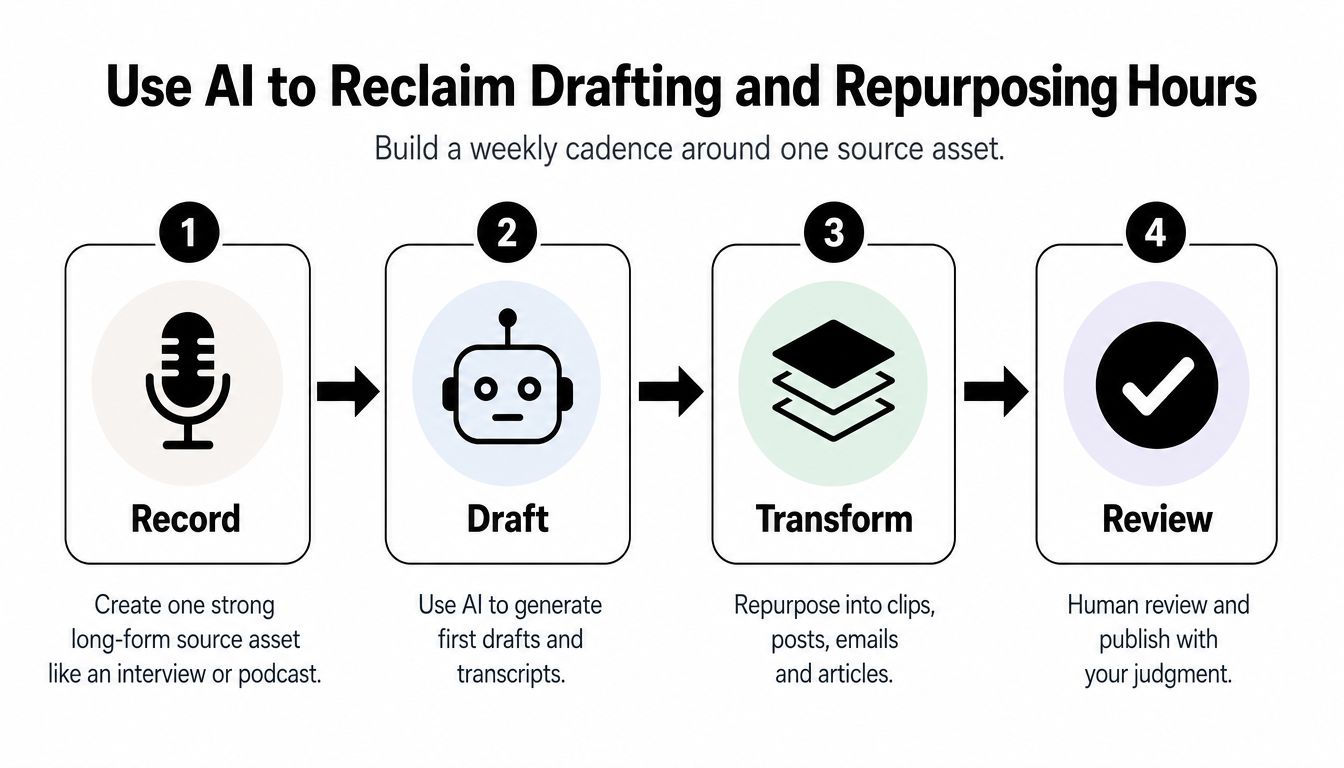
A 2026 analysis of AI content-creation research reported that teams using AI tools save an average of 8.3 hours per week on content creation, while AI-assisted drafting can be 4.2 times faster than manual workflows, according to AI Business Weekly's content-creation statistics analysis. Those figures are benchmarks, not promises. Research, prompting, fact-checking, revisions, approvals, and publishing still require a designed workflow.
Use a reusable prompt that includes the audience, objective, voice notes, approved claims, source material, and required format. Request an outline before requesting polished copy. Then batch similar jobs, such as generating several caption options from one transcript or creating multiple newsletter angles from one interview.
AI should reduce blank-page time. It shouldn't eliminate editorial responsibility.
Keep approved prompts, transcripts, and source links in a shared library. Never place confidential client or business material into an unapproved tool, and disclose AI assistance when editorial, platform, or client rules require it.
Protect the drafting block from notifications with a focused writing environment. Guidance on avoiding distractions while writing can help you create a cleaner session before AI enters the workflow.
Use the same source-first discipline for your wider content repurposing framework. The creator's job is to supply insight and make final decisions. AI and assistants should help move that insight through the production system.
Posting more often isn't automatically better time management. A 2026 creator report found that 52% of creators post at least daily, while other reporting says 62% of full-time creators report burnout symptoms and 81% work 50 or more hours per week, as summarized in this creator-cadence and burnout analysis. Daily publishing can be useful, but only when the workflow supports it without consuming every hour available for strategy.
Measure cadence as an operating cost, not a vanity signal. Every Friday, record the following:
| Weekly Cadence and Strategic Time Scorecard | Target | Week 1 | Week 2 | Week 3 | Week 4 |
|---|---|---|---|---|---|
| Published pieces by channel | Define your cadence | ||||
| Creation hours | Protect first | ||||
| Distribution hours | Keep visible | ||||
| Planned pieces completed | Maintain consistency | ||||
| Strategic Sprint completed | One protected block |
Watch distribution closely. If it takes more than 40% of your calendar, use the result as a trigger for a delegation or automation review, based on the measurement method outlined in the section plan. Don't respond by squeezing strategic work into leftover minutes. Put a fixed two-hour Strategic Sprint on the calendar after the dashboard review.
Use that block for content pillars, audience research, monetization experiments, positioning, and editorial decisions. Don't use it for inbox cleanup or caption formatting.
Finish Friday with four questions:
Answer them in under ten minutes. A sustainable cadence isn't the highest volume you can survive for one week. It's the repeatable output that leaves enough attention to build a business around the content.
Legacy Builder helps professionals turn interviews, ideas, and expertise into consistently scheduled personal-brand content, with strategy, writing, design, and distribution handled through a managed system. If admin and fragmented publishing are consuming your creative capacity, visit Legacy Builder to explore a workflow that gives your judgment the final say while removing much of the execution burden.


You could – but most in-house teams struggle with the nuance of growing on specific platforms.
We partner with in-house teams all the time to help them grow on X, LI, and Email.
Consider us the special forces unit you call in to get the job done without anyone knowing (for a fraction of what you would pay).
Short answer – yes.
Long answer – yes because of our process.
We start with an in-depth interview that gives us the opportunity to learn more about you, your stories, and your vision.
We take that and craft your content then we ship it to you. You are then able to give us the final sign-off (and any adjustments to nail it 100%) before we schedule for posting.
No problem.
We have helped clients for years or for just a season.
All the content we create is yours and yours alone.
If you want to take it over or work on transitioning we will help ensure you are set up for success.
We want this to be a living breathing brand. We will give you best practices for posting and make sure you are set up to win – so post away.
Subscribe to our newsletter and get insights on how to grow your personal brand.
