.svg)
Subscribe to our newsletter and get insights on how to grow your personal brand.
Thank you! Your submission has been received!
Oops! Something went wrong while submitting the form.
.svg)


Most advice on a LinkedIn content calendar template gets the sequence wrong. It starts with the spreadsheet, the posting days, the color coding, and the workflow. That feels productive, but it usually creates a neat-looking plan for content nobody wants to make.
A calendar isn't strategy. It's storage.
If your themes are vague, your audience is undefined, and your point of view is borrowed from everyone else in your space, the best template in the world won't fix inconsistency. It will just help you document it more cleanly. The founders, executives, and operators who build strong LinkedIn brands don't win because they found a prettier sheet. They win because they decide what they want to be known for, who they want to attract, and what kinds of conversations they want to lead. Then they use the calendar to execute that strategy without friction.
The usual promise is simple. Download a template, fill in the boxes, and you'll finally post consistently. That advice breaks down fast in practice.
Many don't stop posting because they lack a calendar. They stop because they don't know what deserves to go on it. When Monday arrives, the issue isn't organization. It's uncertainty. Should you share a client lesson, an opinion, a personal story, or a tactical post? If the answer changes every week, the template becomes another abandoned asset in your drive.
That problem is baked into most free resources. Research summarized in this LinkedIn article on building a content calendar you'll actually use says 90% of free templates from sources like Google Sheets, Coefficient, and HubSpot lack fields for sentiment tracking or engagement-weighted prioritization. That's why people can have a calendar and still post inconsistently.
A workable LinkedIn system needs more than dates and captions. It needs planning fields that answer questions like:
Most templates track production. Few track judgment.
A bad calendar asks, "What do I post on Thursday?" A good calendar asks, "Why does this deserve Thursday?"
Treat your calendar as the last step, not the first one. Before you schedule anything, define three things:
Your brand objective
Decide whether you're trying to attract leads, speaking opportunities, hiring interest, investor attention, or category authority.
Your audience signal
Note what your market already responds to. Look at comments, profile visits, DMs, and recurring questions.
Your message hierarchy
Rank your topics by importance. Not every idea deserves equal space.
If you want a better planning structure than the usual blank spreadsheet, this guide on a content calendar template for social media that actually works is useful because it frames the calendar as an operating tool, not a magic fix.
The fastest way to sound scattered on LinkedIn is to post whatever feels interesting that day. One post is about leadership. The next is a product lesson. Then a motivational story. Then a generic industry take. Nothing is wrong with any one post, but together they don't build a clear brand.
You need content pillars. These are the themes you want people to associate with your name.
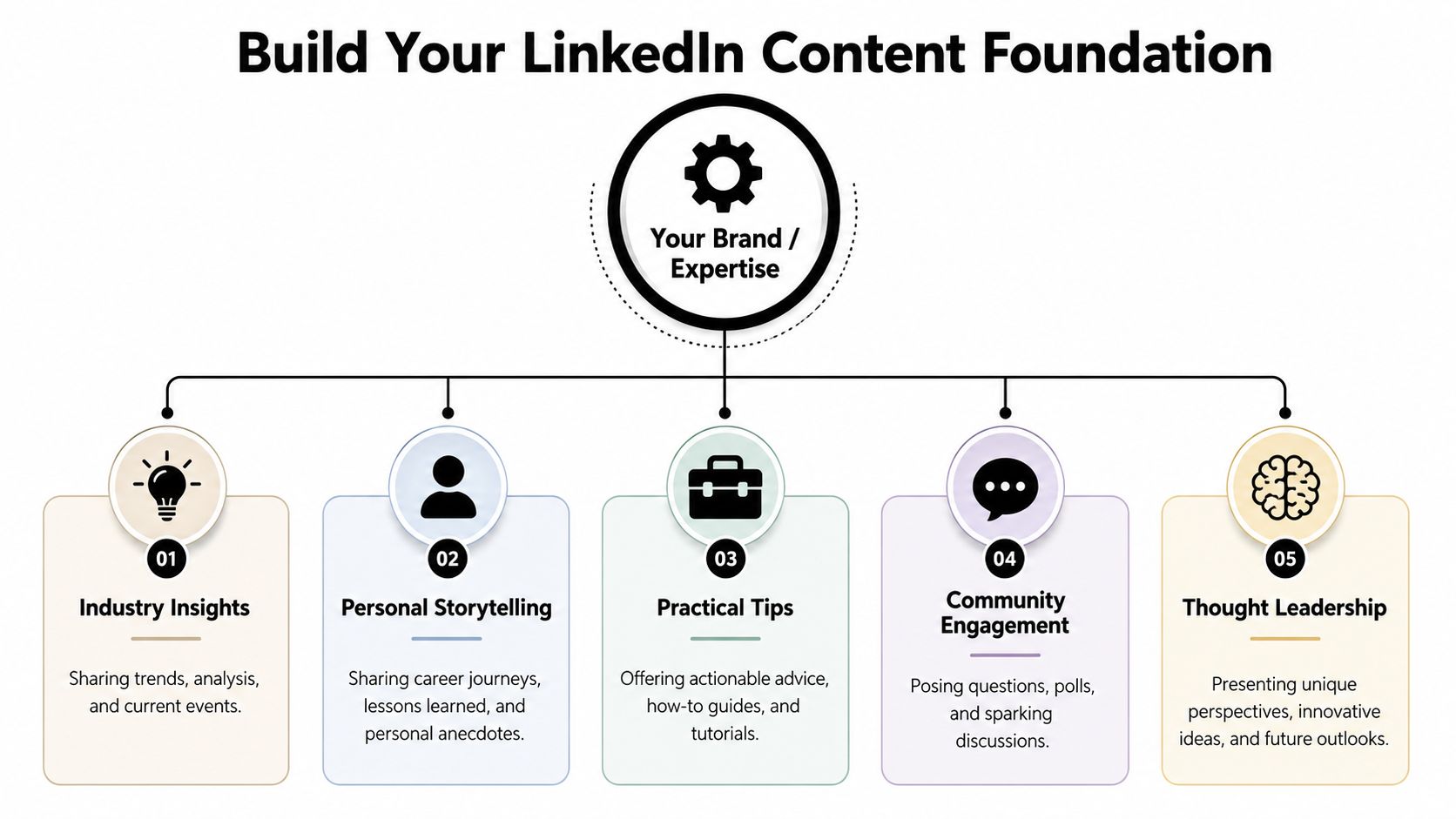
Most professionals only need three to five pillars. That's enough range to keep content fresh without turning your profile into a random mix of opinions.
A founder's pillars might look like this:
SaaS growth lessons
What you're learning about acquisition, retention, onboarding, pricing, or positioning.
Founder decision-making
Hard calls, trade-offs, mistakes, and what changed your thinking.
Team and leadership
Hiring, delegation, communication, culture, and managing through pressure.
Building in public
Launches, experiments, product feedback, and lessons from the market.
Category perspective
Contrarian takes on where the industry is moving.
A senior executive might choose a different set. Think transformation, leadership communication, market insight, talent development, and operational excellence. The right pillars come from your actual expertise and the opportunities you want to attract.
Many tend to be too generalized. "Leadership" isn't a content plan. It's a bucket. You need language people search, recognize, and associate with your space.
LinkedIn's B2B thought leadership framework recommends identifying 3 to 5 core keywords per monthly theme and 2 to 3 long-tail keywords for each weekly topic, and says this structured approach can improve organic search rankings by up to 45% when applied consistently, according to LinkedIn's B2B thought leadership content calendar template.
Here's a practical way to apply that.
| Pillar | Monthly theme keyword ideas | Weekly long-tail topic ideas |
|---|---|---|
| SaaS growth | onboarding, churn, product marketing | reduce onboarding friction, messaging for crowded markets |
| Founder mindset | resilience, decision-making, focus | how founders handle conflicting feedback, when to ignore advice |
| Leadership | delegation, hiring, feedback | first leadership hires, giving corrective feedback clearly |
| Building in public | launch strategy, product feedback, iteration | what a small launch taught us, using customer objections as content |
Use tools like Google Keyword Planner or SEMrush to sharpen the language. You aren't trying to stuff posts with keywords. You're trying to name your expertise with enough precision that your content compounds instead of drifting.
Practical rule: If a topic doesn't fit one of your pillars, it probably belongs in your notes app, not on your LinkedIn feed.
Many don't need a more aggressive posting goal. They need one they can keep.
A LinkedIn content calendar template fails when it assumes unlimited time, unlimited creative energy, and a full content team behind one profile. That isn't how most founders and executives operate. They have meetings, sales calls, hiring issues, and an actual business to run. Your cadence has to survive a busy month, not just an inspired week.
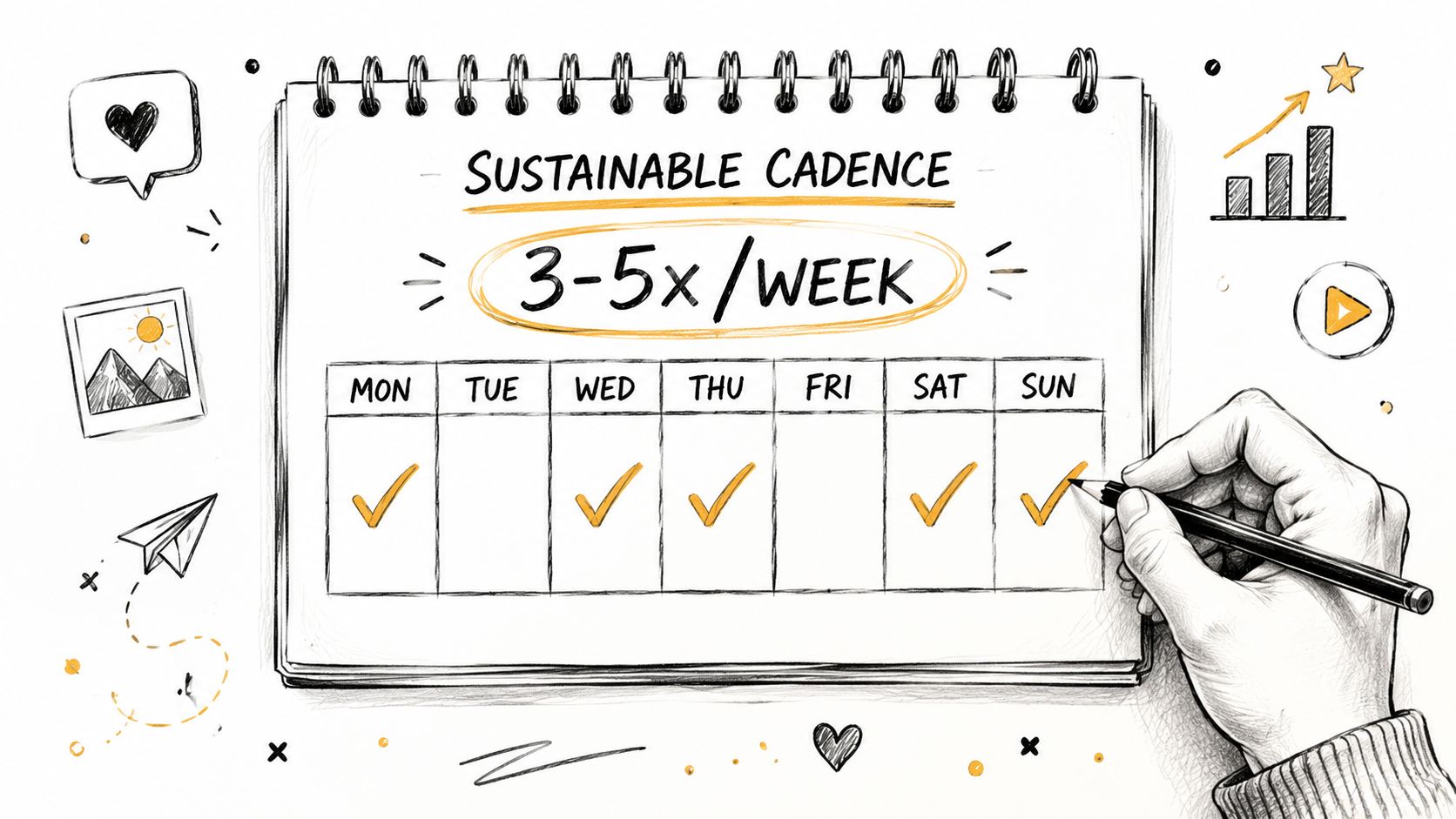
For most professionals, a simple weekly rhythm works better than an ambitious burst-and-collapse cycle.
Here's a useful way to choose:
What doesn't work is copying a creator's frequency when you don't share their workflow. Volume without a system produces rushed posts, repeated ideas, and burnout.
Your calendar shouldn't be a wall of text posts. Different formats do different jobs. Some pull attention. Some build depth. Some create a stronger signal around expertise.
Founder-focused content strategy benchmarks suggest allocating 25 to 40% of calendar slots to visual posts and 15 to 30% to native LinkedIn articles, with posts that include visuals seeing up to 200% more engagement, according to BAMF's LinkedIn content calendar template guidance.
That changes how I build a calendar. I don't ask, "What do we want to say?" I ask, "What format gives this idea the best chance to land?"
A practical weekly mix might look like this:
| Day | Format | Purpose |
|---|---|---|
| Monday | Text post | Strong opinion or lesson from the field |
| Tuesday | Visual post | Framework, process, or graphic breakdown |
| Thursday | Text or carousel | Story with a business takeaway |
| Friday | Native LinkedIn article or short article-style post | Deeper authority piece |
Not every week needs every format. The point is variety with intent.
Keep a separate idea bank. Then batch by format. Write all your text posts in one session. Outline article ideas in another. Build visuals together so design work isn't scattered.
If you need help turning raw ideas into usable drafts, LunaBloom AI can be useful for organizing prompts, refining angles, and reducing the blank-page problem before you polish the content in your own voice.
If you're comparing scheduling and workflow tools after you've built the strategy, this roundup of the best content calendar software for 2026 can help you choose based on workflow, not hype.
Most weak LinkedIn posts don't fail because the idea is bad. They fail because the writer dumps the idea onto the page without structure.
Good captions guide attention. They open with tension, build meaning, and land with a clear takeaway. When a client says, "I know what I want to say, but I can't make it sound good," the problem is rarely expertise. It's packaging.
Use Hook, Unpack, Takeaway when you're teaching.
Raw idea: onboarding friction kills conversions.
Better version:
Hook
Most SaaS teams don't have a traffic problem. They have an onboarding clarity problem.
Unpack
If a user signs up and immediately hits confusion, they don't wait for your product to prove itself. They leave. That's why so many teams chase new acquisition while ignoring the first few moments after signup. The fix usually isn't more features. It's clearer steps, better sequencing, and fewer decisions.
Takeaway
Before you spend more on acquisition, review the first experience new users have.
This format works because it respects how people read on LinkedIn. They scan first. Then they commit.
Use Relatable Story, Personal Insight, Open Question when you want comments from peers.
I used to think strong personal branding meant sounding polished all the time. It doesn't. The posts that usually start the best conversations are the ones where the lesson still feels human.
Example:
You can spend an hour rewriting a post so it sounds impressive. Or you can say what happened.
Last year, I scrapped a content plan that looked smart on paper because none of it sounded like the person behind the brand. The themes were right. The tone was wrong. Once we shifted back to language the client would use in a conversation, the content started feeling credible again.
Have you ever looked at your own post draft and thought, "This sounds professional, but it doesn't sound like me?"
That last question matters. It creates an easy door into the conversation.
Use Myth, Reality, Proof when you need to challenge a bad assumption.
| Weak opening | Stronger opening |
|---|---|
| Consistency is important on LinkedIn | The myth is that consistency comes from discipline. The reality is that it comes from decision-making made in advance. |
| You should post more often | More posting doesn't fix weak positioning. It just amplifies confusion. |
| Storytelling matters | Storytelling without a point of view reads like journaling in public. |
The "proof" piece doesn't need a statistic. It can be an example, a pattern you've seen across clients, or a practical observation from your own work.
The key is simple. Don't start by explaining. Start by creating contrast. Contrast earns attention. Then your insight has somewhere to land.
A strong LinkedIn presence doesn't come from inventing a brand-new thought every time you open your laptop. That's the fastest route to thin content and mental fatigue.
The better model is hub and spoke. One substantial idea becomes several smaller assets. That keeps your message consistent while giving your audience more than one way to engage with it.
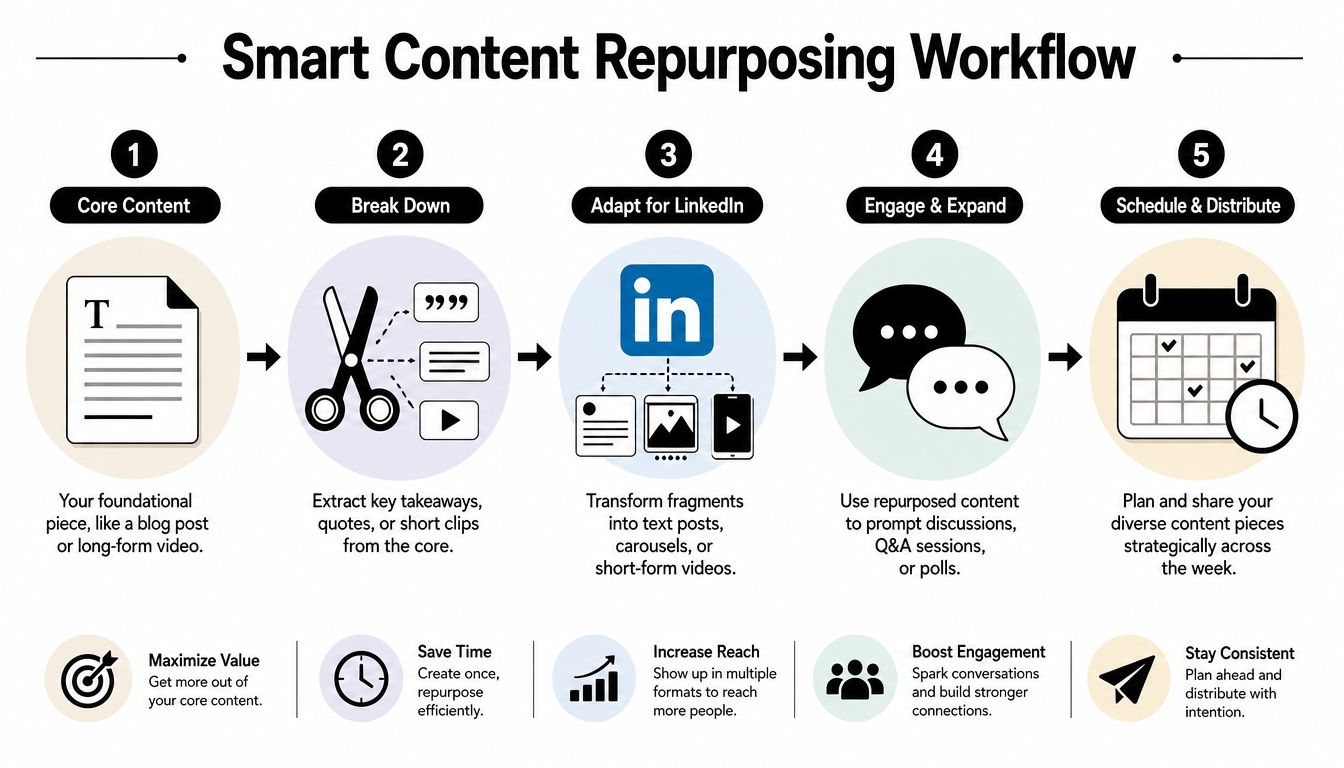
A hub can be:
Once you have the hub, pull it apart deliberately.
Here's the workflow:
Find the core thesis
What is the single argument, lesson, or opinion?
Extract smaller angles
Pull out one quote, one counterintuitive point, one story, and one practical tip.
Match each angle to a format
The quote becomes a text post. The process becomes a carousel. The story becomes a caption. The controversial point becomes a poll or conversation starter.
Schedule across the week
Don't publish every derivative piece back-to-back. Space them so each asset feels distinct.
This short video gives a useful visual reference for that process.
Say your hub is an article about why founders should stop outsourcing their voice.
That could become:
Monday
A text post with the core claim: outsourced polish often kills credibility.
Tuesday
A visual post showing the difference between generic brand language and founder language.
Thursday
A story post about a time a polished draft had to be rewritten because it sounded nothing like the person.
Friday
A question post asking whether people prefer polished authority or conversational authority.
Repurposing works when the idea is strong enough to survive different formats. If the source content is thin, the derivative posts will be thinner.
If you want a deeper breakdown of this workflow, this guide on how to repurpose content and multiply your reach is a practical companion.
A LinkedIn content calendar template shouldn't end at "published." That's where most of the useful feedback starts.
Too many people judge performance by likes because likes are visible and easy to compare. They also tell an incomplete story. A post can get plenty of lightweight engagement and produce nothing useful for your brand. Another post can get quieter public metrics and still drive the exact conversations you want.
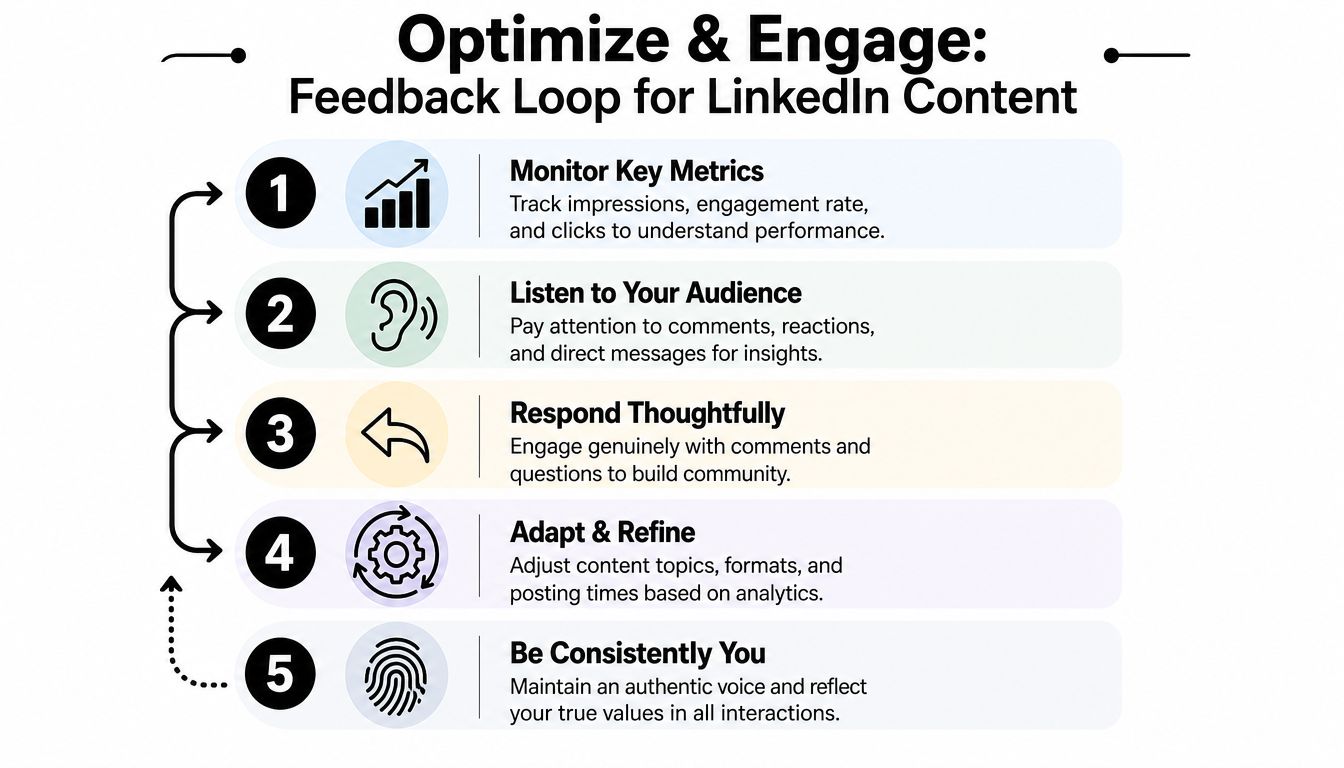
The most useful indicators are usually more qualitative than people expect.
Track things like:
Profile views with context
Are the right people checking who you are after seeing your content?
Inbound DMs
Are conversations starting with prospects, peers, founders, recruiters, or event organizers?
Comment quality
Are people adding perspective, asking smart questions, or sharing relevant experience?
Repeat engagement from the same names
That's often the start of real audience formation.
A vanity metric tells you a post was noticed. A business metric tells you it moved someone.
Strong creators don't just publish. They participate.
Use a simple daily routine:
Comment with intent
Spend time on posts from peers, prospects, industry operators, and people whose audiences overlap with yours.
Reply like a person
Don't drop "Thanks" under a thoughtful comment. Continue the discussion.
Collect audience language
Good comments and DMs contain future post topics, objections, and phrasing you can reuse.
Review weekly
Note which topics attracted shallow reactions and which sparked useful conversations.
The comment section is market research. If you're ignoring it, you're skipping the clearest feedback you have.
A good calendar evolves. It keeps the pillars, but it adjusts the angles, formats, and hooks based on what your audience responds to. That's how content becomes a system instead of a guessing game.
If you want help building a LinkedIn strategy that starts with positioning and turns into consistent, credible execution, Legacy Builder helps founders, executives, and professionals turn their real expertise into content people trust and remember.


You could – but most in-house teams struggle with the nuance of growing on specific platforms.
We partner with in-house teams all the time to help them grow on X, LI, and Email.
Consider us the special forces unit you call in to get the job done without anyone knowing (for a fraction of what you would pay).
Short answer – yes.
Long answer – yes because of our process.
We start with an in-depth interview that gives us the opportunity to learn more about you, your stories, and your vision.
We take that and craft your content then we ship it to you. You are then able to give us the final sign-off (and any adjustments to nail it 100%) before we schedule for posting.
No problem.
We have helped clients for years or for just a season.
All the content we create is yours and yours alone.
If you want to take it over or work on transitioning we will help ensure you are set up for success.
We want this to be a living breathing brand. We will give you best practices for posting and make sure you are set up to win – so post away.
Subscribe to our newsletter and get insights on how to grow your personal brand.
