.svg)
Subscribe to our newsletter and get insights on how to grow your personal brand.
Thank you! Your submission has been received!
Oops! Something went wrong while submitting the form.
.svg)


A solid content calendar template for social media is what separates the creators who are stressed and scrambling from those who are strategic and growing. It’s the difference between the daily panic for post ideas and a clear, organized system that gives you back your time and your sanity.
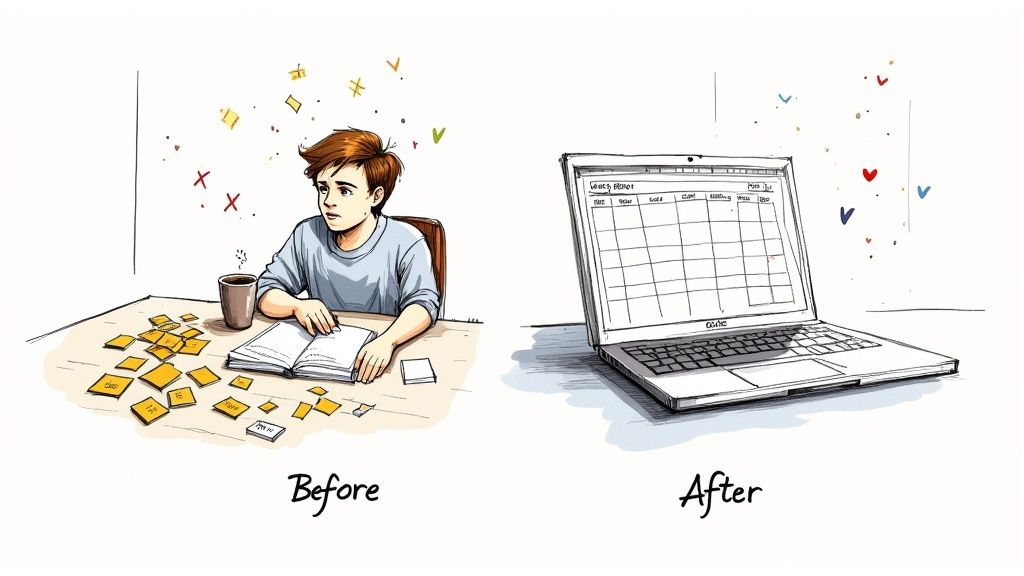
If you’ve ever had that 9 AM feeling—staring at a blank screen, desperately trying to come up with something clever to post—you know the pain of reactive social media. It’s a burnout cycle of inconsistency and stress that kills your momentum and waters down your brand story.
Shifting to a proactive model isn't just about scheduling posts; it's about changing your entire mindset. You stop asking, "What should I post today?" and start asking, "What does my audience need to see this month to feel connected, educated, and inspired?" That question changes everything.
Think of a well-built calendar as your single source of truth. It maps out your content for weeks, maybe even months, completely wiping out decision fatigue. One of the biggest hurdles I see for personal brands and small businesses is just posting consistently, and a documented plan solves that problem overnight.
This frees up a ton of mental space. Instead of wasting your best hours brainstorming, you can finally focus on the things that actually move the needle:
A content calendar isn’t a creative cage—it's a launchpad. It provides the structure for your best ideas to really take off, making sure every post has a purpose instead of just filling a space.
On social media, consistency is how you build authority. Period. When your audience knows they can count on you for valuable content on a regular basis, they start to trust you. A content calendar is the tool that makes this possible, especially when you're building a personal brand.
To really get past the reactive scramble, you first need to understand what is a content calendar at its core. This is a foundational piece of any modern B2B social media strategy, which is all about planned, value-first content. Each post you schedule becomes another deliberate touchpoint, reinforcing your expertise and cementing your status as the go-to person in your space.
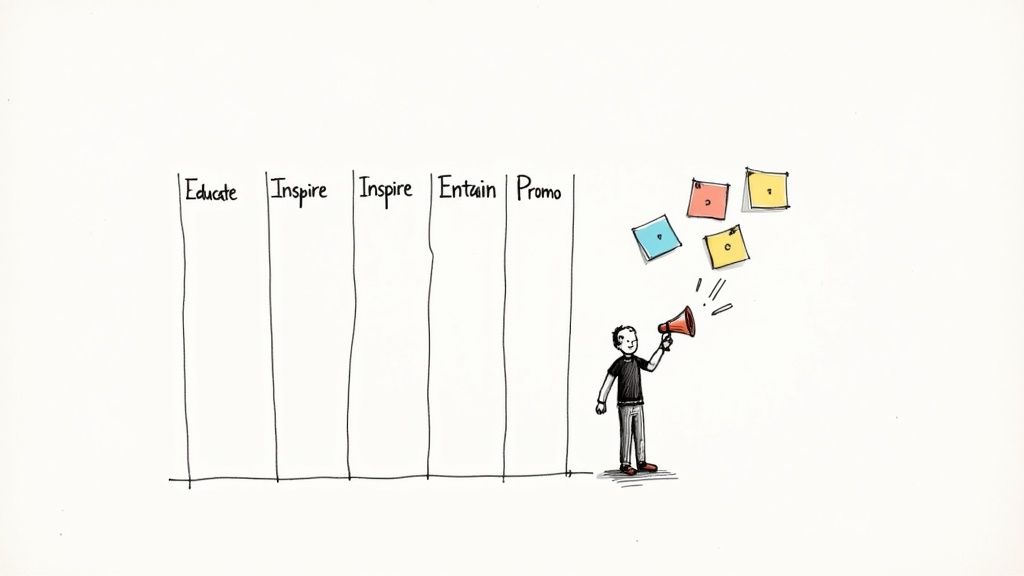
An empty content calendar template for social media is basically just a glorified spreadsheet. What actually gives it power—and gives your personal brand a pulse—is a solid set of content pillars.
Think of these as the 3-5 core topics you’ll consistently talk about. They're the foundation of everything you post. Without them, your feed becomes a random mess of ideas that confuses followers and tanks your authority.
Your pillars tell your audience what to expect from you. They're the reason people follow you in the first place.
Let's cut through the generic advice. Imagine you're a freelance graphic designer trying to land more high-ticket clients on Instagram and LinkedIn.
Your first thought might be to just spam your portfolio. Big mistake. That's one-dimensional and screams "I want to sell you something." To build a real brand, you have to educate, inspire, and connect with people first.
Here’s a quick way to brainstorm your pillars:
These lists are gold. They'll help you pull out strong pillars that show off your expertise and actually help your audience.
So many people get this wrong. They pick pillars that are way too broad, like "Marketing." Get specific. "Email Marketing for SaaS Founders" or "Video Marketing for Local Gyms" is what builds a loyal following.
Let’s go back to our freelance designer example. Here are a few solid pillars they could build their entire content strategy around.
Pillar 1: Design Process Demystified
This is where you pull back the curtain and show people how you work. It builds massive trust. Think behind-the-scenes videos, case studies, or a post explaining the difference between a mood board and a style guide.
Pillar 2: Brand Strategy Insights
This pillar positions you as a strategic partner, not just a hired gun. Share tips on how great design actually drives business results. Talk about brand voice. Break down the branding of big-name companies.
Pillar 3: The Creative Grind
Here’s where you connect with other creatives and build a community. Share your favorite tools, your workflow for staying sane, or how you handle difficult client feedback. It makes you relatable.
Pillar 4: Client Wins & Results
This is your "promo" pillar, but you're not just shilling your services. It’s all about client success. Post testimonials, showcase the ROI of a redesign, and celebrate your clients' wins. It’s promotion that feels authentic.
Suddenly, your calendar has a rhythm. Monday is a "Design Process" tip. Wednesday is a "Brand Strategy" insight. Friday is a "Client Win." The chaos is gone, replaced by a reliable, value-packed schedule. To see how these fit into a bigger picture, our guide on high-impact content is a great next step.
Once your pillars are set, you need to balance them. Don't just promote, promote, promote. A good framework to follow is the 50/30/20 rule.
This isn't just a hunch; it's what works. Social Firm found that one agency grew its community by 35% year-over-year by using a calendar with a balanced mix like this. Why? Because they could actually track what was working and double down on it.
This mix keeps you from burning out your audience with constant sales pitches while consistently building the trust you need to make sales later.
Alright, you’ve got your content pillars locked in. Now it’s time to build the engine that’s going to drive your entire social media machine.
A killer content calendar template for social media isn’t about some fancy, overpriced software. Forget all that. It’s about creating a simple, flexible system in a tool you already know how to use, like Google Sheets or Notion.
The point here isn’t to add another complicated task to your to-do list. It’s to create one single source of truth that makes your content process ridiculously smooth. This is how you make planning, creating, and posting consistently feel easy.
Let’s build this thing, piece by piece.
Every column you add to your calendar needs to have a job. It should guide a piece of content from a random idea in your head to a published post that gets results.
Think of these as the non-negotiables.
Your content calendar is the central nervous system of your social media strategy. To make it work for you, it needs to capture the right information without becoming a bloated, complicated mess. Here’s a breakdown of the essential fields to include and why each one is so critical for a smooth workflow.
These core components are the skeleton of your calendar. They provide just enough structure to keep things moving without bogging you down in unnecessary details. Once you have this down, you’re ready to add the meat.
Once that basic structure is solid, a few more columns can turn your calendar from a simple schedule into a full-blown content command center. This is where the real creative and strategic work gets done.
Seriously, add these to your template:
A huge mistake I see people make is treating their calendar like a static schedule. It’s not. It should be a living, breathing workspace where ideas are born, copy gets polished, and your strategy comes to life. If it’s not saving you time and mental energy, you’ve designed it wrong.
Let's go back to our freelance graphic designer. Here’s exactly what a single entry in their new content calendar template for social media might look like for a LinkedIn post.
See how clean that is? In one look, you know exactly what the post is, its purpose, where it's going, and what you need to make it happen. This is the kind of organization that lets you batch an entire week—or even a month—of content in one afternoon.
When you have a system like this, combined with consistent daily execution, you build an unstoppable brand. For a deeper dive, check out our insights on the powerful habits of daily brand building.
At the end of the day, the best tool is the one you’ll actually use. Whether it's a simple Google Sheet or a more visual tool like Trello, the principles don't change. Start with these essential pieces and build a workflow that feels natural and sustainable for you.
Having a slick content calendar template for social media is a great start. But let's be real—a template is just a document. Turning it into a living, breathing system that actually saves you time and kills the daily "what do I post?" stress? That's a whole different ballgame.
This is where you shift from planning to doing. The goal isn't just to fill a spreadsheet; it's to build a rhythm that makes content creation feel almost automatic.
Here’s a simple look at how an idea moves through the system and becomes a scheduled post.

This little workflow ensures nothing gets lost. Every idea is tracked from the moment you have it until it’s out in the world.
If you take one thing away from this guide, make it content batching. This is the single most powerful habit for consistent, high-quality content. Instead of scrambling every day, you block off dedicated time—maybe one full day a month or a few hours every Monday—to get it all done at once.
You stop switching gears constantly. Think about it: script all your videos in one session. Film them all in another. Then, write all your captions. This focused work is worlds more efficient than trying to do a little of everything, every single day.
Here's what a batching day could look like for your personal brand:
This turns your calendar from a simple to-do list into a full-blown production line. The feeling of knowing your content is handled for the next 30 days? It’s a game-changer for your creativity.
Nothing kills a creative flow faster than hunting for a file on a messy desktop or a chaotic Google Drive. A clean, logical folder structure for your visuals isn't just nice to have; it's non-negotiable for an efficient system.
It's simple. Create a main folder called "Social Media Content." Inside that, make subfolders for each month (e.g., "2024-11 November"). Then, within each month's folder, create folders for each platform.
Example Structure:
Social Media Content > 2024-11 November > Instagram > Post_1_Carousel_Slides
This micro-organization means you or anyone on your team can find exactly what you need in seconds. When you drop the link into your calendar's "Visuals Link" column, there's zero guesswork involved.
You've done the hard work. Your content is created, and your visuals are organized. The final piece of the puzzle is automation. Manually posting every single piece of content is a massive waste of your time.
Get a scheduling tool you like. Whether it's Buffer, Later, or a native tool like Meta Business Suite, find one that works for your platforms and load everything up at once.
Block out an hour right after your batching day to schedule it all. You'll upload your visuals, copy and paste the text from your calendar, and set the dates and times. Once you hit "schedule," your social media is on autopilot. This frees you up to focus on what really matters: engaging with your community.
If you want to see these principles applied specifically for short-form video, checking out a dedicated TikTok content calendar template can really help nail down your workflow.
This systematic approach works. By 2025, it's expected that brands with a structured content system will see a 30-50% jump in engagement over those who post on a whim. Why? Because they can consistently hit peak posting times and leverage proven formats. This system doesn't just organize your content—it turns your social media from a daily chore into a predictable, strategic asset for your brand.
Posting content is only half the battle. A filled-out content calendar template for social media gives you consistency, sure, but the data is what tells you if you're actually moving in the right direction.
Without a feedback loop, you’re just guessing what your audience wants. It’s time to stop guessing and start measuring.
This doesn't have to be some complicated, spreadsheet-heavy process. You can pull powerful insights by focusing on just a handful of metrics each month. The goal here is a simple, repeatable review that turns raw numbers into a smarter content plan for next month.
Forget getting buried in vanity metrics. For most personal brands, a few key performance indicators (KPIs) tell you pretty much everything you need to know.
These are the essentials to track:
Tracking these numbers gives you a clean snapshot of your performance without creating data overload. Just add columns for these at the end of each month in your content calendar to keep it all in one place.
Block off an hour or two at the end of each month to audit your content. This isn't about being critical—it's about finding patterns. Pull up your calendar and your platform analytics, and start asking the right questions.
The most successful creators I know are relentless auditors of their own content. They don't just post and pray; they analyze, learn, and adapt. This monthly review is where the real growth happens.
You’re basically looking for your winners and losers.
Analysis is useless if you don't do anything with it. This is the final and most important step: turn what you learned into concrete adjustments for next month's content plan.
For example, if you discovered a carousel breaking down a complex topic was your top post, the action item is obvious: create two more deep-dive carousels on similar topics next month.
If you noticed that posts at 8 AM on Tuesdays consistently performed well, you now know when to schedule your best stuff.
This simple cycle—Plan, Execute, Measure, Adapt—is what turns your content calendar template for social media from a static document into a dynamic growth tool. It creates a powerful feedback loop where every post makes the next one smarter.
Jumping into any new system feels a bit weird at first, especially when it involves your creative flow. A solid content calendar template for social media is meant to bring calm to the chaos, but what happens when life throws a curveball?
Let's cut through the noise and tackle the real questions I hear all the time.
A big one is the fear of being too rigid. I get it. Creators worry a plan will kill their vibe and stop them from hopping on trends. It’s a valid concern, but you're thinking about it the wrong way. A good calendar is your foundation, not a prison.
The trick is to plan for spontaneity. Seriously. Don't schedule every single post for the entire month. Leave a few "wildcard" slots open each week. That way, when a perfect meme or a relevant news story drops, you’re ready to pounce. You get the stability of your core content and the agility to stay relevant.
The best tool is the one you’ll actually stick with. End of story.
It’s easy to get sidetracked by flashy, complicated project management software. But for most of us, a simple Google Sheet or a Notion template is more than enough. In fact, over one in eight social media marketers at small companies admit they struggle just to post consistently. Simplicity is your best friend here.
Before you drop any cash on a new tool, ask yourself:
The goal isn't to find some "perfect" app. It's to find the most practical one for you right now. You can always upgrade later when you’re scaling.
The idea of mapping out a whole month of content can feel like a mountain to climb, especially when you feel like you’re already drowning. But this is the classic "spend time to save time" scenario. That initial investment in a dedicated planning session—what I call a "batching day"—pays off big time.
Let's be clear: the time you spend planning isn't an extra task. It's a direct replacement for the scattered, panicked brainstorming you’re already doing every single day. One focused, four-hour session can easily save you ten-plus hours of stress and wasted effort over the month.
Don't try to boil the ocean. Start small. You don't need to plan the next 30 days on your first go. Just block out two hours this weekend. Plan one week. Write the captions, grab the visuals, and load it all into your new content calendar template for social media.
Once you feel that sense of relief—knowing an entire week is done and dusted—scaling up to a full month will feel way more doable.
Ready to build a personal brand that makes an impact without the daily stress? Legacy Builder transforms your expertise into a powerful content engine. We handle the strategy, creation, and management so you can focus on what you do best. Start building your legacy today.


You could – but most in-house teams struggle with the nuance of growing on specific platforms.
We partner with in-house teams all the time to help them grow on X, LI, and Email.
Consider us the special forces unit you call in to get the job done without anyone knowing (for a fraction of what you would pay).
Short answer – yes.
Long answer – yes because of our process.
We start with an in-depth interview that gives us the opportunity to learn more about you, your stories, and your vision.
We take that and craft your content then we ship it to you. You are then able to give us the final sign-off (and any adjustments to nail it 100%) before we schedule for posting.
No problem.
We have helped clients for years or for just a season.
All the content we create is yours and yours alone.
If you want to take it over or work on transitioning we will help ensure you are set up for success.
We want this to be a living breathing brand. We will give you best practices for posting and make sure you are set up to win – so post away.
Subscribe to our newsletter and get insights on how to grow your personal brand.
