.svg)
Subscribe to our newsletter and get insights on how to grow your personal brand.
Thank you! Your submission has been received!
Oops! Something went wrong while submitting the form.
.svg)


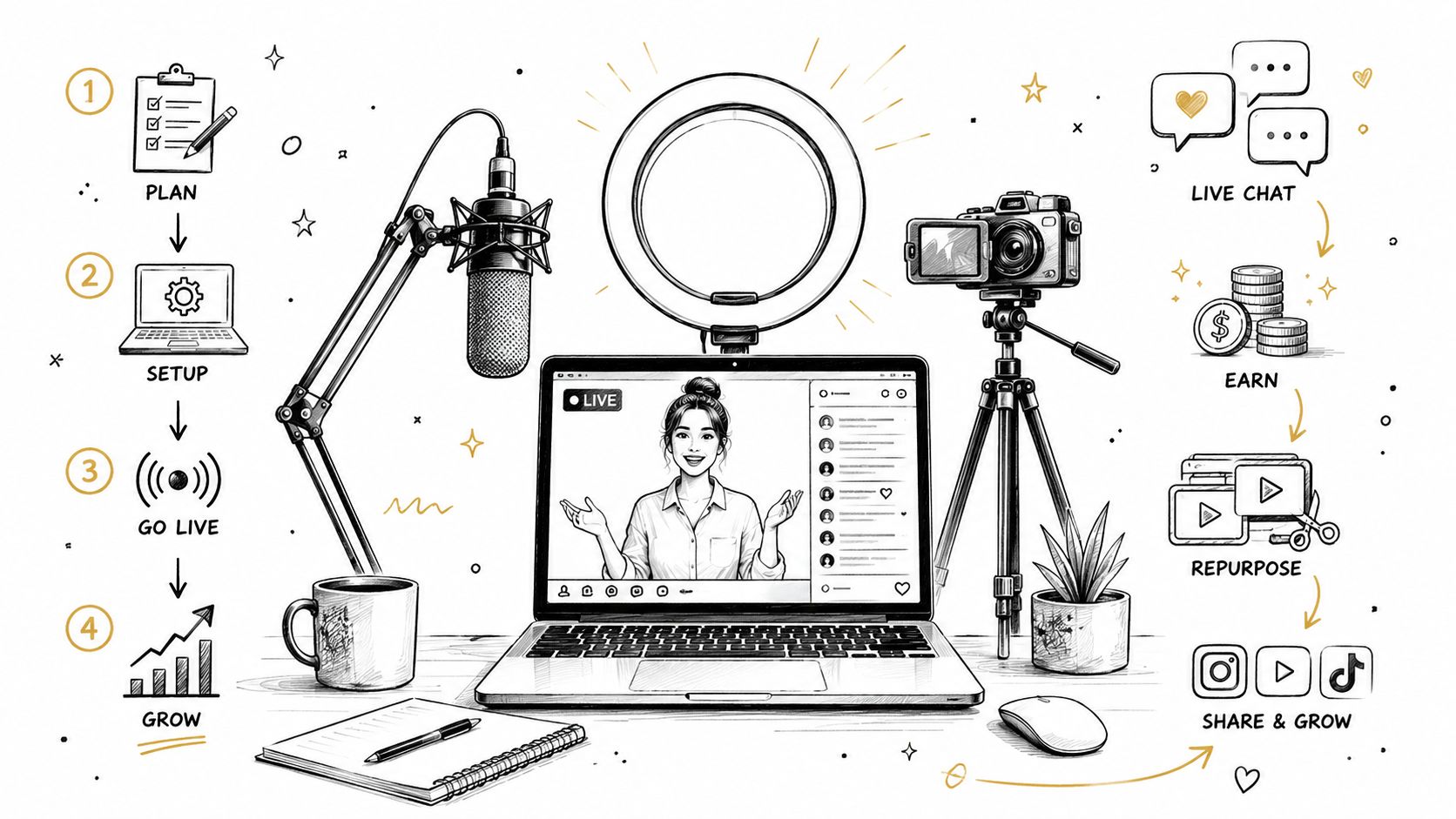
Ask how to start live streaming by shopping for a camera. That's backwards. If your audio is muddy, your room is dark, and your first minute drags, nobody stays long enough to care what camera you bought.
Live streaming is no longer a side hobby. The market was estimated at USD 87.55 billion in 2023 and is projected to reach USD 345.13 billion by 2030, with a 23.0% CAGR from 2024 to 2030, according to Grand View Research. Viewers are already spending massive amounts of time with live content, and that makes the first impression unforgiving. If you want to look credible, you need a setup that sounds clear, looks intentional, and gets to the point fast.
The fastest way to look amateur is to obsess over camera quality first. That choice is backwards. Viewers judge whether they can hear you, whether your face is lit well enough to read, and whether the stream starts without friction long before they care about lens sharpness or fancy overlays. If you are learning how to start live streaming, start where viewers decide whether to stay.
Embryo reports that 67% of viewers consider video quality the most important factor, and 50% leave a low-quality stream within 90 seconds or less. That should change how you spend money and attention. The first 90 seconds function as a credibility test, not a soft intro.
Practical rule: buy the thing that removes friction first. For most new streamers, that's a microphone, not a camera.
Beginners also look amateur because they treat live video like a one-off performance. Professionals treat it like a repeatable system. They test audio, light the face properly, and open with a clear point so the stream feels deliberate instead of improvised. That is the difference between a stream that feels credible and one that feels like someone hit go live without preparation.
Live streaming has become a major global media category, not a niche format, and audience behavior reflects that shift. The streaming category keeps rewarding the creators who sound clear, look intentional, and get to the point fast. If you want to look credible, build a setup that earns trust before you chase production polish.
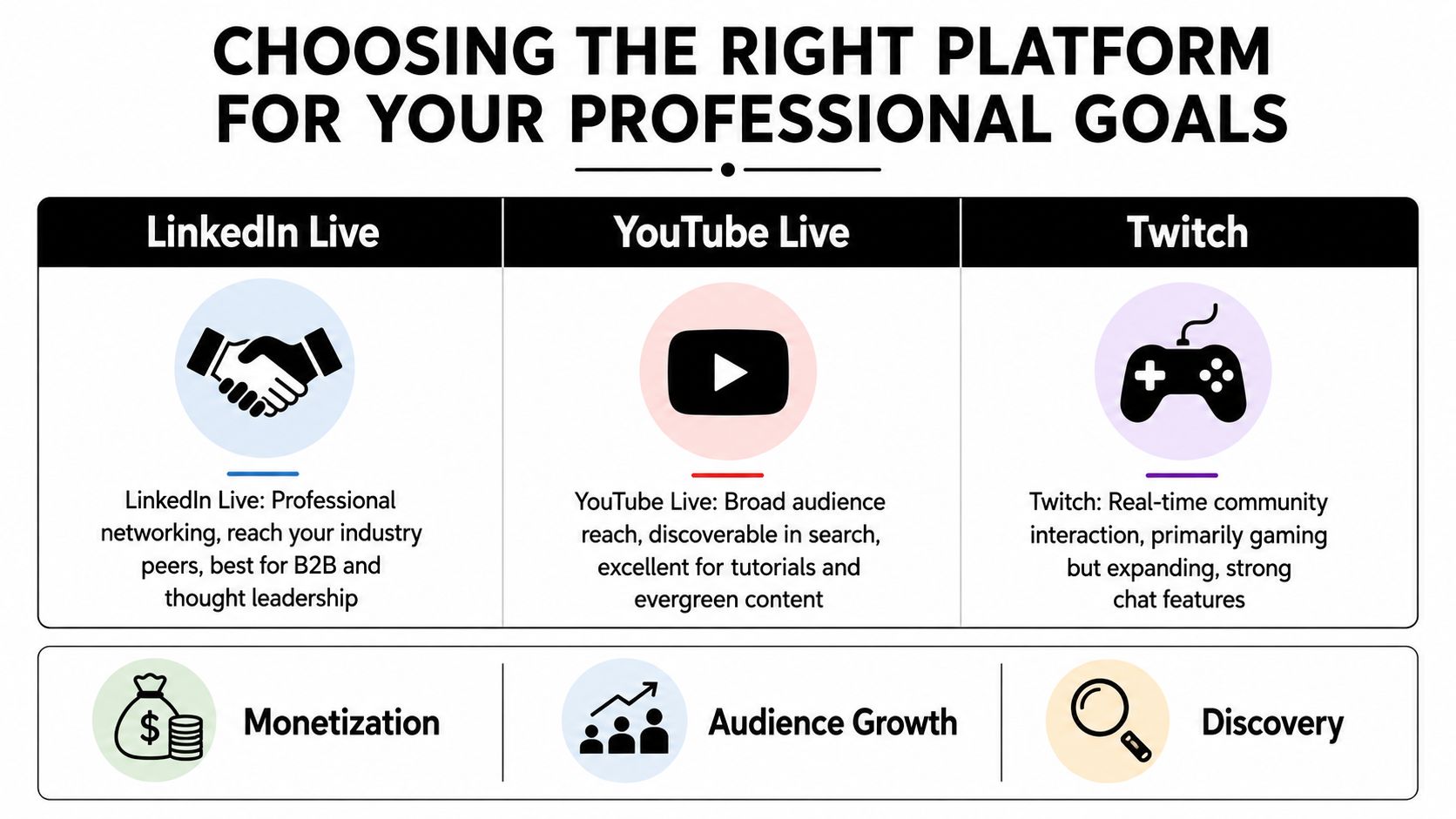
Pick the platform from the goal, not from habit. If you want to build authority, generate leads, or launch a product, the right place to go live is the one where your audience already expects professional information. If you want pure reach and search visibility, choose differently.
LinkedIn Live is the cleanest fit for B2B thought leadership, executive visibility, and industry conversations. It tends to underdeliver on casual discovery, but it rewards professional context better than assumed. If your stream is meant to speak to buyers, partners, or peers, LinkedIn belongs on the shortlist.
YouTube Live is the best all-around choice for discoverability and evergreen value. It fits tutorials, product education, interviews, demos, and recurring shows because the platform is built for long-term search and replay value. For a professional who wants one stream to keep working after the broadcast ends, YouTube is usually the strongest default.
Twitch is still the most community-native option, especially for real-time chat and recurring audience habits. It's strongest in gaming, but its interaction model is excellent if your format depends on live back-and-forth. The weakness for most professionals is that Twitch still signals creator culture more than business authority.
If you want a deeper catalog of adjacent formats and use cases, the streaming category at Storyshort is a useful place to compare how different stream styles are framed.
| Platform | Best For | Weakness for Pros |
|---|---|---|
| LinkedIn Live | B2B credibility, founders, executives, industry commentary | Smaller entertainment-style discovery |
| YouTube Live | Searchable tutorials, evergreen education, product demos | Can feel noisy if your positioning is vague |
| Twitch | Chat-heavy community shows, recurring live formats | Less natural for business authority |
| Instagram Live | Lightweight audience connection, informal updates | Weak structure for polished professional content |
If you're deciding between two platforms, choose the one that matches the audience's expectation of seriousness. Professionals don't need the most features, they need the platform that makes their message look intentional.
Audio comes first because bad sound makes everything else feel cheap. People will put up with an average webcam far longer than they will tolerate muffled, distant, or echoey audio.
The cheapest credible move is a wired USB microphone placed close to your mouth. A desk mic, a simple headset, or a lavalier can all work if the room is quiet and the mic stays close enough. If your space has echo, a headset often beats a prettier desktop mic because it cuts room noise without forcing you into a bigger production setup.
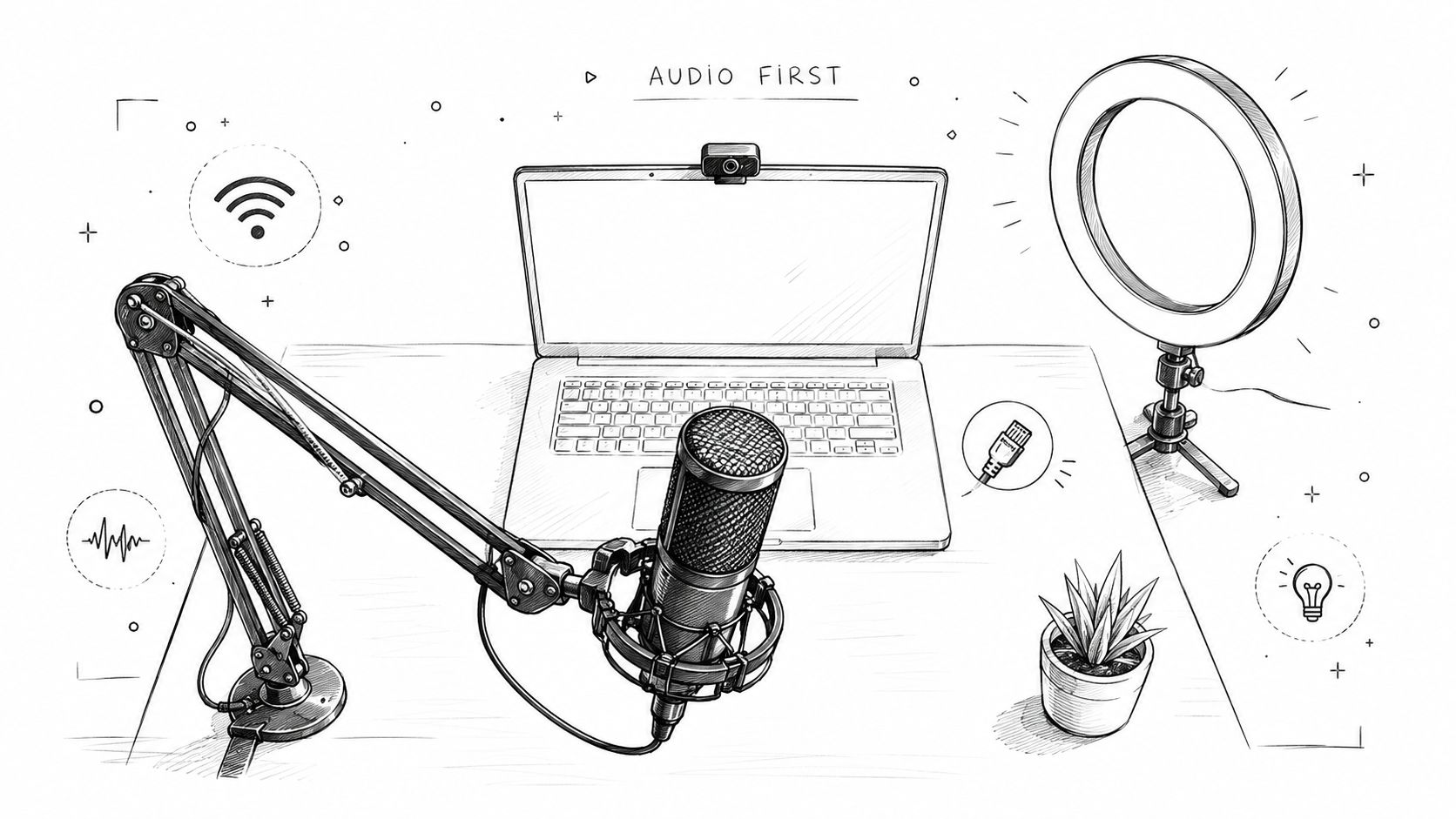
Lighting comes next. Put a soft light slightly in front of you, not behind you, and stop relying on ceiling lights alone. A cheap ring light can work, but a softbox or panel light aimed properly usually looks calmer on skin and keeps your face from disappearing into shadow.
A stream can survive a modest camera. It usually cannot survive bad sound and a face that is half in darkness.
For gear ideas that stay grounded in reality, streaming on a budget is worth skimming before you buy anything unnecessary. The right budget setup is the smallest system that makes you look steady, rather than the cheapest pile of boxes.
Your internet needs to be stable before it needs to be fast. Use wired Ethernet if you can. If you cannot, treat Wi-Fi as a fallback, not a plan. A solid encoder like OBS Studio is enough for most first streams, and it is the same software many serious operators use when they want control instead of a locked-down app.
For a practical starter stack, keep it simple, one microphone, one key light, one camera, one encoder. You do not need a multi-camera studio to start. You need a face people can see, a voice they can trust, and a connection that does not collapse mid-sentence.
If you want a more production-oriented shopping list later, the tools roundup at this creator resource is a decent reference point for building a stack without buying nonsense.
Professional streams look smooth because the host follows a repeatable process. They don't open the software, improvise for ten minutes, and hope the audience stays. They know what happens before, during, and after the broadcast, and that discipline shows.
Start with the title, topic, and run of show. Write the opening line before you go live, because the first sentence sets the tone. Then do a private technical test, check audio, verify the camera framing, and make sure the scene you'll open with is already loaded.
The practical workflow from beginner streaming guides is consistent, verify eligibility, create the live event, connect your encoder, then paste the stream URL and stream key into the encoder before going live. That sequence matters because it removes the last-minute panic that makes hosts look amateurish.
During the stream, your job is to keep the pace tight. Open with the promise, not the backstory. If chat is active, use it to steer the conversation, but don't let it hijack your structure unless the questions are improving the show.
Mux identifies the real-time metrics worth watching as concurrent viewers, rebuffering percentage, playback failure percentage, and video startup failure percentage. Those are the numbers that tell you whether people can watch. Vanity metrics won't help if the stream stutters or fails to start cleanly.
After the stream, export the recording, pull clips, and review what happened while the session is still fresh. Look at where viewers stayed engaged, where they dropped, and which topics earned comments or follow-ups. That feedback is more useful than obsessing over broad impressions like “it went well.”
A good weekly system should feel boring. That's a compliment. If your show requires a new emotional breakthrough every Friday, it's too fragile to scale.
Engagement begins before the broadcast starts, well before you ask a question in chat. If nobody knows why the stream matters, they will show up late or skip it entirely. Pre-stream promotion should give one clear reason to tune in now, not a vague “going live soon” post.
The opening minute decides whether viewers stay. State the topic, say who it helps, and get to the value immediately. Skip housekeeping, platform greetings, and long personal updates at the start. People do not need your life story before they know the stream is worth their attention.
The platform behavior and engagement patterns discussed in Viral.new's analytics for streamers are a useful reminder that live content gets better when you design for attention instead of hoping for it. Keep that same mindset whether you are on YouTube, LinkedIn, or anywhere else.
Rule of thumb: ask for interaction after you have earned it. A question lands better once viewers understand the frame of the conversation.
Mid-stream, use chat to sharpen the content, not to replace it. If someone asks a useful question, answer it on stream and move on. If the audience goes quiet, that does not mean the broadcast is failing, it may mean your topic is clear enough that people are listening rather than typing.
For a practical engagement system, the techniques in this audience engagement guide pair well with live video when you want a stream to support your broader brand, not just your comment count.
After the broadcast, follow up quickly with a clip, a summary, or a direct response to the best question. That closes the loop and gives regular viewers a reason to come back. If the same people keep seeing their questions turn into content, they will start treating your stream like a place worth returning to.
A live stream is raw material. If you treat it like the final asset, you leave most of its value on the table. The smarter move is to turn one broadcast into a distribution engine across short video, writing, social, and email. If you want a cleaner framework for that process, use this guide to repurposing content and multiplying reach as a starting point.
Start with the strongest moments. Pull the cleanest answer, the sharpest opinion, the point where tension spiked, or the segment that got a real reaction from chat. Those clips become vertical videos for LinkedIn, Instagram, YouTube Shorts, and TikTok, and they do not need to be polished to work.
One idea per clip. That is the rule. Do not cram the whole stream into a highlight reel and call it repurposing. Someone scrolling on mobile needs a fast entry point, not your entire thought process stitched together.
Then turn the transcript into text. Pull the best sections into a blog post, a newsletter, or a LinkedIn article, but rewrite them for reading instead of speaking. Spoken language is looser, and it usually needs tightening before it can carry on the page.
Quote graphics help when you have a line that stands on its own. Use them sparingly, and only when the wording still works outside the live context. A weak quote graphic is just a screenshot with branding on it.
Audio snippets also deserve a place if your audience listens while working. A strong answer can live as a podcast excerpt or a voice note-style post. That works especially well when the stream covered a tactical problem, a contrarian viewpoint, or a useful framework.
The point is not just the live show. You are creating one recording that can fuel several channels without demanding a second creative sprint. That is how a single stream starts doing the work of a content week.
For people who still earn most of their money from services, products, or a job, the monetization path usually starts with service inquiries and product launches. Those are the cleanest fit because the audience already has context for what you do, and the stream can push interest toward an offer without feeling forced.
Sponsorships and affiliate partnerships can work, but they usually make more sense after you have built consistent audience habits. Paid communities and digital products are strong when your content teaches something repeatable, but they need trust before they need scale.
Platform rules also matter. YouTube has been expanding live discovery, highlights, and monetization tools, while still treating eligibility and channel features as part of the setup process. Do not assume every platform monetizes the same way, because the rules around members-only streams, ads, and creator access vary.
The smartest framing is simple. Use live streams to create demand, then route that demand toward the thing your business already sells.
The day before your first stream, stop adding features. Test the software, test the mic, test the light, and verify the stream key. If anything feels shaky, fix it before you're live, because panic multiplies technical mistakes.
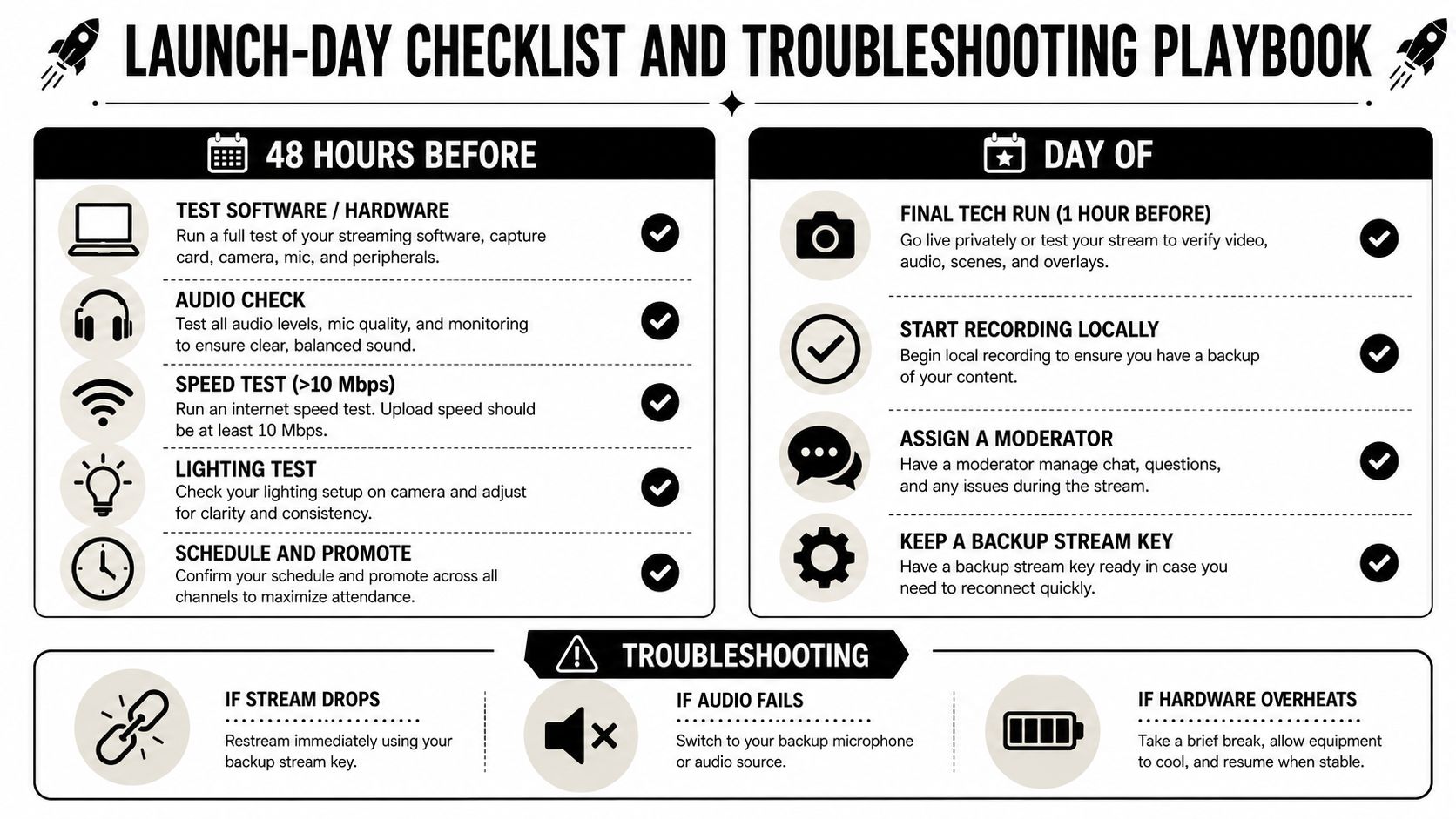
On the day of the stream, run a final tech check early, then start recording locally if your software allows it. Assign someone to watch chat if possible, even if that person is just a colleague or assistant. Keep a backup stream key handy so you're not scrambling if the connection drops.
For common failures, use the fastest likely fix, not the fanciest one. No audio usually means the wrong input is selected or the mic got muted. A black screen often comes from the capture source, not the camera itself. If chat won't load, refresh the platform side before you touch your whole setup.
If the stream is losing viewers fast, don't blame the algorithm first. Check whether the opening was too slow, the audio was hard to follow, or the first screen took too long to deliver value. Most early problems are setup problems or pacing problems, not discovery problems.
This is the lesson in how to start live streaming without looking unprofessional. Keep the setup minimal, make the sound clean, light your face properly, and run the same workflow every week until it becomes boring.
If you want help building a live-streaming presence that feels polished without turning into a production nightmare, Legacy Builder can help you shape the content, the distribution, and the follow-through around your actual business goals. Visit them if you want a system that makes your streams look credible and keeps the content working long after you go offline.


You could – but most in-house teams struggle with the nuance of growing on specific platforms.
We partner with in-house teams all the time to help them grow on X, LI, and Email.
Consider us the special forces unit you call in to get the job done without anyone knowing (for a fraction of what you would pay).
Short answer – yes.
Long answer – yes because of our process.
We start with an in-depth interview that gives us the opportunity to learn more about you, your stories, and your vision.
We take that and craft your content then we ship it to you. You are then able to give us the final sign-off (and any adjustments to nail it 100%) before we schedule for posting.
No problem.
We have helped clients for years or for just a season.
All the content we create is yours and yours alone.
If you want to take it over or work on transitioning we will help ensure you are set up for success.
We want this to be a living breathing brand. We will give you best practices for posting and make sure you are set up to win – so post away.
Subscribe to our newsletter and get insights on how to grow your personal brand.
