.svg)
Subscribe to our newsletter and get insights on how to grow your personal brand.
Thank you! Your submission has been received!
Oops! Something went wrong while submitting the form.
.svg)


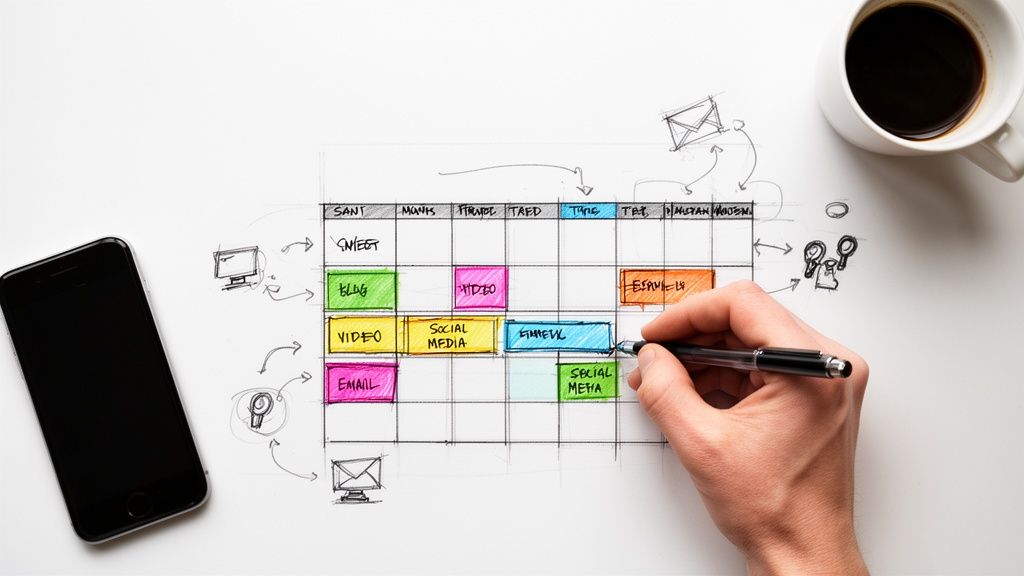
Look, creating a content calendar sounds more complicated than it is. It really just boils down to three things: figuring out your core message, picking a posting rhythm you can actually stick to, and knowing where your audience hangs out.
Nail those three—pillars, cadence, and channels—and you've got the foundation to stop the chaotic, last-minute posting and start building a predictable system for growth.
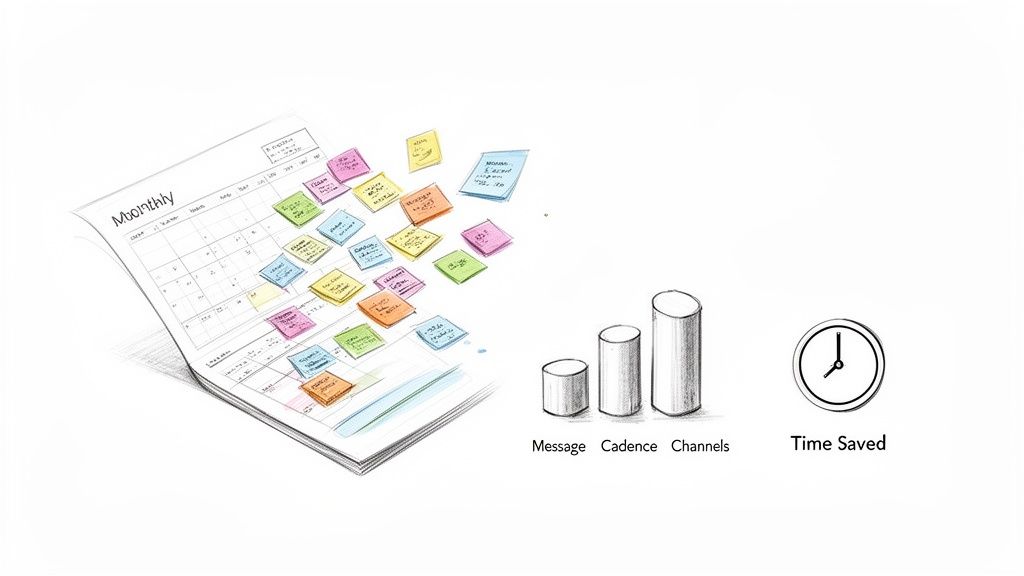
If you're still posting whenever you feel like it, you're not just being inconsistent—you're actively sabotaging your own brand. That last-minute scramble to find anything to post? It leads to generic, forgettable content that does nothing to build momentum. It's stressful, and frankly, it's a massive waste of time.
Think about it: social media managers can burn 8-10 hours a week just on posting tasks. It's no surprise that 73% of brands say consistency is their single biggest challenge. I've seen creators go from frantic daily posts to smart monthly batching, and the results are insane. One person I know boosted her consistency from 62% to a whopping 94% and saw her engagement jump by 67%. Why? Because algorithms reward reliability.
A content calendar isn't just a spreadsheet. It's a strategic asset that protects your most valuable resources: your time and your message. It forces every piece of content to have a purpose.
Without a plan, you're always reacting instead of leading. You're chasing trends instead of building real authority, and that has tangible consequences.
The goal here is to build a system that makes consistency feel almost effortless. A content calendar is your blueprint, turning vague goals into something you can actually execute. It's non-negotiable for building a strong online presence.
If you want to get started fast, here's a simple way to think about it.
This table breaks down the three foundational questions you need to answer to get a basic calendar up and running.
Answering these three questions gives you a starting point you can build on.
Of course, a calendar is just one piece of a much larger puzzle. To see how it fits into the bigger picture, checking out some broader content marketing tips for small business can give you more context. By planning ahead, you stop being a creator who's always playing catch-up and become a strategic communicator who's always two steps ahead.
Alright, this is where the rubber meets the road. We're moving past the big-picture ideas and getting into the nitty-gritty of what you're actually going to talk about and how often. The goal here is to build a content engine that not only grows your brand but is also something you can actually stick with.
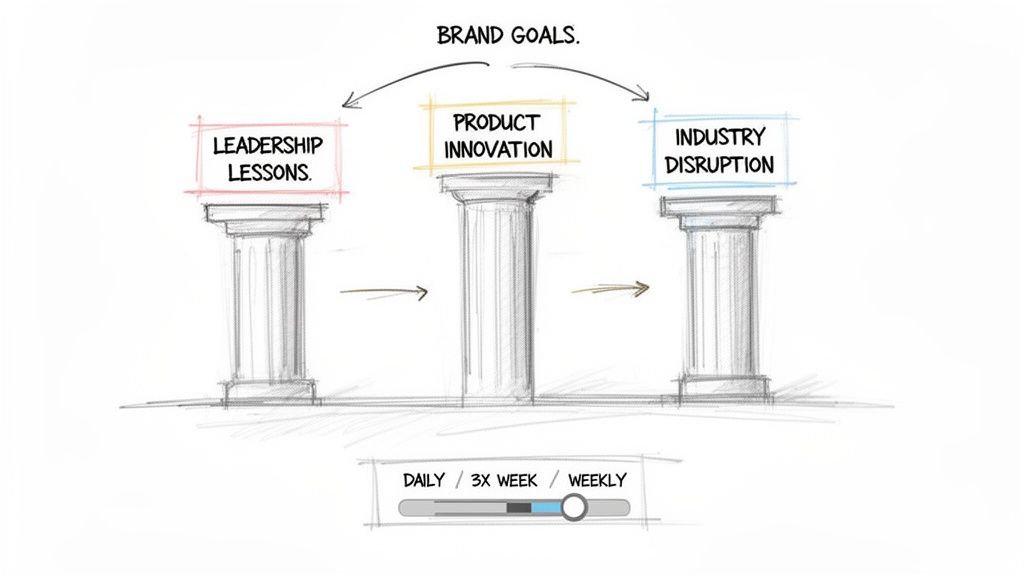
Think of your content pillars as the 3-5 core topics you’ll hit on again and again. These aren't just random subjects you feel like posting about; they're the foundational themes that tie directly back to your brand goals and scream, "I'm the expert here." They're your guardrails, making sure every single thing you create has a purpose.
The smartest way to figure out your pillars is to work backward from what you want to achieve. Stop guessing and start asking yourself some direct questions.
Let's make this real. Imagine a SaaS founder whose main goal is to land investors and attract A-list talent. Their pillars might be 'Leadership Lessons,' 'Product Innovation,' and 'Industry Disruption.' Suddenly, every post has a home, and it all works together to build their authority in those key areas.
Your content pillars aren’t just topics. They're your curriculum. They signal to your audience exactly what they’ll get from following you, which builds trust and keeps them coming back for more.
This approach stops your feed from being a random diary and turns it into a curated library of your expertise. If you want to see how these pillars fit into the bigger picture, you need to build your brand storytelling framework. That’s how you make sure your content doesn't just inform—it connects.
Once your pillars are locked in, you need to decide on your posting cadence. This is where so many professionals trip up. They aim for a breakneck pace, burn out in a month, and disappear.
A realistic, consistent cadence will always beat a "perfect" but short-lived one. Every time.
Your ideal rhythm is a balance between what your audience expects and what you can sanely deliver. Be brutally honest with yourself:
Don't lie to yourself here. It's far better to commit to three high-quality, pillar-focused posts a week than to try posting daily and ghosting your audience after a month. Consistency is the name of the game.
As you start plugging ideas into your calendar, live by the 80/20 rule.
Aim for 80% of your content to be pure value—helpful, insightful, or entertaining. The other 20% can be your promotional stuff. This balance is what builds real relationships and keeps people from tuning you out.
Remember, with over 60% of social media users scrolling on their phones, you have seconds to deliver value and stop that thumb. By defining your pillars and setting a sustainable cadence, you're not just creating a plan—you're building a powerful foundation for your entire content machine.
Alright, you've got your strategy mapped out. Now it's time to get your hands dirty and build the actual machine—the calendar itself.
A good content calendar is more than just a list of dates. Think of it as your command center. It's what keeps your content organized, purposeful, and, most importantly, on track.
The real power is in the structure. Forget those overly complicated templates with a million columns you'll never touch. You need a clean, scannable layout that gives you the critical info at a glance.
Every solid content calendar, no matter what tool you're using, tracks a few core elements. These are the non-negotiables that bring clarity to your plan and kill any confusion before it starts.
Kick things off with these essential columns:
Let’s put it into practice. For a financial advisor, a single row in their calendar might look something like this: Date: Oct 15, Platform: LinkedIn, Pillar: Retirement Planning, Format: Carousel, Headline: "The 3 biggest 401(k) mistakes you're making right now," CTA: "Download my free retirement checklist," Status: Scheduled.
See how that removes all the guesswork? This turns content creation from a daily scramble into a systematic process. If you want a head start, check out our guide on finding a content calendar template for social media that you can easily adapt.
Look, the tool you use is way less important than the process you build around it. But the right platform can definitely make your life a whole lot easier. The goal is to find something that fits your workflow, not something that adds another layer of complexity you have to manage.
So, what do you really need? Are you a solo creator who just needs a simple grid? Or are you working with a VA or a small team and need to collaborate?
Your content calendar tool should feel like a natural extension of your workflow. If it takes more than 15 minutes a day to manage, it’s probably the wrong tool for you.
Let's break down some of the most popular options to help you figure out what's best for you right now.
Picking a tool can feel overwhelming, but it really comes down to your current needs and budget. This table breaks down a few of the best options out there, from simple and free to more robust platforms.
My advice? Don't overcomplicate it. Most people can run their entire content operation from a simple spreadsheet or Trello board, especially when they're just starting out. The key is to find something that helps you stay consistent.
For a lot of professionals, a simple spreadsheet is more than enough to get the job done, and there's no shame in that.
Now, if you're managing a team or need more firepower like automation and detailed project views, you might be ready for something more powerful.
And if you're going all-in on a specific platform, a dedicated LinkedIn content calendar can help you zero in on your creation and growth strategies for that key network.
The bottom line is to pick a tool that fits your needs today but has room to grow with you. Start simple, nail down your process, and only upgrade when you absolutely need more firepower.
A perfectly designed content calendar is just a pretty spreadsheet without a solid process to bring it to life. This is where your editorial workflow comes in—it’s the engine that turns your ideas into published, high-impact content.
Look, without a system, even the best plans fall apart under the pressure of just running your business. Your workflow isn’t about adding more tasks; it’s about creating a predictable, low-friction system that makes consistency feel natural. This is how you move from a constant state of "what should I post?" to a calm, organized rhythm.
It’s the secret to reclaiming your time while actually building your brand.
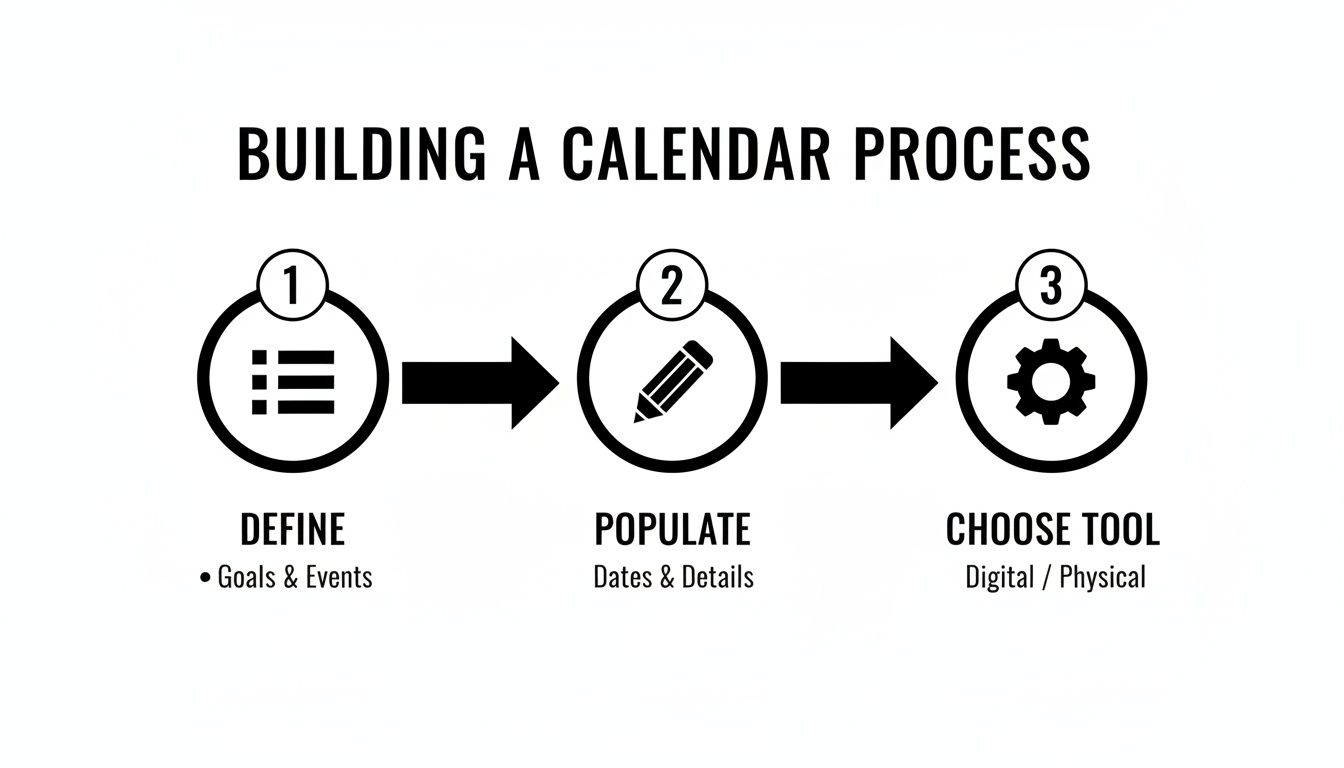
This simple flow—define, populate, and choose—is the foundation. It underscores that a powerful system starts with a clear strategy before you even think about which tool to use.
One of the most effective moves for any busy professional is content batching. Instead of trying to create one piece of content from scratch every single day, you block out dedicated time to produce a bunch of assets at once. This single shift can save you hours every week by cutting down on context switching.
Think of it like meal prepping. You don't fire up the stove for a single meal every time you're hungry. You spend a few hours on Sunday getting everything ready for the week ahead. Content batching is the exact same logic, just for your creative output.
When you focus on one type of task at a time, you get into a creative flow state that’s impossible to hit when you’re constantly jumping between writing, designing, and filming.
An editorial workflow isn't a rigid set of rules. It's a flexible system designed to protect your most valuable asset: your creative energy. The goal is to make high-quality content creation the easiest part of your week.
Let's make this real. Here’s what a sustainable weekly workflow might look like for a founder who is serious about building their personal brand but is strapped for time.
That’s a three-hour weekly commitment. It's manageable, it creates a predictable rhythm, and it turns a chaotic daily scramble into a structured, efficient process that actually gets results.
Even if your "team" is just you and a virtual assistant (VA), defining roles is a game-changer. Clear responsibilities prevent bottlenecks and ensure nothing falls through the cracks. It doesn't have to be complicated.
A simple division of labor can make all the difference:
This simple structure keeps you focused on the high-value strategic work—your voice and your expertise—while delegating the more repetitive, tactical tasks. This is how you build a content machine that scales without burning you out.
Having a perfectly planned content calendar is a huge win, but let’s be real—hitting "publish" is just the starting line.
The real growth, the kind that actually moves the needle for your brand, happens after the content goes live. It’s all about strategically amplifying and optimizing what you’ve created to squeeze every last drop of value out of it.
Creating the content is the investment. Amplification is how you get your return. This means you have to stop thinking like a content creator and start acting like a content strategist. It's about working smarter, not harder, by making your content do the heavy lifting for you long after you post it.
This is non-negotiable for busy professionals who can’t afford to be stuck on the content treadmill.
The single most powerful tactic in my playbook for time-crunched professionals is content repurposing.
This is the art of taking one core piece of content—like a blog post or video—and slicing it into a dozen different formats for all your other platforms. It saves a staggering amount of time and ensures your core message actually reaches people where they are.
Think about it: one well-researched blog post can become the foundation for an entire week's worth of high-impact content. It's an absolute game-changer for maintaining a strong presence without burning out.
Here’s a real-world example of how a single blog post can be deconstructed:
When you learn how to repurpose content, you stop thinking in terms of one-off posts and start building a powerful, interconnected content ecosystem.
Your content calendar shouldn't just be a publishing schedule. It needs to be an amplification plan. For every piece of "pillar" content you create, you should plan at least three repurposed assets to go with it.
So, how do you know if any of this is actually working? You have to track your performance. But it's way too easy to get lost in a sea of vanity metrics that feel good but tell you nothing about your brand's health.
Forget obsessing over likes and follower counts.
Focus on the metrics that signal a real connection and lead to business impact. These are the numbers that show your content is truly resonating and pushing people to take the next step with you.
Your monthly content review should zero in on these key performance indicators:
Optimization isn't a one-time task; it's a constant process of refinement. At the end of each month, block out just 30 minutes to look at the data. This simple habit is what separates the professionals who grow from those who stay stuck.
During your review, ask yourself three dead-simple questions:
This feedback loop is everything. It makes sure your content calendar evolves based on what your audience actually wants, not just what you think they want. This is how you build a content strategy that consistently delivers results and grows your influence.
Diving into a structured content system can feel like a massive commitment, and I get it—questions always pop up. A content calendar is a game-changer, but only if it works for you, not against you. Let's tackle some of the most common things people ask when they're first getting started.
The goal isn't to lock you into some rigid, soul-crushing plan. It's to build a flexible framework that frees up your mental energy and finally makes consistency feel effortless.
This is always the first question, isn't it? The honest answer: it takes more time upfront, but it saves you a ridiculous amount of time in the long run.
Look, you’ll probably invest a few hours getting your pillars defined and the calendar set up. But after that? Your weekly time commitment plummets. When you start batching your content—a workflow I swear by—you can knock out a full week's worth of posts in just 3-4 hours.
Compare that to the daily scramble of, "Oh crap, what do I post today?" That chaos easily eats up an hour or more every single day. The calendar shifts your effort from reactive, daily stress to proactive, focused work.
The real time-saver isn't just in the creation; it's in eliminating the daily debate. A calendar cuts out the decision fatigue, freeing you up for the stuff that actually moves the needle.
This is a huge fear—that a calendar will stifle your creativity and stop you from jumping on timely trends. It's actually the opposite. A good calendar should have plenty of room for spontaneity.
Your calendar is your baseline, not a prison. It guarantees you always have high-quality, on-brand content ready to go. That foundation gives you the freedom to be reactive without scrambling.
Think of your scheduled content as a safety net. It ensures you stay consistent, so you can jump on trends from a position of strength, not desperation.
Absolutely not. The single biggest mistake you can make is getting hung up on the tool before you've even nailed down the process. I know incredibly successful founders who run their entire content operation from a simple Google Sheet.
The best tool is the one you'll actually use.
Start with the simplest option that gets the job done. A spreadsheet is free, you can customize it however you want, and it's easy to share. As you grow, you might graduate to something more visual like Trello or a project management beast like Asana. But never let the tool become an excuse not to start.
You're looking for the sweet spot. Plan too far out, and your content feels stale with no room to adapt. Plan too little, and you're right back in that daily panic mode.
For most professionals, planning one month in advance is the magic number.
This gives you a clear runway to batch content without locking you into a strategy that can't pivot. At the start of each month, block off a couple of hours to map out your themes and tentpole pieces. Then, each week, you just execute, create, and schedule. It’s a rolling system that keeps you organized, consistent, and agile.
Building an influential personal brand shouldn't be a source of stress. At Legacy Builder, we transform your expertise into a powerful content engine, handling the strategy, creation, and management so you can focus on what you do best. Stop guessing and start building. Discover how we can build your legacy, together.


You could – but most in-house teams struggle with the nuance of growing on specific platforms.
We partner with in-house teams all the time to help them grow on X, LI, and Email.
Consider us the special forces unit you call in to get the job done without anyone knowing (for a fraction of what you would pay).
Short answer – yes.
Long answer – yes because of our process.
We start with an in-depth interview that gives us the opportunity to learn more about you, your stories, and your vision.
We take that and craft your content then we ship it to you. You are then able to give us the final sign-off (and any adjustments to nail it 100%) before we schedule for posting.
No problem.
We have helped clients for years or for just a season.
All the content we create is yours and yours alone.
If you want to take it over or work on transitioning we will help ensure you are set up for success.
We want this to be a living breathing brand. We will give you best practices for posting and make sure you are set up to win – so post away.
Subscribe to our newsletter and get insights on how to grow your personal brand.
