.svg)
Subscribe to our newsletter and get insights on how to grow your personal brand.
Thank you! Your submission has been received!
Oops! Something went wrong while submitting the form.
.svg)


You're probably feeling this already. You draft a post in Google Docs, your assistant pastes it into a clunky editor, the formatting breaks on mobile, the site loads slowly, and a “small” homepage update suddenly needs a developer. Nobody calls this a CMS problem at first. They call it a workflow problem, a speed problem, or a consistency problem.
It's the same problem.
A content management systems comparison isn't really about software categories. It's about who controls your publishing engine, how fast your ideas go live, and whether your brand can grow without turning every content task into a mini production sprint.
That matters more than ever because around 71% of all websites use some kind of CMS, according to Colorlib's CMS market share summary. The question isn't whether you should use one. It's which system helps you publish consistently without draining your team.
A founder records a strong podcast episode on Monday. By Tuesday, they want clips, a summary article, a newsletter version, and a thought-leadership post on their site. Instead, the content sits in three tools, two inboxes, and one bottlenecked web queue. The audience never sees the best parts because the system behind the brand can't keep up.
That's what a bad CMS does. It doesn't just make publishing annoying. It slows your brand's memory, voice, and output.
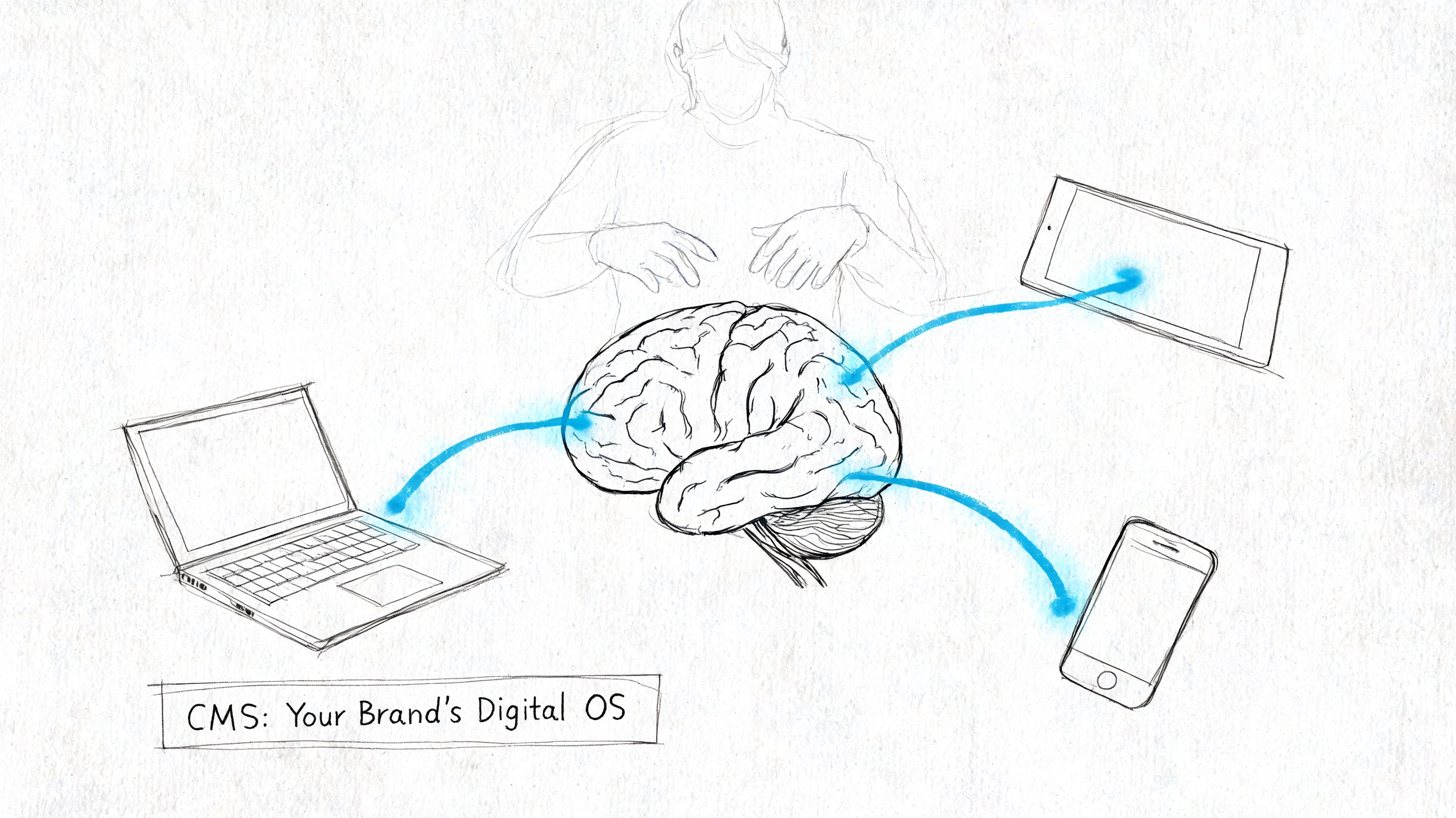
A lot of founders still treat the CMS like a back-office utility. Pick something, install a theme, move on. That's shortsighted. Your CMS decides whether your team can publish quickly, repurpose intelligently, and keep your message consistent across every digital touchpoint.
If your brand depends on:
Then your CMS is your operating system, not your blog drawer.
Practical rule: If publishing one article requires a writer, a designer, a web manager, and a developer, your CMS is taxing your brand every single week.
Founders usually notice the pain in simple moments. A broken layout. A sluggish page. A team member who's afraid to touch the site. A content backlog that keeps growing even though everyone is “busy.” None of that is random. It's usually the platform choice showing its real cost.
The right system gives you a distinct advantage. The wrong one gives you recurring friction disguised as normal work.
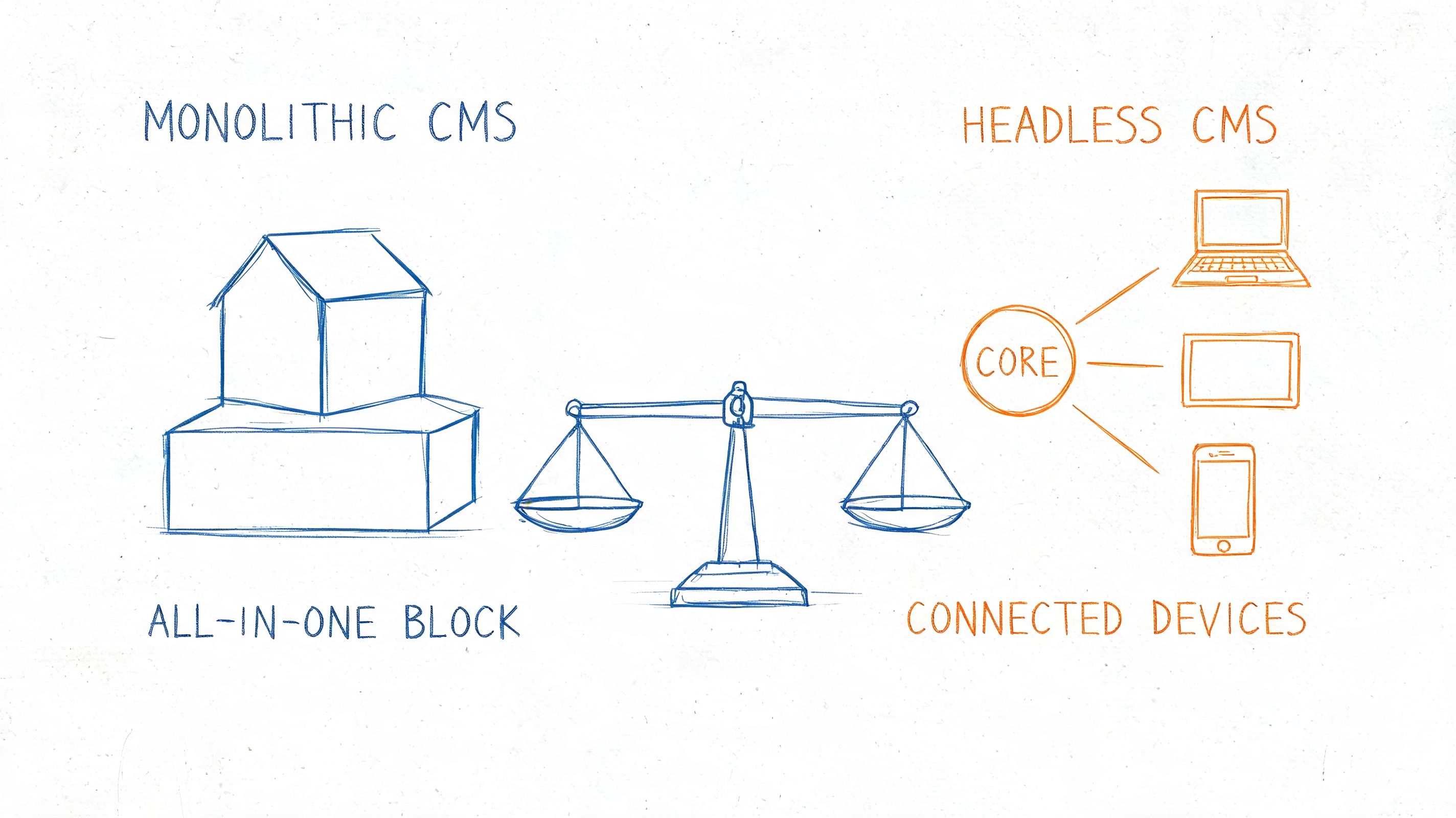
The biggest divide in any useful content management systems comparison is simple. You're choosing between monolithic and headless architecture.
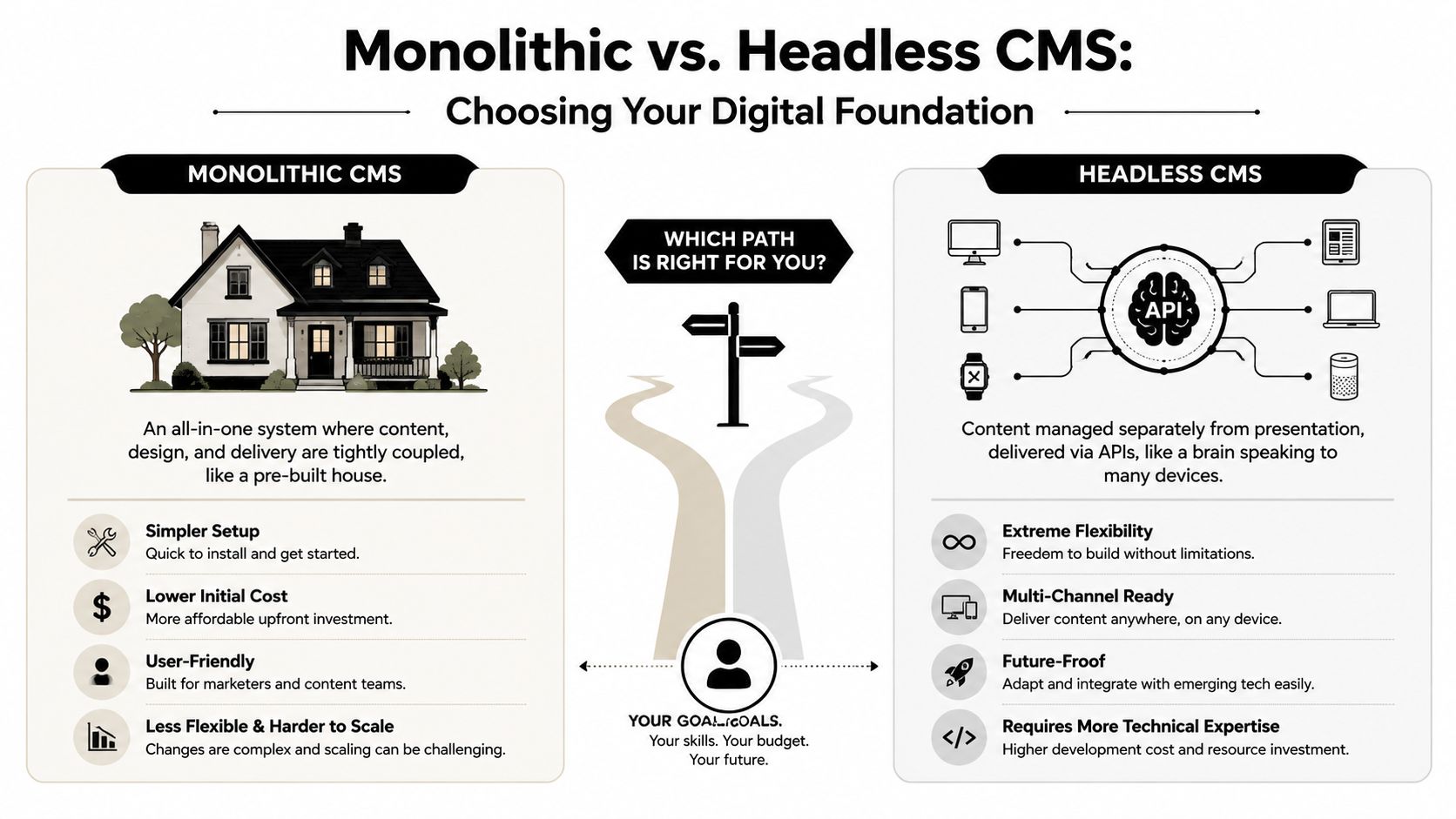
Think of WordPress, Webflow, Squarespace, or Shopify in their usual setup. Content lives in the same system that controls how pages look and how they get published to the web.
That's convenient. You log in, write, edit, preview, publish. For many teams, that simplicity is the whole appeal.
It also explains why traditional systems still dominate. WordPress is used by 41.9% of all websites, according to W3Techs' content management usage data. That kind of share doesn't happen by accident. It happens because all-in-one systems are easy to start with, easy to hire for, and usually easier for non-technical teams to operate day to day.
A headless CMS stores and manages content, then sends it through APIs to wherever that content needs to appear. Your website can be one destination. An app, member portal, digital display, or another front end can be another.
The upside is flexibility. The downside is complexity.
A headless system is a better fit when your website isn't the only place your content needs to live, or when performance and custom workflows matter enough to justify more technical setup. That's why platforms like Contentful, Strapi, Sanity, Hygraph, and Payload get serious attention from product-led and design-conscious teams.
If you want a more customized implementation path than an off-the-shelf setup, Arch's custom Payload CMS solutions are worth reviewing because Payload sits in that middle ground many founder-led teams need. Modern, flexible, but not trapped in old-theme WordPress logic.
Monolithic platforms usually give editors more independence out of the box. Headless platforms usually give developers more control.
That's the cleanest way to think about it.
If your team publishes fast but doesn't need custom front-end architecture, monolithic wins on sanity. If your brand needs structured content, multi-channel delivery, and a higher-performance front end, headless starts to make sense.
Most founders don't need the most advanced architecture. They need the fewest avoidable bottlenecks. Start there.
Here's the fast read before the deeper breakdown.
| Criteria | Monolithic CMS | Headless CMS | Best fit |
|---|---|---|---|
| Content workflow | Easier for editors | Stronger structure, more dev involvement | Monolithic for lean content teams |
| Customization | Faster with themes and plugins | Deeper control with custom front ends | Headless for unique digital products |
| SEO and performance | Good SEO tools, heavier pages unless optimized | Better performance potential | Headless for performance-first teams |
| Integrations | Convenient for common marketing tools | Better for custom stack orchestration | Depends on stack complexity |
| Scalability | Fine for many brand sites, gets messy with heavy customization | Built for structured growth | Headless for long-term complexity |
| Cost | Lower starting cost, hidden plugin and maintenance drag | Higher initial build cost | Monolithic for early stage, headless for strategic scale |
| Security | More moving parts in plugin-heavy setups | Smaller public attack surface on many builds | Headless for tighter architecture |
| Migration | Easier to launch quickly, harder when stack gets bloated | Cleaner structure, tougher initial transition | Depends on what you're leaving |
This is the category most CMS reviews get wrong. They focus on what a platform can do, not what your team can do without asking for help.
A monolithic CMS usually wins here for founder-led publishing. A writer can log in, draft a post, add images, update metadata, and publish without touching code. That matters when your content rhythm depends on speed.
Headless can become a bottleneck if every new page type, layout change, or front-end tweak requires engineering. That's not theory. It's a common operational failure point for non-technical teams.
The best CMS is the one that lets your content team finish work without opening a developer ticket.
If your team publishes articles, landing pages, podcast notes, and lead magnets every week, editorial autonomy matters more than architectural elegance.
Monolithic systems let you move quickly with templates, plugins, and visual builders. That's useful, until it turns into dependency spaghetti. One plugin controls forms. Another controls SEO. Another controls schema. Another handles gated assets. Now updates start colliding.
Headless is harder upfront, but cleaner when customization is strategic instead of accidental. You define your content model, your front end, and your delivery logic with more intention.
Use monolithic when you want flexibility inside established boundaries. Use headless when your brand experience is part publishing engine, part product.
Headless has a real edge when implemented well. In the comparison from Trysight on CMS platforms and SEO performance, the #1 advantage of headless CMS architecture is performance. WordPress is described as SEO-friendly, but only fair for Core Web Vitals unless heavily optimized. Headless systems such as Contentful and Strapi perform better because teams can build lightweight front ends with modern frameworks.
That distinction matters if organic search is a real acquisition channel for you.
Monolithic platforms often give you better built-in SEO convenience. Headless usually gives you stronger performance potential. Those are not the same thing.
If your stack is straightforward, monolithic is usually enough. Email capture, analytics, CRM forms, webinar embeds, scheduling tools, and ecommerce add-ons are all easy enough to connect in established platforms.
If your stack is more custom, headless is stronger. It plays better with product databases, internal tools, mobile apps, and multiple presentation layers.
Here's the rule. If your site is mostly a publishing and conversion machine, don't overbuild. If your site is becoming infrastructure for a broader ecosystem, don't underbuild.
A lot of teams confuse traffic scale with operational scale. The bigger issue is usually content scale. More authors, more assets, more channels, more reuse, more governance.
Headless handles structured growth better because content is modeled for reuse instead of being trapped in page templates. That's valuable when one founder insight needs to power a blog, a podcast page, a resource hub, and a newsletter archive.
For teams trying to tighten that system, these content management best practices for building your personal brand are more useful than another generic feature list.
Monolithic looks cheaper because setup is cheaper. That's often true.
But the hidden cost shows up in maintenance, plugin conflicts, redesign debt, and slow editorial operations. Headless looks more expensive because development costs arrive early and clearly. That's also true.
So ask the right question. Not “Which one is cheapest?” Ask “Which one creates less recurring drag for the next phase of the business?”
Decision lens: Early cost matters. Ongoing coordination cost matters more.
A founder-led team with one marketer and no product complexity should not pay for a headless setup they won't use. A growing media brand that constantly hits template limits shouldn't keep duct-taping plugins onto WordPress to save money this quarter.
Monolithic security depends heavily on how many extensions, users, and update responsibilities pile up over time. A clean setup can be reliable. A bloated one becomes fragile.
Headless often reduces risk on the public-facing side because the content repository and front end are separated. But that doesn't mean “secure by default.” It means security is shaped differently and usually handled more intentionally by technical teams.
Security isn't just about breaches. It's also about confidence. Can your team update the site without fear of breaking core functions?
Founders underestimate migration pain because the old system's flaws become normal.
Moving from one monolithic CMS to another can be tedious because content is often tangled up in page builders, shortcodes, custom fields, and theme logic. Moving into headless can be even tougher at first because content usually needs to be restructured, not just copied.
That's why migration should be judged by one question. Are you moving content, or are you moving chaos?
If your current setup forces manual workarounds every week, migration isn't a side project. It's operational cleanup.
Different teams don't just prefer different tools. They feel different kinds of pain when the CMS is wrong.
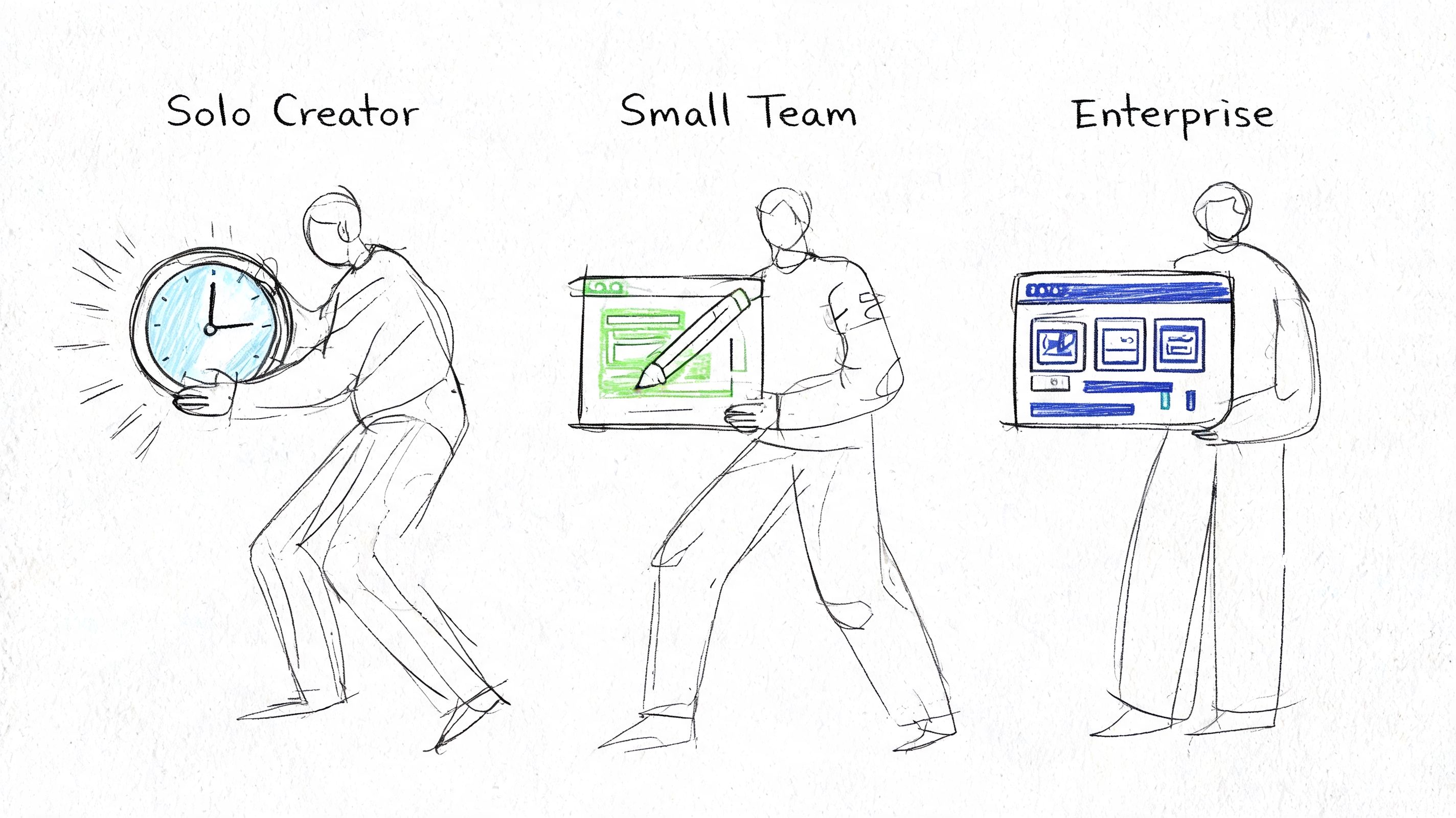
If you're a solo operator, your CMS should disappear into the background. You need to publish fast, make edits yourself, and avoid technical overhead.
That usually means a managed monolithic platform. WordPress can work well if it's set up cleanly. Webflow can work if design control matters more than heavy content operations. Squarespace is fine if simplicity beats flexibility.
Your enemy is not lack of features. It's friction.
Don't choose a headless CMS because it sounds modern. If every site improvement needs outside help, you've bought complexity you can't utilize. Use the setup that lets you write, publish, and update without waiting on anyone.
Decisions become more challenging. You usually have a founder, a marketer, maybe a freelance designer, maybe a developer or agency partner. Content output matters. So does brand polish.
This team should optimize for editor independence with enough structure to scale. In plain English, that means either:
This is also where the bottleneck shows up. As noted in Brightspot's CMS selection guide for operational fit, the issue is often the number of non-dev tasks that still require engineering help. If your marketer can't publish a campaign page without a developer, your CMS is misaligned with your team.
A strong founder-led stack reduces dependency without sacrificing control. If you're reviewing your wider stack at the same time, this roundup of tools for content creators building a stronger brand is a useful companion.
Enterprise teams need governance, permissions, structured workflows, and multi-channel publishing discipline. They can justify more complexity because they usually have more stakeholders, more approval layers, and more systems that need to connect.
For that team, headless becomes much more rational. Not because it's trendy, but because structured content, role separation, and composable delivery support larger operations better.
Watch this for a practical look at CMS thinking from a digital operations angle.
A founder should pick the CMS their team can run confidently. An enterprise team should pick the CMS their process can govern consistently.
That's the distinction.
The wrong CMS rarely fails on day one. It fails later, when your brand needs something new.
A members area. A multilingual site. A podcast archive. Better page speed. Cleaner content reuse. More roles and approvals. A rebrand. A new front end. That's when “good enough for now” becomes expensive.
Monolithic systems can adapt, but often through accumulation. More plugins, more custom code, more theme workarounds. That's manageable for a while. Then one redesign exposes how much of the site depends on old decisions nobody wants to touch.
Headless systems adapt differently. They're usually better when your content needs to travel across multiple interfaces or when front-end change is expected. But the trade-off is obvious. You need technical ownership from the start.
If content is loosely managed, migration gets painful. Posts don't map cleanly. Assets are scattered. Metadata is inconsistent. Authors use pages in different ways. The CMS migration becomes a content cleanup project disguised as a technical task.
That's why governance matters before migration, not after. If you want cleaner ownership long term, put rules around naming, taxonomy, templates, and approvals in place early. This guide to content governance for building a powerful brand covers the operational side many teams skip.
Performance isn't just about page speed. It's about whether the system still works when your output expands.
In Hygraph's analysis of CMS KPIs and scale, headless systems using GraphQL are framed as more efficient because they fetch only the required fields in a single API call rather than relying on multiple REST requests with fuller payloads. The same source also gives concrete scale examples, including Telenor handling millions of monthly API calls with maximum latency of 100 ms, and Gamescom supporting over 60 million API calls across more than 3.5 million simultaneous sessions. Those examples matter because they connect CMS architecture to operational capacity, not just developer preference.
Don't judge a CMS only by how easy it is to launch. Judge it by how well it handles your next layer of complexity.
That's the ownership mindset. Install is the beginning. The key decision is what kind of maintenance, scale, and team behavior you're signing up for.
Pick the CMS that removes friction from publishing and matches the people who have to use it.
If you're a solo creator or lean founder-led brand, start with a clean monolithic system unless you have a real multi-channel requirement and reliable technical support. If you're running a larger operation with structured content, multiple destinations, and stronger governance needs, headless is often the smarter long-term bet.
Don't chase the most powerful option. Chase the one that keeps your team moving.
Use this checklist before you decide:
Audit your current workflow
Look for delays, handoffs, repeated formatting work, and tasks that keep bouncing to technical people. That's where your current CMS is taxing growth.
Define your must-have for the next 18 months
Not forever. The next phase. Maybe that's faster publishing, better SEO performance, cleaner governance, or the ability to reuse content across channels.
Test your top choice with a real content task
Don't sit through a polished demo. Create an article, add media, edit metadata, route approval, publish, and update the page. Make your actual team do it.
A CMS decision is really an operating philosophy decision. Do you want speed, control, flexibility, governance, or some deliberate balance of all four?
Choose the system your brand can sustain, not the one that sounds smartest in a meeting.
If you want your content engine to grow your authority instead of draining your time, Legacy Builder helps founders and professionals turn ideas into consistent, high-impact brand content without the usual operational mess.


You could – but most in-house teams struggle with the nuance of growing on specific platforms.
We partner with in-house teams all the time to help them grow on X, LI, and Email.
Consider us the special forces unit you call in to get the job done without anyone knowing (for a fraction of what you would pay).
Short answer – yes.
Long answer – yes because of our process.
We start with an in-depth interview that gives us the opportunity to learn more about you, your stories, and your vision.
We take that and craft your content then we ship it to you. You are then able to give us the final sign-off (and any adjustments to nail it 100%) before we schedule for posting.
No problem.
We have helped clients for years or for just a season.
All the content we create is yours and yours alone.
If you want to take it over or work on transitioning we will help ensure you are set up for success.
We want this to be a living breathing brand. We will give you best practices for posting and make sure you are set up to win – so post away.
Subscribe to our newsletter and get insights on how to grow your personal brand.
