.svg)
Subscribe to our newsletter and get insights on how to grow your personal brand.
Thank you! Your submission has been received!
Oops! Something went wrong while submitting the form.
.svg)


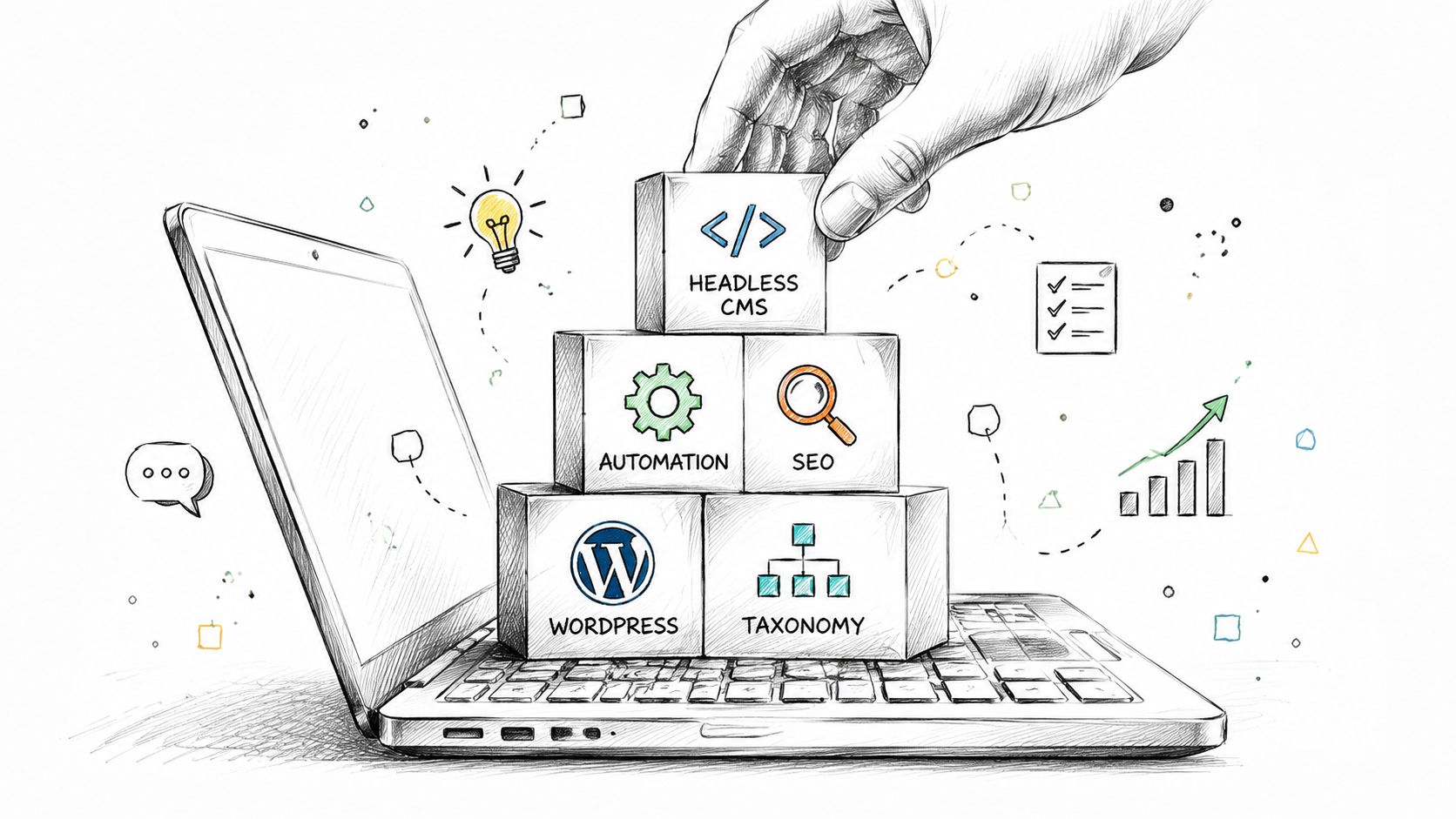
You're probably here because your content lives in too many places.
A few ideas are sitting in Google Docs. Your blog is on WordPress. Your team stores images in a shared drive. Landing page copy gets passed around in Slack. Social posts are drafted at the last minute. Somewhere in the middle of all that, your voice starts to disappear. The message gets thinner each time it moves to a new platform.
That's a common starting point for non-technical professionals. It's also why a good content management system course matters. It doesn't just teach you how to publish a page. It teaches you how to organize ideas, reuse them well, and keep your message consistent without turning your brand into a machine.
One detail stands out. 74% of content creators struggle with inconsistency and impersonal outputs according to this course reference from San Diego College of Continuing Education. That tension shows up everywhere. People want a repeatable system, but they don't want to sound robotic.
A useful course helps you solve both problems at once. You learn the mechanics of a CMS, but you also learn how structure supports story. That's the bridge many beginners need.
A founder writes thoughtful LinkedIn posts each week, records short videos on a phone, publishes a few blog articles, and sends a monthly email. On paper, that sounds like a solid brand system. In practice, it often turns into copy-paste chaos.
The blog says one thing. The homepage says another. Old testimonials are still live. New offers never make it to the site. The founder starts thinking the problem is discipline, when the main issue is usually system design.
That's where a content management system course becomes helpful. A course gives you a structure for handling content the way a professional team would, even if you're working alone or with a small staff. Instead of treating every channel as a separate task, you start treating content as an organized asset.
Many people assume a CMS course is mainly about installing software, choosing themes, and clicking through settings.
Some courses do stay there. They focus on setup and platform features. That's useful, but it's incomplete for a founder, consultant, executive, or creator who wants content to build trust.
A stronger course teaches you how to think in systems:
Practical rule: If your CMS makes publishing easier but makes your message flatter, the workflow needs work.
That last point matters more than many first-time learners realize. A CMS can help you scale. It can also make everything sound generic if you don't set it up with intention.
A supportive course shows you both sides. You learn the tool, but you also learn how to make the tool serve your message instead of replacing it.
Most beginners get stuck because the language sounds technical before the ideas become clear. So let's simplify the core concepts.
A modern CMS helps you create, organize, and publish digital content without having to manually build every page in code. According to edX's overview of web content management systems, these platforms let users create, edit, publish, and delete text, image, video, and audio content without specialized coding knowledge or manual HTML file creation.
One of the most important ideas in any professional content management system course is the split between the Content Management Application, or CMA, and the Content Delivery Application, or CDA.
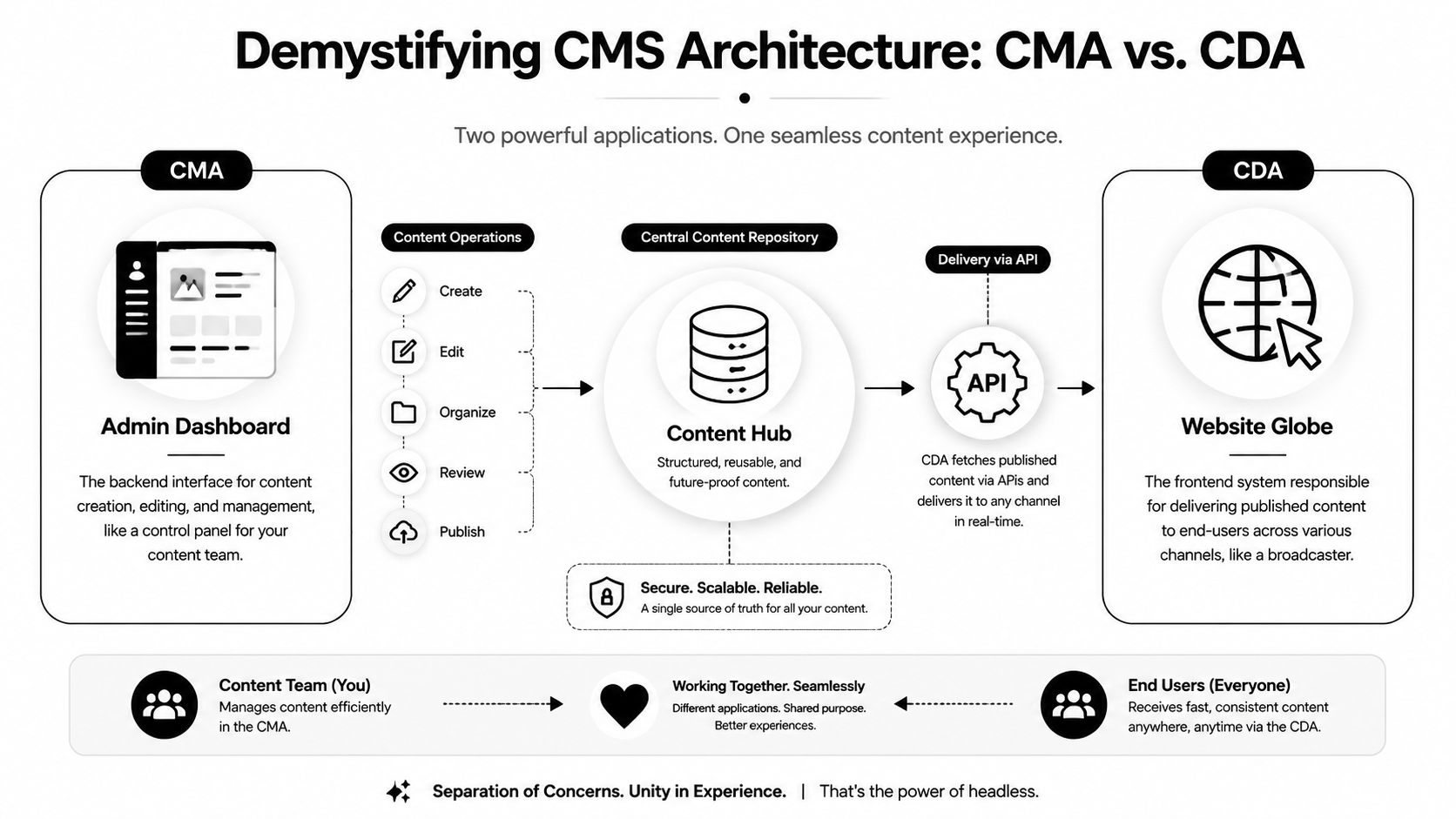
Think of a restaurant.
The CMA is the kitchen. It's where your team prepares the meal. You write headlines, upload images, edit product descriptions, and organize posts.
The CDA is the dining room. It's where the finished content gets served to visitors on your website or other channels.
A professional course should explain this split because it changes how you think about publishing. As noted in Wikipedia's CMS overview, a professional CMS course should cover the CMA/CDA split so learners can optimize content modeling and aggregation strategies by decoupling authoring from rendering.
At this juncture, many non-technical learners suddenly feel lost. The terms sound abstract, but the idea is simple.
Content modeling means deciding what kind of content you have and what fields each type needs.
A blog post might need:
A podcast episode would need a different structure. So would a case study or product page.
Taxonomy is the labeling system that keeps content organized. Categories, tags, topics, and content types all belong here. Good taxonomy helps you repurpose one idea across channels without rewriting from scratch.
If you're comparing platforms while learning this, a detailed comparison of SEO CMS options can help you see how different tools handle structure, publishing, and search visibility.
A CMS also controls who can do what.
One person drafts. Another edits. A third approves. The system keeps those steps organized so content doesn't go live by accident or stall in someone's inbox.
A CMS isn't just a website editor. It's a publishing workflow with memory.
That's why understanding these concepts early builds confidence. Once you see the logic, the interface stops feeling mysterious.
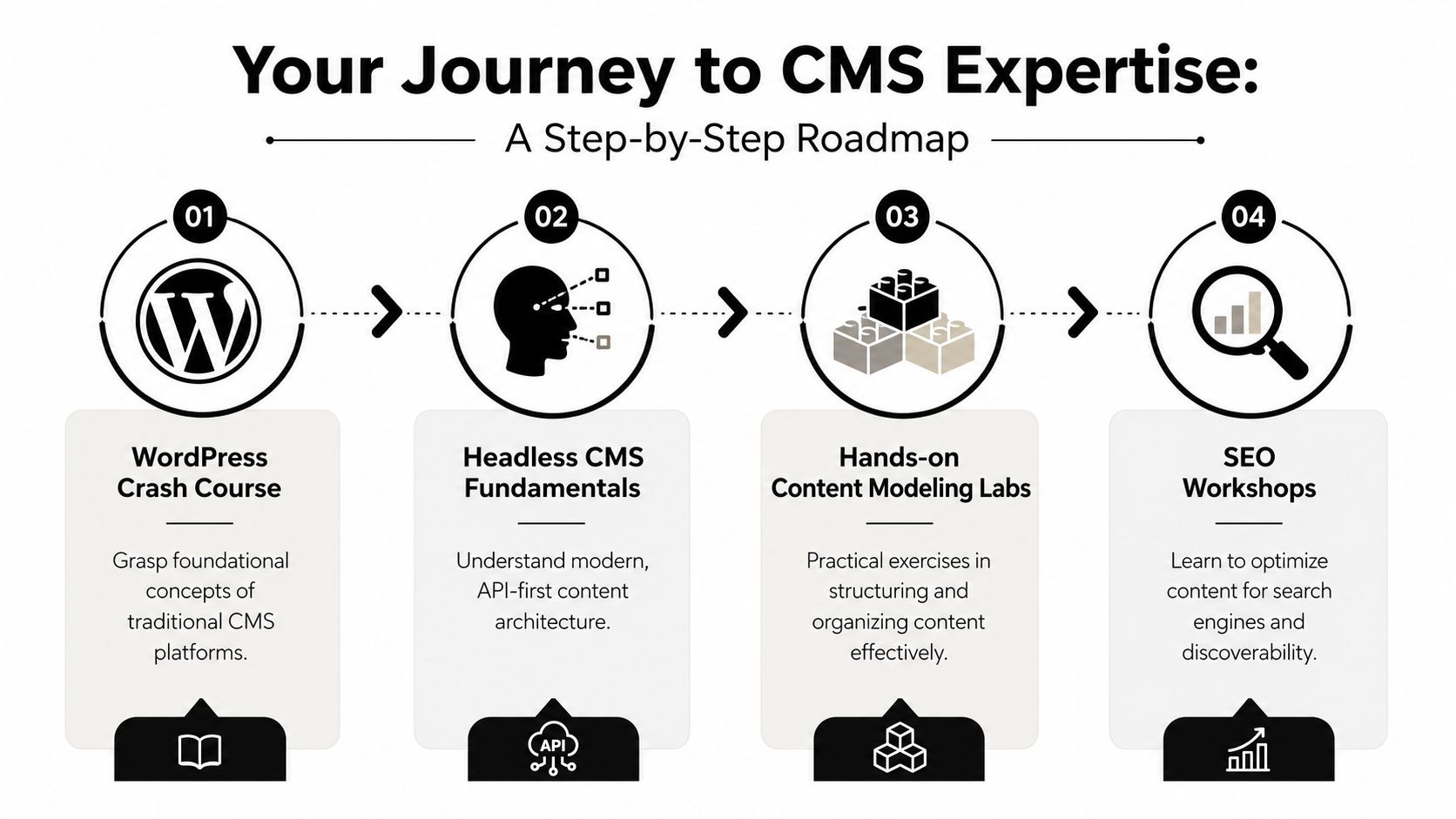
A solid content management system course usually teaches in layers. First you learn the platform. Then you learn structure. Then you learn workflow. The final layer is strategy, which is where non-technical professionals start getting real value.
Most courses begin with platform basics. That often includes WordPress, Drupal, or a headless CMS.
You'll usually practice tasks such as:
These basics matter because they remove fear. Once you can log in, update a page, and publish a post with confidence, the CMS starts feeling like a workspace instead of a barrier.
The next layer focuses on how content is organized behind the scenes. At this point, your course becomes more than software training.
Expert CMS training that emphasizes metadata management and version control can cut non-technical user training time by 40–60% while improving SEO efficiency and audience reach, according to Enonic's CMS guide.
That's why strong courses teach things like:
| Module | Description | Skills Gained |
|---|---|---|
| Content modeling | Define content types and required fields | Build reusable formats for blogs, case studies, offers, and bios |
| Metadata management | Add structured details like titles, descriptions, and labels | Improve organization, search visibility, and retrieval |
| Version control | Track changes and restore earlier drafts | Edit with confidence and reduce publishing mistakes |
| User roles | Assign permissions by task | Protect workflows and reduce accidental edits |
| SEO tools | Use CMS-based fields for search-friendly publishing | Create cleaner pages and more discoverable content |
This is the module group many non-technical founders need most.
You should learn how to turn one core idea into multiple outputs. A keynote can become a blog post, quote graphic, email, and landing page update. A course that connects CMS skills to daily publishing helps you build a system for that kind of reuse.
For practical examples of how structured publishing supports visibility and trust, this guide on content management best practices for building your personal brand is a useful companion.
Main takeaway: The best CMS courses don't stop at “how to post.” They teach “how to organize ideas so posting gets easier every week.”
If a course only teaches buttons and menus, you'll know how to operate the platform. If it teaches structure, you'll know how to build a repeatable brand engine.
Not everyone needs deep CMS expertise. But several groups gain a lot from learning the basics well.
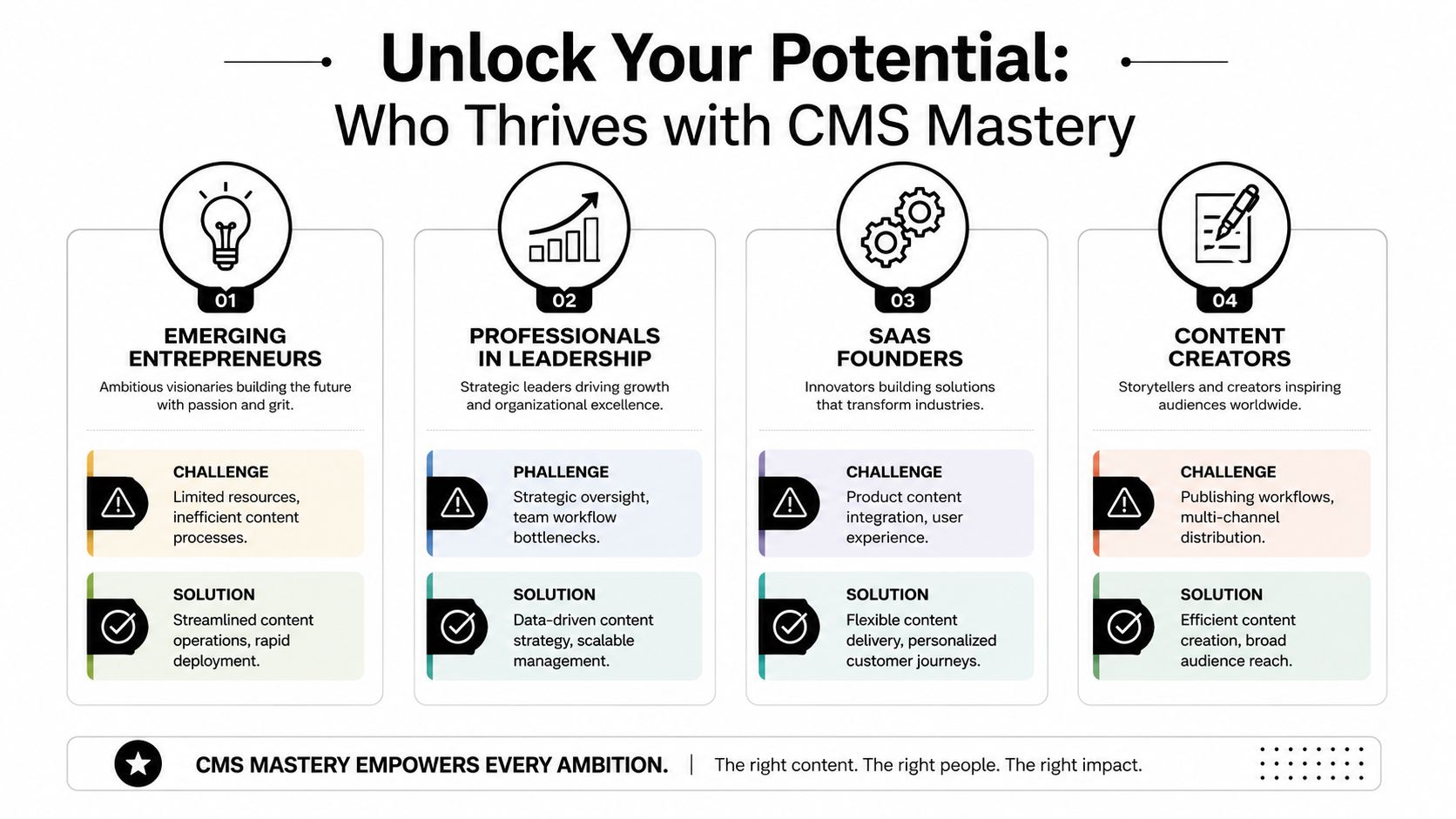
Founders often start with scattered content habits. They write when they have time, publish inconsistently, and rely on memory instead of system. A CMS course helps them build a home for their ideas.
That matters when they need to update offers, publish thought leadership, or repurpose one strong idea into several pieces of content without losing the original message.
Executives, consultants, and team leaders often have valuable insights but limited time. They don't need to become developers. They do need a way to store, shape, and publish expertise efficiently.
A course helps them turn rough notes, recorded ideas, or internal documents into organized public content.
To see how some educators frame CMS learning for broader audiences, this embedded video gives a helpful starting point.
SaaS teams often need product pages, feature updates, help content, and founder-led storytelling to work together. Creators need the same kind of structure across blog, email, and social channels.
A useful course helps both groups connect publishing speed with content quality. That's important because no major CMS course addresses how to preserve an authentic human voice in automated workflows, according to this discussion on YouTube.
The risk isn't just disorganization. It's flattening your voice.
When automation gets added without editorial judgment, everything starts sounding like recycled marketing copy. The problem isn't the CMS itself. The problem is a workflow that treats content as output instead of communication.
Your audience doesn't want constant publishing alone. They want signs that a real person is thinking behind the content.
That's why the people who benefit most from a CMS course aren't just web managers. They're professionals who want to publish consistently without sounding manufactured.
You enroll in a CMS course because you want to stop wrestling with scattered blog drafts, page edits, and last-minute website changes. A good course should help you do that. It should also show you how your content system supports your reputation, your voice, and the way people experience your brand.
That second part matters for founders and non-technical professionals. A CMS is not only a tool for publishing pages. It is the operating system behind how your expertise shows up online.
Before comparing course pages, get specific about what you want to do after the course ends.
If you want to update your own website without calling a developer for every small change, a platform-specific course often makes sense. If you want to build a repeatable content process across a site, blog, and campaign pages, a broader course may serve you better.
Here is a simple way to frame it:
A course becomes much easier to judge once your goal is clear.
Some courses stay inside one system, such as WordPress or Drupal. Others compare traditional CMS platforms with headless tools like Contentful.
Neither approach is automatically better. The useful question is whether the platform fits your working situation.
A founder running a service business may do well with a simpler visual CMS because it supports fast updates and easier ownership. A software company with multiple channels and structured product content may need a course that explains content models and API-based publishing in plain language. If you are still deciding, this comparison of content management systems can help you narrow the platform before you commit to a course built around it.
A course outline can look impressive and still leave beginners unsure what to do inside the dashboard.
Good instruction works like guided practice with training wheels first, then independent riding. You want lessons that explain the concept, show the action, and then give you a small task to complete on your own.
Stronger courses usually include:
For example, WebinOne's course template features show the kind of structure that can make training easier to apply, especially for learners who need a practical starting point rather than a long list of features.
Many CMS courses fall short. They teach setup, but not judgment.
If your work depends on trust, visibility, or personal brand credibility, your course should help you answer questions like these:
Those questions matter because a CMS shapes more than your website. It shapes how your expertise is packaged and repeated.
Use this scorecard when comparing two or three courses:
| Criteria | What to look for |
|---|---|
| Platform fit | Teaches the CMS you use now, or the one you are likely to adopt |
| Teaching method | Includes projects and guided tasks, not only recorded lectures |
| Content structure | Explains content types, categories, metadata, and reusable templates |
| Workflow skills | Covers review steps, permissions, scheduling, and team coordination |
| Brand relevance | Helps founders, marketers, or non-technical professionals publish clearly and consistently |
Choose the course that helps you build a publishing system you can maintain.
That usually leads to better decisions than choosing the course with the longest feature list.
The best way to learn a CMS is to build with it. Watching tutorials helps, but confidence usually comes from completing small projects that mirror your real publishing work.
Start with a small WordPress project or another beginner-friendly CMS.
Build a personal brand site with these pages:
Keep the design simple. The point is to learn content entry, menus, media handling, and updates. Don't get trapped in color choices and layout tweaks before you understand the publishing flow.
Next, move beyond page editing and think in reusable content types.
Create a system for three types of ideas:
Thought leadership posts
These might include title, summary, main insight, supporting example, and CTA.
Case-based lessons
These can include problem, response, lesson learned, and practical takeaway.
Resource pages
These might include topic, format, audience, and next action.
Content modeling starts to feel practical. You stop building isolated pages and start building patterns.
If you can define the structure of your content, you can publish faster without lowering quality.
Once your content types are clear, create a small publishing routine.
For example, take one idea and turn it into:
Document the workflow. Where is the master draft stored? Who approves it? Which assets get reused? Which fields need to be updated in the CMS?
If you need inspiration for how creators build a broader stack around their publishing process, this list of tools for content creators building their brand can help you think beyond the CMS itself.
At this point, build a reusable template system for your own work. You don't need to create a course business to benefit from templates. You just need repeatable structures.
If you want to study how digital course pages and reusable layouts are organized, WebinOne's course template features offer a useful example of how templates can standardize presentation and speed up publishing.
Try these project exercises:
| Project | What you build | What you learn |
|---|---|---|
| Personal brand website | Core pages and blog structure | Site navigation, publishing basics, page hierarchy |
| Content taxonomy lab | Categories, tags, and content types | Organization, retrieval, and reuse |
| Editorial workflow map | Draft to review to publish process | Role clarity and consistency |
| Repurposing system | One idea adapted across channels | Brand consistency and efficient output |
You don't need to master every feature in one week.
A steady progression works better:
That sequence helps non-technical professionals avoid a common mistake. They try to learn every plugin, integration, and customization before they've built a dependable core system.
A good learning path keeps you close to real use. If a lesson doesn't help you publish better content with less friction, it probably belongs later.
A strong content management system course does more than teach software. It helps you build order around your ideas.
For non-technical professionals, that's often the breakthrough. You stop treating content as a series of disconnected tasks and start treating it as an organized system. Pages, posts, media, categories, workflows, and templates begin to work together. This leads to your voice having a better chance of staying intact as your publishing becomes more consistent.
The most helpful courses usually share a few traits. They explain concepts in plain language. They include hands-on work. They teach structure, not just setup. And they respect the fact that many learners aren't trying to become developers. They're trying to communicate clearly, publish reliably, and build a brand that feels human.
If you're choosing where to begin, pick one platform and one project. Build a simple site. Create a few content types. Practice a small workflow. Learn enough to remove friction, then improve your system as you go.
Small, repeatable publishing systems beat ambitious content plans that depend on memory and last-minute effort.
That's the value of learning CMS well. It gives your ideas a place to live, grow, and stay usable over time.
If you want help turning your expertise into an organized, human-centered publishing system, Legacy Builder helps professionals shape their story, structure their content, and grow an authentic personal brand without sounding like everyone else.


You could – but most in-house teams struggle with the nuance of growing on specific platforms.
We partner with in-house teams all the time to help them grow on X, LI, and Email.
Consider us the special forces unit you call in to get the job done without anyone knowing (for a fraction of what you would pay).
Short answer – yes.
Long answer – yes because of our process.
We start with an in-depth interview that gives us the opportunity to learn more about you, your stories, and your vision.
We take that and craft your content then we ship it to you. You are then able to give us the final sign-off (and any adjustments to nail it 100%) before we schedule for posting.
No problem.
We have helped clients for years or for just a season.
All the content we create is yours and yours alone.
If you want to take it over or work on transitioning we will help ensure you are set up for success.
We want this to be a living breathing brand. We will give you best practices for posting and make sure you are set up to win – so post away.
Subscribe to our newsletter and get insights on how to grow your personal brand.
