.svg)
Subscribe to our newsletter and get insights on how to grow your personal brand.
Thank you! Your submission has been received!
Oops! Something went wrong while submitting the form.
.svg)


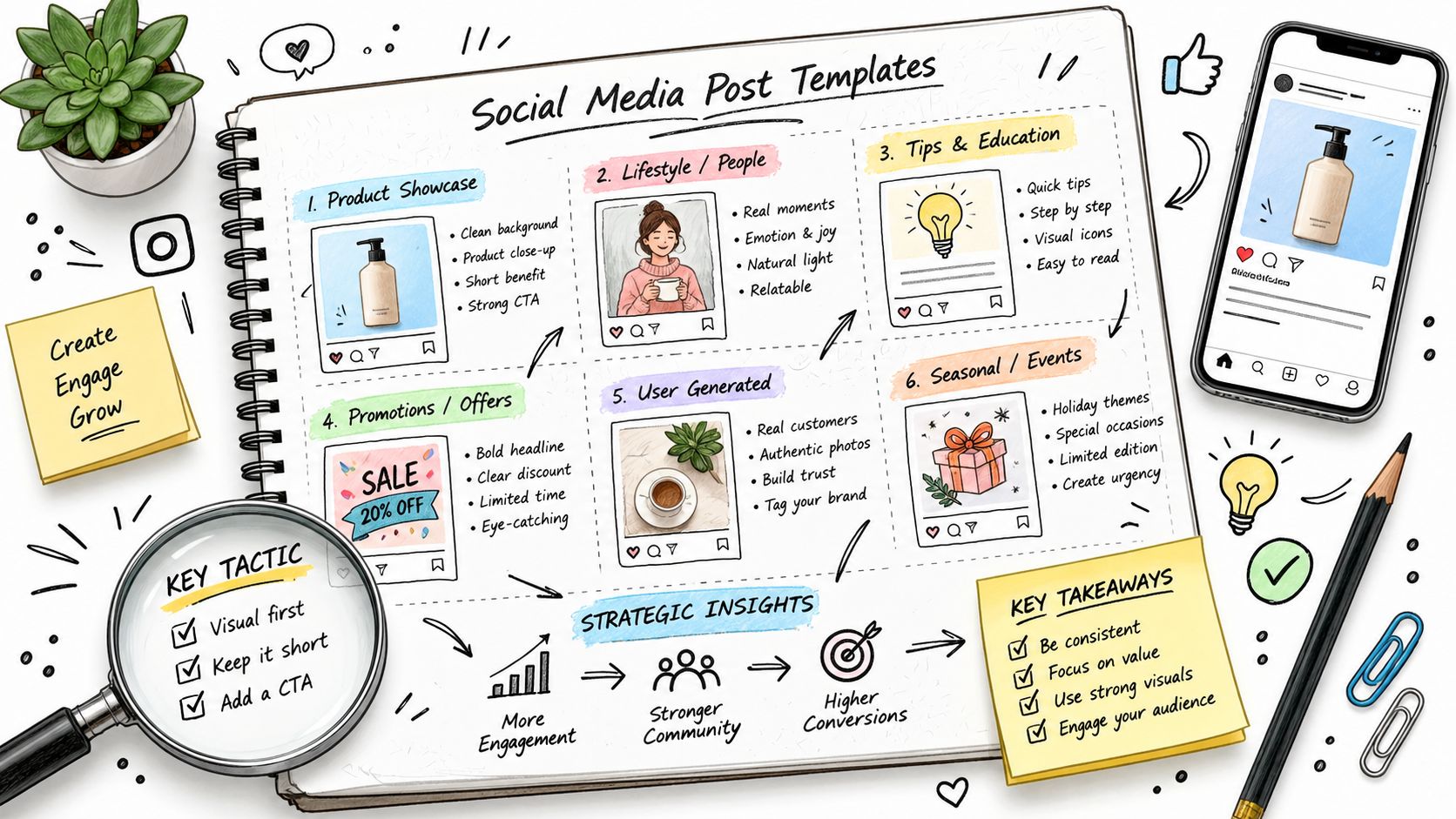
A founder publishes every day, checks the dashboard, and sees almost no meaningful response. One post gets impressions but no conversations. Another earns likes from peers who never become customers. A third disappears, leaving the founder unsure whether the topic, format, timing, or opening line failed.
The fix usually isn't publishing more. It's matching each post type to a clear goal, audience, format, hook, cadence, and metric. Social media has become a distributed publishing system, with audiences moving across several platforms rather than gathering in one place. DataReportal's 2025 overview reports 5.24 billion active social media user identities worldwide and says the average internet user used 6.83 social platforms each month. That makes thoughtful adaptation more useful than copying one post everywhere.
These content creation social media examples give you practical templates for seven formats. You can also use this broader collection of social media ideas from Bulk Image Generation when you need additional prompts.
A personal story works when it explains a decision, not when it merely announces a life update. The strongest version connects a specific professional experience to a lesson your audience can use.
Use this structure:
Template: “I used to believe [old assumption]. Then [specific event] changed my view. I learned [lesson], and now I [new behavior]. If you're facing [audience problem], start with [practical step].”
A founder might write about losing an early customer because the team built too many features before confirming the buyer's problem. A sales leader might describe a failed promotion and explain how it changed the company's hiring process. The story should include tension, a concrete choice, and a useful conclusion. Success alone is less memorable than a decision made under pressure.
This format serves audiences deciding whether they trust your judgment. It works particularly well for founders, executives, consultants, and professionals whose reputation influences a buying decision or partnership.
Publish one thoughtful story each week if you can maintain quality. Use the same few themes repeatedly, such as customer empathy, responsible growth, technical standards, or lessons from leadership. One story can become a LinkedIn post, an Instagram caption, a short video script, and a newsletter section.
End with a question that invites experience rather than applause:
Authenticity doesn't require publishing every private detail. It requires a clear point of view, evidence from your experience, and enough context for readers to understand why the lesson matters.

An educational thread earns attention by making a complicated idea easier to follow. It might explain how to price a service, diagnose a retention problem, structure a hiring interview, or turn customer research into product decisions.
Start with a claim that creates tension:
“Most founders don't have a lead problem. They have a problem explaining who their product is for.”
Then build a numbered sequence. Each post should advance the argument, not repeat the headline. A useful template looks like this:
Write for someone scanning on a phone. Keep each entry focused on one idea. Replace abstract language with a decision rule, such as “If the buyer can't describe the problem without your product name, your positioning is probably too feature-led.”
Diagrams, screenshots, and simple frameworks can support the text, but visuals shouldn't compensate for weak reasoning. A thread that takes hours to assemble should earn its length through clarity and practical value.
The same structure works on X and LinkedIn, but the voice needs adjustment. X can support a tighter sequence of short observations. LinkedIn often benefits from more context and a stronger connection to business decisions.
A thread should leave the reader with a method they can apply, not merely an opinion they can agree with.
A carousel turns one idea into a guided sequence. It suits readers who want to swipe through a framework, compare options, or understand a process without watching a video.
Use a first slide that creates a specific information gap:
“Your content calendar isn't the problem. Your content jobs are.”
Then give each slide one job. Slides two through eight might define the problem, show three common mistakes, introduce a planning model, and apply it to a realistic example. The final slide should tell readers what to do next, such as saving the post, replying with a question, downloading a relevant resource, or sending a message.
Keep type large, contrast strong, and layouts consistent. Design for mobile first. A polished visual identity helps recognition, but excessive decoration makes educational slides harder to read.
For LinkedIn, test native documents and link-supported updates rather than assuming every post should send people away from the platform. LinkedIn's tactical guidance says updates with links can generate up to 45% higher follower engagement than updates without links, while also recommending measurement across clicks, impressions, engagement, and inquiries. LinkedIn's tactical planning guidance frames that figure as a benchmark, not a guaranteed result.
Long-form articles are useful when your idea needs evidence, context, and a complete argument. A short post can introduce a view on product strategy. An article can explain the research process, competing approaches, implementation steps, and limitations behind that view.
Open with the reader's problem, not your biography. A practical structure is:
A founder writing about customer onboarding could explain where users stall, show the questions the team asks during interviews, and describe how the company decides which friction to remove first. The article becomes useful because it exposes the reasoning, not because it claims universal success.
Use descriptive subheadings and short paragraphs. Add screenshots, diagrams, or supporting links only when they clarify the argument. End with a specific question, such as “Which onboarding step creates the most uncertainty for your customers?”
You can use this guide to writing LinkedIn articles that build real authority when you need a detailed editorial process.
Don't write a long article because length feels authoritative. Write long only when the reader needs the detail to make a better decision.
Short-form video works when the viewer understands the value before deciding whether to keep watching. The opening can be a direct statement, a visual demonstration, or a mistake shown on screen.
Try this template:
“If you're [audience], stop doing [common action]. Do [better action] instead. Here's the reason.”
A SaaS founder could show a cluttered dashboard, point to the metric the team ignored, and explain the decision that followed. A leadership consultant could begin with a difficult meeting question and give a better alternative in the next few seconds. The footage doesn't need to look cinematic. It needs clear audio, readable captions, and a useful idea.
Record several variations of the same topic. Change the hook, example, or opening visual rather than rebuilding your entire production system for every post. A long interview, webinar, or presentation can supply multiple short clips, but each clip must stand alone. Don't cut a segment that depends on missing context.
Use trending sounds only when they support the message. A trend can increase discoverability, but it can't repair an unclear point of view. For additional production support, ShortGenius TikTok ad generator can help with ad-oriented creative workflows.
A case study is persuasive because it lets the audience inspect the work. It should show the starting condition, the decision process, the implementation, and the outcome. A vague testimonial skips the part buyers care about most, which is how the result was produced.
Use this template:
Situation → Problem → Intervention → Evidence → Lesson
For example, a marketing team might explain that qualified leads were arriving but sales conversations stalled. The team reviewed the handoff, changed the qualification questions, rewrote the follow-up sequence, and then documented the measured outcome. If you don't have permission to name the client, anonymize the company and explain why.
Get written approval before publishing client information. Use only data you can verify. Screenshots should include enough context to make the result credible, but remove confidential names, customer records, and internal details. If the outcome includes a percentage, revenue figure, or growth rate, show the baseline, period, and measurement method. Never inflate a result by omitting the conditions that produced it.
The article case study development that builds your brand can help you shape the story before adapting it for social channels.
A written case study can become a carousel, a short video, a founder post, and a sales enablement asset. Each version should preserve the evidence instead of turning it into an empty success claim.
Repurposing is more than reposting the same paragraph across every network. It means taking one substantial idea and rebuilding it for different contexts.
Start with a recorded conversation, a detailed article, a webinar, or a customer interview. Extract the central argument, supporting examples, objections, definitions, and practical steps. Then assign each piece to a format that fits its job:
A quote graphic may work as a visual reminder on Instagram, but it won't automatically make a strong LinkedIn post. A video caption needs a sharper opening than an email introduction. Adapt the vocabulary, context, and call to action for each platform.
A useful workflow is to keep a source document with the original transcript, approved claims, examples, and links. Then create derivatives in batches and schedule them with enough spacing that the audience doesn't see the same idea repeatedly in a short period. This content repurposing framework offers a structured way to organize that process, while these content reuse examples from Revid provide additional format ideas.
This approach works best when the source material is strong. Repurposing weak ideas only distributes weak ideas faster.
| Format | 🔄 Implementation Complexity | ⚡ Resource Requirements & Speed | ⭐ Effectiveness / Quality | 📊 Expected Outcomes / Impact | 💡 Best For & Quick Tip |
|---|---|---|---|---|---|
| Personal Brand Storytelling | 🔄 High, ongoing narrative planning and voice consistency | ⚡ Moderate resources, high time investment; low tech needs | ⭐ High, builds trust and distinctiveness | 📊 Deep audience loyalty, stronger brand recall, aligned opportunities | 💡 Emerging founders/execs, map your origin story; balance vulnerability |
| Educational Thread Content | 🔄 Medium, structured sequencing and research per thread | ⚡ Low production tools; moderate time (4–8 hrs per quality thread) | ⭐ High, strong authority when expertise is clear | 📊 High engagement & shares; viral potential and lead generation | 💡 SMEs/SaaS founders, use numbered progression and clear takeaways |
| Carousel Posts (LinkedIn & Instagram) | 🔄 Medium, copy + slide design (5–10 slides) | ⚡ Moderate (Canva-level design); faster than video production | ⭐ High on professional platforms (LinkedIn) | 📊 Increased reach (20–30% lift on LinkedIn), profile visits | 💡 Consultants/CEOs, bold hook on slide 1; design for mobile |
| LinkedIn Long-Form Articles | 🔄 High, deep research, long-form structure (3k–7k+ words) | ⚡ Low frequency; high time per piece; minimal tooling | ⭐ Very high, authoritative, long-lived asset | 📊 Sustained engagement (7–14 days); LinkedIn SEO and profile traffic | 💡 Thought leaders/CEOs, hook in first 200 words; publish consistently |
| Short-Form Video (Reels/TikTok) | 🔄 Medium, requires video skills, editing, and trends monitoring | ⚡ High distribution speed; needs frequent posting (3–5x/week) and basic equipment | ⭐ Very high viral potential; rapid brand awareness | 📊 Massive reach and rapid follower growth; variable conversion | 💡 Creators/entrepreneurs, hook in 1–2s; always add captions |
| Case Study & Results Documentation | 🔄 High, data gathering, client permissions, thorough write-up | ⚡ Time-intensive; requires metrics, testimonials, possible legal sign-off | ⭐ Very high, strongest credibility and conversion driver | 📊 Attracts qualified leads; demonstrates measurable ROI | 💡 Agencies/SaaS/Consultants, use real metrics and obtain explicit permission |
| Repurposed Content Ecosystems (Atomization) | 🔄 High initial setup, templates, calendar, platform mapping | ⚡ Efficient long-term ROI; needs batching tools and coordination | ⭐ High, multiplies content value and consistency | 📊 Greater cross-platform reach with fewer originals; sustained cadence | 💡 Teams/creators, start with one pillar piece; document templates and track top formats |
Don't launch all seven formats at once. Choose the format that matches the business result you need. If people don't understand your expertise, start with educational threads or carousels. If trust is the obstacle, use personal storytelling. If prospects need proof, document a case study. If your best ideas already exist in interviews or articles, build a repurposed content ecosystem.
Set a cadence you can maintain without compromising your work. Before publishing each post, write three possible hooks. Choose the one that makes the audience's problem clearest, not the one that sounds most dramatic. Then define the single action you want the reader to take, whether that's saving the post, replying with an experience, visiting your profile, or starting a conversation.
Track one primary metric for the chosen format during the test period. A storytelling post might be judged by qualified conversations. An educational thread might be judged by saves and profile actions. A case study might be judged by inquiries. Reach still provides context, but it shouldn't be the only evidence that the format is working.
Review results after the 30-day run. Keep the format if it creates the right kind of attention, even if the raw audience is smaller than another format. Change the hook or example before abandoning the format entirely. Often the problem isn't the medium. It's an unclear audience, weak opening, or missing next step.
Founders who want help maintaining a consistent publishing system can also consider Legacy Builder as an optional support partner. Its service uses interviews to capture a client's expertise and stories, then supports content creation, approval, scheduling, and distribution across social formats.
Legacy Builder helps founders and professionals turn their stories, expertise, and points of view into consistent social media posts, short-form videos, carousels, and newsletters. If you want a strategic content system built around your voice, visit Legacy Builder to explore the service and start a conversation.


You could – but most in-house teams struggle with the nuance of growing on specific platforms.
We partner with in-house teams all the time to help them grow on X, LI, and Email.
Consider us the special forces unit you call in to get the job done without anyone knowing (for a fraction of what you would pay).
Short answer – yes.
Long answer – yes because of our process.
We start with an in-depth interview that gives us the opportunity to learn more about you, your stories, and your vision.
We take that and craft your content then we ship it to you. You are then able to give us the final sign-off (and any adjustments to nail it 100%) before we schedule for posting.
No problem.
We have helped clients for years or for just a season.
All the content we create is yours and yours alone.
If you want to take it over or work on transitioning we will help ensure you are set up for success.
We want this to be a living breathing brand. We will give you best practices for posting and make sure you are set up to win – so post away.
Subscribe to our newsletter and get insights on how to grow your personal brand.
