.svg)
Subscribe to our newsletter and get insights on how to grow your personal brand.
Thank you! Your submission has been received!
Oops! Something went wrong while submitting the form.
.svg)


If you want to build a serious personal brand on LinkedIn, you have to get beyond just writing short posts. Don't get me wrong, posts are great for grabbing quick attention in the feed, but articles? Articles are where you build real, lasting authority. They're the permanent, in-depth assets that prove you actually know your stuff.
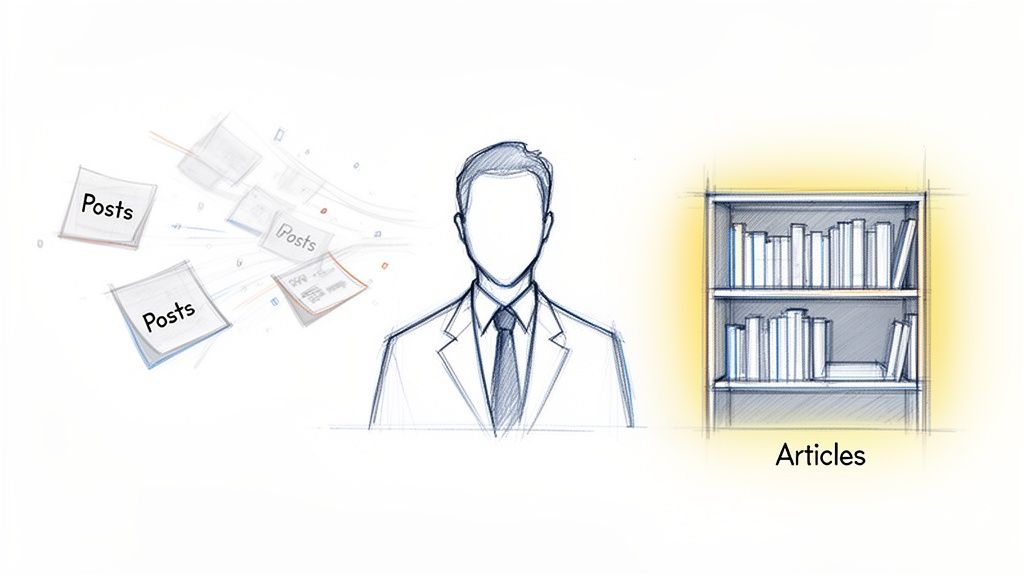
Most people stick to short-form posts. It makes sense—they’re fast, easy, and you get that instant hit of likes and comments. But relying only on posts is like building a sandcastle. It looks good for a minute, but it's gone with the next tide of content rolling through the feed.
This is exactly where LinkedIn articles change the entire game. An article isn’t just a longer post; it's a strategic move.
A LinkedIn post has an incredibly short shelf life, often vanishing from people’s feeds in just 24-48 hours. An article, on the other hand, is a permanent piece of content that lives on your profile forever. It becomes a foundational part of your digital footprint.
I like to think of it like this: posts are your daily conversations, but articles are your published books. Each one you write adds to a library of knowledge that showcases the true depth of your expertise. That library is out there working for you 24/7, attracting followers, clients, and opportunities long after you’ve moved on to the next thing.
An article is your chance to go deep. You can finally move past surface-level takes and unpack a complex topic, share your unique framework, or detail a fascinating case study. You just can't do that in a post with a 3,000-character limit.
That depth is what separates the fleeting influencers from the true, established thought leaders.
Let's be real: the LinkedIn feed is unbelievably noisy. We're talking about 2 million posts, articles, and videos hitting the platform every single day. And with the average engagement rate hovering around a meager 2.8-3.85%, it's clear that while everyone is talking, very few people are truly being heard. You can see more on the latest stats over at ConnectSafely.ai.
Articles are how you cut through that noise. They offer substance over speed and give you the space to create real value.
While posts are fantastic for staying visible (and if you want to dial that in, check out our guide on https://www.legacybuilder.co/blog/how-to-write-linkedin-posts-that-build-your-personal-brand), articles are built for authority. They get indexed by Google, pop up in searches both on and off LinkedIn, and give potential clients a powerful reason to trust you before you even have a conversation.
Learning how to write a great LinkedIn article isn't just a content tactic; it's a long-term investment in your professional growth.
Before you even think about writing a hook or an outline, you need to lock down one powerful, resonant idea. This is the single most important step. A killer article isn't just well-written; it’s built on a solid foundation that connects your unique perspective with what your audience desperately needs.
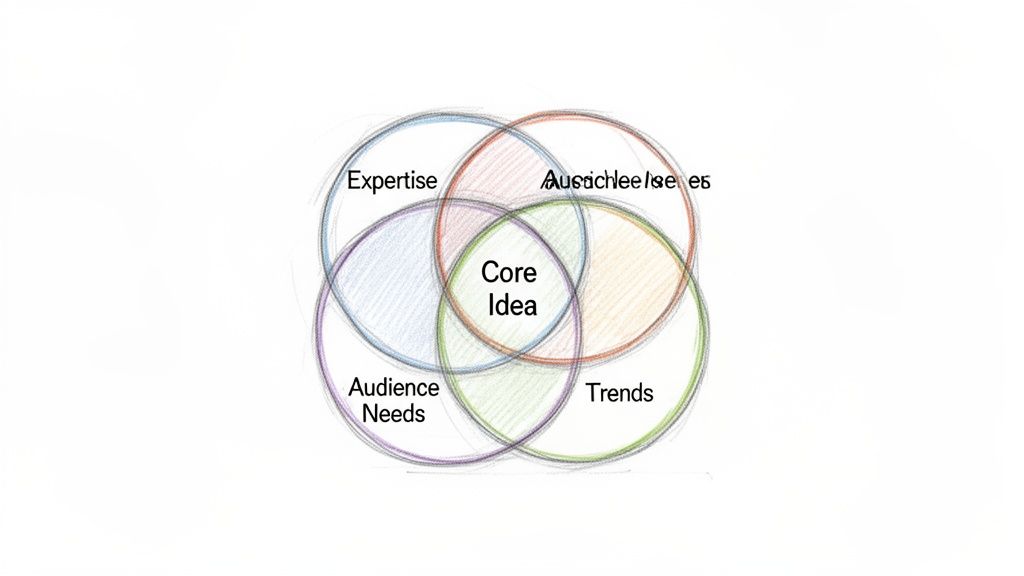
The best ideas live right in the middle of your expertise, your audience’s biggest problems, and what’s currently buzzing in your industry. Think of it as your "expertise sweet spot." This isn't just about listing things you know—it's about pinpointing the hard-won lessons and insights you have that can actually help someone else.
Here’s a hard truth: the fastest way to get ignored on LinkedIn is to write about things only you find interesting. If you want people to stop scrolling, read, and share, you have to start with their problems, not your solutions. You need to get inside their heads.
A simple Audience Persona exercise is the best way to do this. Don't get bogged down in a massive marketing document. Just get clear on who you're talking to.
Suddenly, you're not just writing a generic post about "customer success." You're writing something hyper-specific and infinitely more valuable, like "The One Retention Playbook Every Bootstrapped SaaS Founder Misses." See the difference? That title speaks directly to your persona’s pain.
The most impactful articles solve a specific problem for a specific person. When you write for everyone, you connect with no one. Focus on delivering a tangible solution or a fresh perspective that makes your ideal reader's professional life easier.
Once you’ve got a topic, you need to give it some shape. A brain dump of your thoughts is a surefire way to lose a reader's attention. I always come back to a simple, powerful storytelling framework: Problem-Agitate-Solve (PAS).
It’s a natural way to guide your reader through the article:
This structure works because it hooks the reader with a relatable struggle and walks them toward a clear, valuable payoff. Consistently delivering this kind of focused insight is how you truly build authority. If you're serious about this, you need to develop a personal brand that people can rely on for answers.
Finally, ask yourself: what makes my take on this different? There are probably hundreds of articles on your topic. Your competitive edge is you—your personal stories, your failures, your unexpected wins.
This is where you inject your personality. Maybe it’s a contrarian opinion that goes against the grain, a behind-the-scenes case study of a project, or a personal story that perfectly illustrates a business lesson. Don't just inform; connect.
To keep the ideas flowing without burning out, it’s smart to learn a few content repurposing strategies. This helps you get more mileage out of a single great idea. But it all starts with that unique angle that only you can provide.
Use this framework to connect your professional experience with your target audience's needs, generating compelling article topics.
This table isn't just a brainstorming tool; it's a strategic map for creating content that hits the mark every single time.
Let's be honest. Even the most game-changing idea will fall flat if it’s buried in a wall of text. Structure isn't just about making things look neat; it’s about respecting your reader's time on a platform built for scrolling.
How you present your information is just as critical as the information itself.
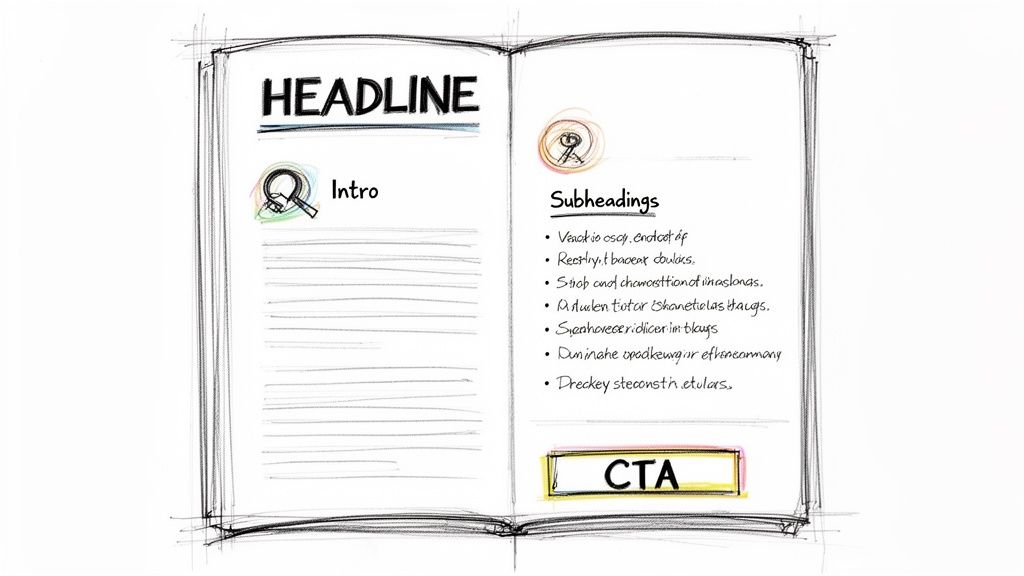
A well-structured article doesn't just inform; it guides. It grabs your reader, walks them through your idea logically, and tells them exactly what to do next. Mastering this flow is the secret to writing articles people actually finish.
Your headline has one job: stop the scroll. It’s your first—and often only—shot to earn that click. The sweet spot? Research shows headlines between 40-49 characters get the most love on LinkedIn. Keep it punchy.
Trying to be clever or vague is a surefire way to get ignored. Focus on a clear benefit or spark some serious curiosity.
These work because they make a specific promise. The reader knows exactly what they're getting, making the click a no-brainer.
Alright, they clicked. Now you have about three sentences to convince them to stick around. Your intro needs to immediately prove their click was a good decision. No long, winding preambles. Get straight to it.
The fastest way to hook someone is with a relatable problem. Articulate a pain point they know all too well.
For example, a marketing consultant could kick things off with:
"You've poured thousands into a beautiful website and a slick ad campaign, but your sales pipeline is bone dry. The problem isn't your product—it's that you're invisible to the people who actually need it."
This hits home because it taps into a real-world frustration. It shows you get it, building instant trust and making them hungry for your solution.
Your introduction's goal is to make a single promise: "Keep reading, and I will solve this specific problem for you." Deliver on that, and you've earned a reader for life.
Nobody reads dense blocks of text online. They scan. It's your job to make your article as scannable as humanly possible. This is where formatting becomes your superpower.
Break your article into logical chunks with clear, descriptive H3 subheadings. Think of each one as a mini-headline for that section. This lets readers jump to the parts that matter most to them.
This is a non-negotiable for writing online. Stick to 1-3 sentences per paragraph, max. This creates precious white space, making your content feel less intimidating and way easier to read on a phone.
Anytime you're listing items, steps, or examples, throw them into bullet points or a numbered list. It instantly breaks up the text. And use bold text—sparingly—to make key terms, stats, or big ideas pop.
Don't just let your article fizzle out. The conclusion is your final chance to drive your main point home and tell the reader what to do next.
First, wrap up the key takeaway in a sentence or two. Lock in the lesson.
Then, transition to a sharp Call-to-Action (CTA). A flimsy "let me know your thoughts" is a waste of space. Be direct.
A strong CTA turns a passive reader into an active participant. It transforms your article from a monologue into a genuine conversation starter.
You wrote a killer article. Huge win. But don't pop the champagne just yet—your job isn't done when you type the last word.
How you package and publish your content inside LinkedIn is just as critical as the writing itself. Think of the publishing tool not as the finish line, but as the launchpad that decides how far your article actually travels.
I see so many professionals pour their heart into writing, only to breeze through the publishing settings in 30 seconds. It’s a massive missed opportunity. Getting the nuances right is what separates an article that vanishes from one that gets seen by a wider, more relevant audience.
This is where you stop being just a writer and start thinking like a publisher.
Before you smash that "Publish" button, a few key details need your attention. These settings are direct signals to both the LinkedIn algorithm and the real humans scrolling through their feeds.
First up: your cover image. This is your article’s visual handshake. A blurry, irrelevant, or unprofessional image will stop a potential reader dead in their tracks, no matter how great your headline is.
LinkedIn recommends an image size of 1920 x 1080 pixels. This gives you plenty of room for a sharp, high-res photo or a custom-branded graphic that screams you. Don't skimp on this.
Next is the headline. You’ve already crafted a hooky headline for the article itself, but the publishing tool is your chance to double-check that it’s not just catchy, but also search-friendly.
Here's something most people forget: your article doesn't just live on LinkedIn. It gets indexed by Google. A well-optimized headline can pull in organic search traffic for months or even years, turning your article into an asset that works for you 24/7.
That’s the real power of articles over posts. They have a much, much longer shelf life if you set them up for success from the start.
When you're ready to go live, LinkedIn will ask you to write a quick intro post to share the article with your network. This is your moment to add hashtags. You can't put them inside the article, so this promotional post is where they have to go.
LinkedIn also lets you add up to three "topics" (which function like primary hashtags) directly to the article in the publishing settings. Choose them carefully.
A good mix looks like this:
This combo helps LinkedIn figure out exactly who needs to see your work.
Here's a look at where you'll add these topics to help the algorithm categorize your article for better reach.
By selecting relevant topics, you’re basically giving LinkedIn a roadmap to your ideal reader.
Finally, give the preview snippet some love. LinkedIn automatically pulls this from the first few lines of your article. This is exactly why that opening hook is so important—it has to do double duty.
This little snippet, paired with your cover image and headline, is the complete "ad" for your article in the feed.
If you want to get better at this whole content creation thing, it might be worth checking out some of the best tools for content creators that can help with everything from designing graphics to analyzing headlines. Getting these publishing details right is what makes sure your article makes a killer first impression.
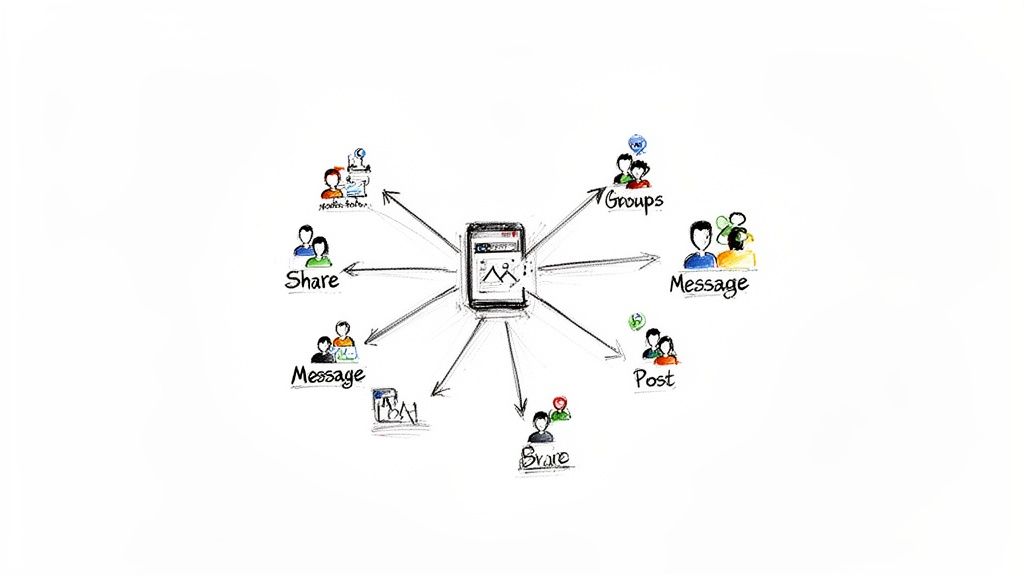
Let’s get one thing straight: hitting "publish" on your article isn't the finish line. It's the starting gun. A brilliant piece of content can easily disappear into the void if you don't have a game plan to get it in front of the right people.
This is what separates the articles that get a handful of views from the ones that actually spark conversations and build your authority. Your goal now is to turn that one article into a multi-channel conversation starter. Dropping a link and praying for clicks is a one-way ticket to obscurity.
The single most effective way to promote your article is to stop thinking of it as a single event. Treat it like a mini-campaign. You need to break down your article's core ideas into a series of short-form posts spread out over a week or two.
This gives you multiple chances to grab someone's attention. Each post should shine a spotlight on a different angle or key takeaway, always leading back to the main article. It respects how people use the feed—they’re there for quick hits—while still funneling them to your deep-dive content.
Here’s how a simple series could play out:
This approach keeps your article relevant and visible far longer than a one-and-done share ever could.
Your work doesn't stop at publishing. The best creators spend just as much time promoting their content as they do writing it. Think of it as 50% creation, 50% distribution.
The LinkedIn algorithm is watching, and it rewards engagement—especially in those critical first few hours after you post. Your job is to light the spark and then fan the flames of conversation.
And I mean meaningful engagement. Going beyond a simple "thanks for reading" is non-negotiable. When someone drops a thoughtful comment, give them a thoughtful reply that adds more value or asks a follow-up question. This makes the commenter feel seen and tells the algorithm your post is valuable, which pushes it out to more people.
Beyond the comments, it's time for some personal outreach.
This kind of manual, authentic promotion is often what gives an article the initial push it needs to gain momentum.
One of the most potent, yet criminally underused, distribution channels is your own team. People on LinkedIn crave authentic, personal stories. In fact, employees are 14 times more likely to share content from their company than other types of content on the platform.
This is a massive opportunity for anyone learning how to write LinkedIn articles that their colleagues will be proud to share. For a deeper look, you can explore the impact of authentic sharing and other key LinkedIn statistics that should be shaping your strategy.
Encourage your team to not just share the article, but to add their own two cents. When a colleague shares your post with a comment like, "This piece by [Your Name] absolutely nails the challenges we're seeing with [Topic]," it adds a layer of social proof and authenticity you could never create on your own.
You’re no longer a single voice. You’re a chorus, and that's how you get heard.
Even with a solid plan, jumping into LinkedIn articles for the first time brings up a ton of questions. It’s a totally different beast than short-form posts, with its own quirks and unwritten rules.
Getting straight answers to the most common sticking points saves you a ton of guesswork. Let's clear up the biggest questions I hear from professionals who are ready to build real authority with long-form content.
LinkedIn gives you a massive 125,000 characters, but you should almost never use all of it. The "perfect" length really comes down to your topic, but the data definitely shows a sweet spot.
The articles that get the most shares, views, and comments consistently fall somewhere between 1,500 and 2,000 words. That’s enough real estate to deliver serious, in-depth value without overwhelming a busy professional scrolling on their lunch break.
But don't get obsessed with word count. The real goal is to cover your topic so well that your reader walks away with a solution. If you can do that in 1,000 words, fantastic. If it takes a 3,000-word deep dive, that's fine too—as long as every single word pulls its weight.
Focus on value, not volume. A sharp, hard-hitting 1,200-word article will always crush a rambling, padded 2,500-word piece. Your reader's attention is the only currency that matters here.
This one’s simple: consistency beats frequency. Every single time.
Publishing one high-quality, well-promoted article a month is a hundred times more effective than dropping a mediocre one every week. Trying to keep up with a schedule you can't sustain just leads to burnout and half-baked content.
For most people building a personal brand, here are a few realistic cadences:
Pick a schedule you know you can stick with for the long haul. Your audience will start to look forward to your content, and that’s how you build a real following.
Yes, you absolutely can—and you should. It's a smart repurposing tactic called content syndication. But you have to do it right to avoid any SEO headaches and make sure it resonates with the LinkedIn crowd.
While Google doesn’t slap you with a penalty for duplicate content, it usually only ranks one version of an article. To help your original blog post win that race, wait a week or two after publishing it on your site before you post it on LinkedIn.
It's also a great practice to add a simple line at the end of your LinkedIn article:
"This article was originally published on [Your Website/Blog Name] here."
This tells search engines which version is the original and, just as importantly, drives curious readers back to your website.
This is a tricky one. You can embed videos, but the data I've seen suggests articles without embedded videos often perform better. The algorithm seems to favor content that keeps people on LinkedIn, and an embedded YouTube video is a direct signal to send them somewhere else.
Here’s a much better strategy:
This gives you two different pieces of content to promote, with each one playing to the platform's strengths.
As for links, use them strategically. Linking out to a credible source to back up a statistic? Great. That builds trust. But stuffing your article with too many external links can kill its reach. Save your calls-to-action—like a link to your website or a sales page—for the very end.
Ready to stop guessing and start building a personal brand that commands authority? Legacy Builder transforms your expertise into powerful content that connects with your ideal audience. We handle the strategy, writing, and distribution so you can focus on what you do best. Discover how we can build your legacy, one article at a time.


You could – but most in-house teams struggle with the nuance of growing on specific platforms.
We partner with in-house teams all the time to help them grow on X, LI, and Email.
Consider us the special forces unit you call in to get the job done without anyone knowing (for a fraction of what you would pay).
Short answer – yes.
Long answer – yes because of our process.
We start with an in-depth interview that gives us the opportunity to learn more about you, your stories, and your vision.
We take that and craft your content then we ship it to you. You are then able to give us the final sign-off (and any adjustments to nail it 100%) before we schedule for posting.
No problem.
We have helped clients for years or for just a season.
All the content we create is yours and yours alone.
If you want to take it over or work on transitioning we will help ensure you are set up for success.
We want this to be a living breathing brand. We will give you best practices for posting and make sure you are set up to win – so post away.
Subscribe to our newsletter and get insights on how to grow your personal brand.
