.svg)
Subscribe to our newsletter and get insights on how to grow your personal brand.
Thank you! Your submission has been received!
Oops! Something went wrong while submitting the form.
.svg)


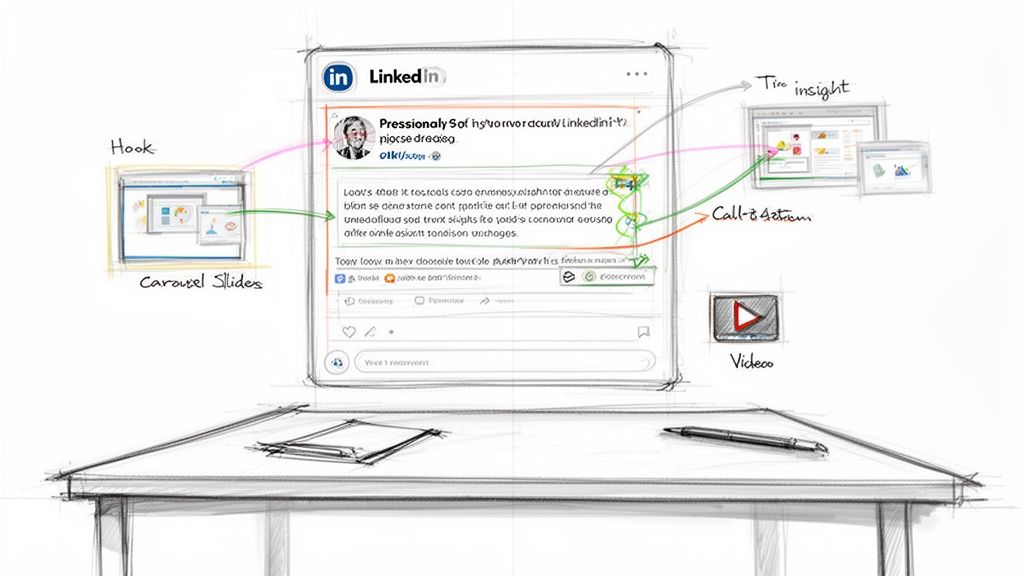
Before you even think about writing a single post, we need to get the foundation right. If you skip this part, you're just throwing content at the wall and hoping something sticks. That's a recipe for burnout and zero results.
The goal isn't just to post; it's to build your professional brand, establish trust, and become the go-to person in your space. This is how you shift from being a passive scroller to a voice of influence.
The best creators on LinkedIn don't just wing it. They have a strategy. Chasing viral hits is a fool's game; building a consistent, authentic brand is what creates lasting impact.
This all starts with a crucial mindset shift. Stop asking, "What can I post today?" Start asking, "How can this post serve my audience and reinforce what I want to be known for?"
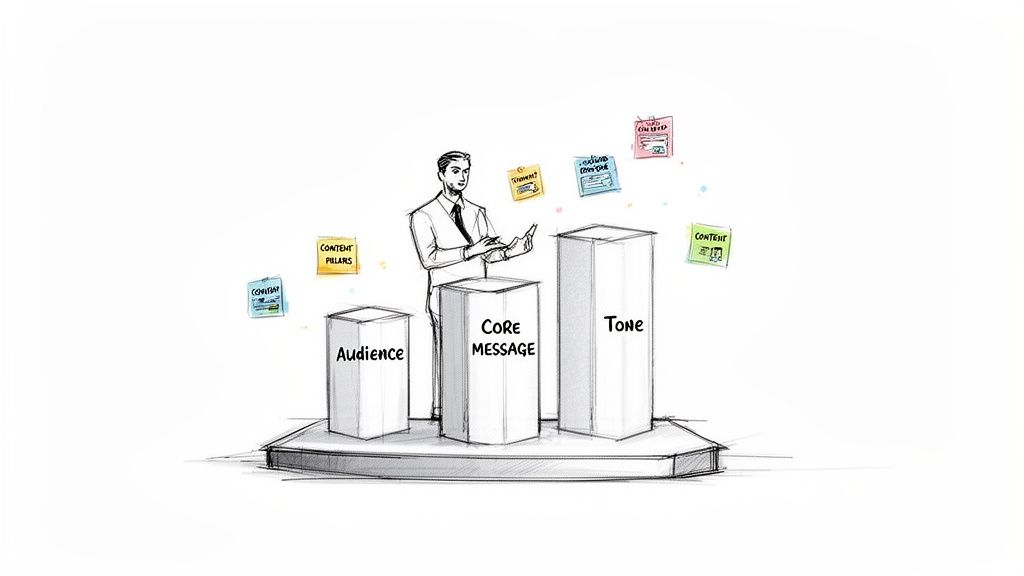
First things first: what do you want to be known for? Your core message is the central idea behind everything you publish. It’s your stake in the ground.
Are you the expert on bootstrapped SaaS growth? The go-to leader for empathetic management? The wizard of B2B sales funnels? Nail this down before you do anything else.
Once you have that, you can break it down into content pillars. Think of these as three to five key sub-topics you'll talk about over and over again. This keeps your content focused and saves you from the daily scramble for ideas.
For example, your pillars might look like this:
Having a structure like this makes content creation sustainable. If you're ever stuck, digging into some 10 Social Media Content Ideas can spark fresh angles for your pillars.
You can’t talk to everyone. If you try, your content becomes so generic that it connects with no one.
Get brutally specific. Who are you actually trying to reach? Is it a Series A venture capitalist, an early-stage B2B founder, or a senior software engineer at a FAANG company?
Think about their biggest frustrations, their career goals, and the language they use every day. A post aimed at a VC will use totally different framing than one for a junior developer. Knowing that difference is what makes your content feel like it was written just for them.
The real secret to great content is empathy. Imagine you're sitting across from one specific person in your audience at a coffee shop. Write for them. This simple trick makes your writing more direct, personal, and a hell of a lot more effective.
Authenticity is everything on LinkedIn. People connect with real people, not with corporate robots. Your tone of voice should feel like a natural extension of who you are, just adapted for a professional setting.
This isn't an excuse to be unprofessional. It's about finding that sweet spot where you're both insightful and approachable. You can be an authority on a subject while still being relatable.
Developing this authentic voice is how you start building the kind of authority that builds a legacy and attracts a loyal following. It's the groundwork that gives every future post its power.
To bring this all together, here’s a quick summary of the essential components you need to define before you start writing.
This table breaks down the three foundational pieces of your content strategy, helping you move from abstract ideas to a concrete plan.
Nailing these three elements down isn't just a "nice-to-have"—it's the entire game. It ensures every post you write is purposeful, targeted, and true to your brand.
Let’s be real. The first two lines of your LinkedIn post decide its fate. Your feed is a crowded highway, and you have about a second to make someone hit the brakes. That’s the entire job of your hook.
A powerful hook isn't about cheesy clickbait. It’s about making a crystal-clear promise: "Stop scrolling. Read this. You'll learn something, feel seen, or think about this differently."
Think of your hook as your elevator pitch. Nail it, and you've earned their attention for the whole post. Botch it, and they’re gone, no matter how brilliant the rest of your content is.
So what makes a hook actually work? It's all about creating a tiny gap between what someone knows and what they want to know. This "curiosity gap" is a powerful psychological trigger that makes clicking "see more" almost irresistible.
You can pull this off in a few ways:
The goal is to jolt people out of their mindless scrolling. Your hook has to be the one thing that feels different, making it impossible to just thumb past.
You don't have to reinvent the wheel every single time you post. Leaning on a few battle-tested formulas can give you a solid starting point. Just remember, these are templates, not scripts. Adapt them to your own voice and industry.
Here are a few hook types that consistently kill it:
1. The Contrarian Take
This one immediately positions you as a thought leader by challenging a widely held belief.
2. The Personal Story Opener
Stories create an instant connection. Start with a moment of vulnerability or a relatable screw-up.
3. The Provocative Question
An open-ended question makes someone stop and think, getting them invested in finding your answer.
4. The Bold Declaration
This is a strong, confident statement that shows you know your stuff and have a clear takeaway to share.
A hook is a promise. The rest of your post is you keeping that promise. If your hook promises a groundbreaking insight but you deliver generic fluff, you’ve lost their trust. Authenticity always wins.
There’s a fine line between an irresistible hook and straight-up clickbait. A great hook piques curiosity by promising real value. Clickbait creates curiosity by exaggerating or hiding the ball. It's a cheap trick that erodes trust fast.
Think of it like this: a great hook might be, "90% of LinkedIn posts fail in the first line." It’s bold, specific, and promises a solution.
A clickbait version would be, "You won't believe this secret trick to go viral." It's vague, over-the-top, and ultimately lets the reader down.
Always gut-check your hook. Does it accurately reflect what's in the post? If not, rewrite it until it does. This is how you build an audience that actually trusts you and looks forward to what you have to say next.
Let's be honest, a great LinkedIn post doesn't just happen by accident. It isn't some random thought you jot down in two minutes. The posts that get real traction—the ones that stop the scroll and start conversations—are built on a solid foundation.
Think of it like a short story. You have to guide the reader from curiosity to a conclusion in just a few hundred words. Once you nail this structure, writing posts that consistently connect with your audience becomes second nature.
It all boils down to a simple, four-part framework.
Every single post that has ever done well on this platform, whether it's a quick text update or a detailed carousel, follows this basic blueprint. Mastering how these four pieces fit together is the secret to turning your ideas into content that people actually want to read.
This isn't just a formula; it's a reliable roadmap. It forces your posts to be clear, focused, and incredibly easy for a busy professional to digest.
So, you nailed the hook. You got them to stop. Now what?
You have to immediately provide the context. This is the bridge between that punchy opening line and the real meat of your post. It’s where you set the scene and start to make good on the promise you made in the hook.
Let's say your hook was: "I fired my biggest client. Here's what I learned."
The context needs to jump right in. You might explain how this high-paying client was draining your team's energy with constant scope creep and last-minute demands. This part makes the situation relatable and builds the tension before you deliver the big takeaway.
The move from hook to context has to feel seamless. You made a bold claim; now you’re showing them why it matters. You're building the story that makes your final insight hit that much harder.
This is the whole reason you're writing the post. It’s the lesson, the solution, the new perspective you want to share. After you've set the stage with your story, the insight is the punchline. It’s the "so what?" of your entire post.
Following our client example, the insight is where you spell out the lesson:
"The real cost of a client isn't just on the invoice; it's the tax they put on your team's morale. Protecting your team's energy is a far better long-term growth play than chasing every last dollar."
That’s the gold. It's the piece of wisdom you want your reader to remember long after they’ve scrolled past. Make it sharp, clear, and unforgettable. If you're looking to get better at finding and packaging these kinds of insights, digging into different methods for strategic content creation is a great next step.
You’ve grabbed their attention, told a story, and dropped a valuable insight. You can't just leave them hanging. Every single post needs to end with a clear Call to Action (CTA).
A CTA isn't always about selling. Most of the time, it’s about starting a conversation. It's your way of telling the LinkedIn algorithm that your content is interesting enough to spark a discussion, which helps more people see it.
Here are a few simple CTAs you can swipe:
By giving people a specific prompt, you make it incredibly easy for them to jump into the conversation. This one small step can be the difference between a post that gets a few likes and one that truly takes off.
You can have the best post structure in the world, but if you wrap it in the wrong format, it’s dead on arrival. Think of the format as the packaging for your ideas. Great packaging makes your content jump off the screen and easy to digest. The wrong choice? It gets lost in the endless scroll.
Knowing how to write LinkedIn posts that actually connect with people means picking the right tool for the job. A quick, punchy thought is perfect for a text-only post. A complex idea, on the other hand, really comes to life in a multi-slide carousel.
This flowchart breaks down the anatomy of pretty much any solid LinkedIn post. It's a structure you can apply to any of the formats we're about to cover.
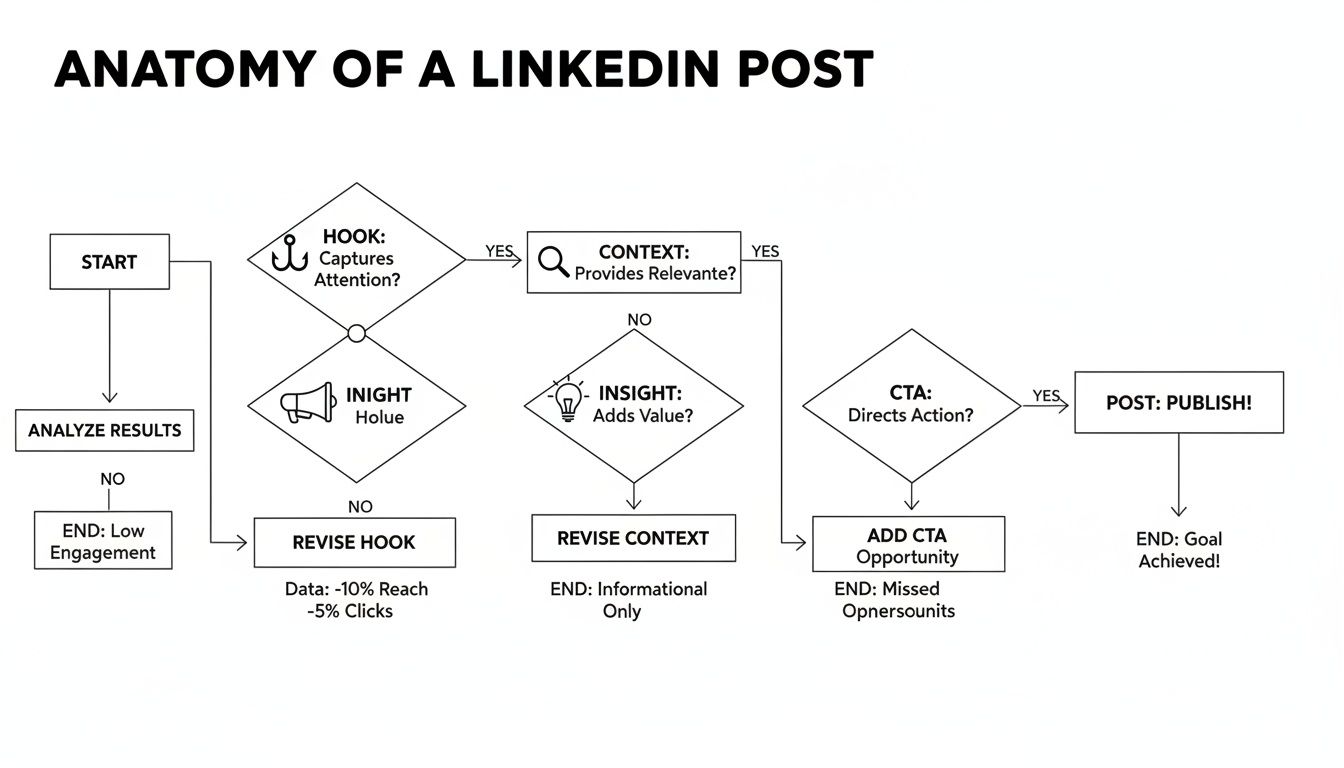
No matter what format you choose, this flow—from Hook to CTA—is a reliable blueprint. It’s how you guide your reader from "what's this?" to taking action.
Never sleep on the simple text-only post. In a feed screaming with flashy visuals, a clean, well-written block of text can cut through the noise with its directness.
Text posts are my go-to for telling stories, sharing quick hot takes, or posing a question that gets people thinking. Their biggest advantage is that there’s almost no barrier to entry—all you need is a good idea and some clear writing. The trick is to use formatting to your advantage:
The goal here is simple: make your text so scannable that someone can get the gist in seconds.
Carousels—or document posts, as LinkedIn calls them—are absolute gold for delivering in-depth value. They're like mini-presentations, letting you slice up complex topics into easy-to-digest slides.
I use this format for tutorials, listicles, deep-dive case studies, or when I’m repurposing a chunk of content from a blog post. By getting people to physically click through the slides, carousels can massively boost your dwell time, and the LinkedIn algorithm loves that.
Treat the first slide of your carousel like a hook for the entire post. It needs a killer headline and a clean design that screams "there's value inside." Give people a real reason to swipe to slide two.
It’s no secret that visual content grabs attention. But not all visuals are created equal on LinkedIn. The platform’s algorithm wants to keep people on the platform, so how you post matters.
The data doesn't lie. Native video posts reportedly pull in 5× the engagement of text-only posts, with an average engagement rate around 5.6%. Image posts are close behind at 4.85%. You can dig into more LinkedIn engagement benchmarks to see the full breakdown.
Here’s how I approach it:
Want a low-effort way to get a ton of engagement and peek inside your audience’s head? Use polls. They’re a direct invitation to participate and can kickstart some fantastic discussions in the comments.
The best polls are simple, relevant, and usually tap into a common debate or question in your industry. Here’s a pro tip: once the poll is over, create a follow-up post. Share the results and add your own two cents. This turns a simple interaction into a second piece of content and keeps the conversation going. By mixing these formats up, you keep your feed from getting stale and appeal to everyone, no matter how they like to consume content.
Let's be real. Writing a killer post is only half the work. The other half is convincing the LinkedIn algorithm to actually show it to people.
If you don't get how the platform decides what content wins, you're basically just throwing content into the void and crossing your fingers. That's not a strategy.
Think of the algorithm less like a gatekeeper and more like a distribution partner. Your job is to send it all the right signals—that your content is high-quality and, most importantly, starts a real conversation. Do that, and it'll reward you with the reach you're looking for.
The first 60-90 minutes after you hit "post" are make-or-break. I'm not exaggerating. This is the "golden hour" when the algorithm is testing your content on a small slice of your audience.
What happens next—the likes, comments, and shares you get right away—determines your post's fate.
Strong early signals tell LinkedIn, "Hey, people are digging this." In response, it pushes your content out to a wider and wider audience. If it's crickets? The algorithm assumes it's a dud, and your reach gets shut down. This is precisely why knowing how to write posts that spark immediate reactions is so crucial.
A big part of this is how you handle comments. Responding fast doesn't just build community; it feeds the algorithm exactly what it craves: conversation. According to industry analysis, just replying to comments within that first hour can give your post a serious visibility boost. You can get a deeper look into how the LinkedIn algorithm works in 2025 to stay ahead of the game.
Likes and comments are obvious, but there's a quieter metric that's just as powerful: dwell time. It’s simply how long someone stops scrolling to look at your post. The longer they linger, the more valuable LinkedIn sees your content.
This is why posts that actually make people stop and think perform so well. Here's how you can get people to stick around:
The name of the game is stopping the scroll. If you can make someone pause their frantic thumb-flicking for even ten seconds, you've sent a massive signal to the algorithm that you've got something worth reading.
Your own activity on the platform directly impacts the reach of your posts. I see too many people just broadcasting their own content without ever engaging with others. Big mistake. The algorithm favors users who are active, contributing members of the community.
Leaving thoughtful, insightful comments on posts from others in your industry does two things. First, it puts you and your expertise in front of a new, highly relevant audience. Second, it shows the algorithm you're an engaged user, which can give your own content a nice little bump.
This isn't just a tactic; it’s a core pillar of any modern B2B social media strategy that works. It’s about being part of the conversation, not just trying to start one.
Finally, never, ever underestimate the power of your own comment section. Every comment is a good signal, but your reply is what pours fuel on the fire.
When you respond to a comment, you aren't just talking to one person—you're restarting the entire conversation. This simple action can push your post back into the feeds of the commenter's network, creating a ripple effect that extends your reach far beyond your own audience.
So don't just "like" a comment and move on. Ask a follow-up question. Share another piece of insight. Thank them for their perspective. Every single reply is another chance to tell the algorithm, "This post is still alive and kicking."
Even with the best framework, staring at that blank text box on LinkedIn can be intimidating. Questions start bubbling up, doubt creeps in, and suddenly, you're stuck.
Let's cut through the noise and tackle the real, practical questions that pop up when you're trying to turn an idea into a post that actually gets seen.
This is the big one, isn't it? The truth is, there’s no magic number. The goal here is finding a rhythm you can actually stick with, not hitting some arbitrary quota that leads to burnout.
Posting every single day is great if you can swing it, but if it means you’re just pushing out weak, uninspired content, you're doing more harm than good.
So, start with what feels manageable.
Remember, quality will always trump quantity. Three posts that make people think will always outperform five that they scroll right past.
Your audience would rather see one brilliant, insightful post from you each week than five forgettable ones. Consistency builds trust, but quality builds authority. Don't sacrifice one for the other.
While there isn't a single "golden hour" that works for absolutely everyone, there are definitely windows when more professionals are scrolling. Think about the typical workday: people check in before they start, during their lunch break, and as they're wrapping up.
Use these as your starting points for experimentation:
But here’s the key: the best time for you is really about your specific audience. Are they in a different time zone? Do they work unconventional hours? The only way to know for sure is to test it. Check your LinkedIn analytics to see when your followers are most active and let that data guide you.
Yes. Full stop. You absolutely should be using hashtags. They’re how people who don't follow you discover your content. Think of them as signposts that tell the LinkedIn algorithm (and users) what your post is about.
But don’t just spray them everywhere. The sweet spot is 3 to 5 highly relevant hashtags.
I recommend using a mix:
Stick them at the end of your post to keep the body clean. And if you’ve already scheduled a post but want to make a last-minute change to your tags, you might be wondering how to find scheduled posts on LinkedIn.
It's going to happen. If you're sharing real opinions, someone is eventually going to disagree, maybe not so nicely. How you handle it says everything.
First thing: take a breath. Don't fire back an emotional response. Figure out what you're dealing with. Is this legitimate criticism, or is it just a troll looking for a fight?
At Legacy Builder, we turn your unique expertise into a powerful personal brand. We handle the entire content process—from strategy and writing to design and engagement—so you can focus on what you do best while building an influential online presence. Discover how we can build your legacy, together.


You could – but most in-house teams struggle with the nuance of growing on specific platforms.
We partner with in-house teams all the time to help them grow on X, LI, and Email.
Consider us the special forces unit you call in to get the job done without anyone knowing (for a fraction of what you would pay).
Short answer – yes.
Long answer – yes because of our process.
We start with an in-depth interview that gives us the opportunity to learn more about you, your stories, and your vision.
We take that and craft your content then we ship it to you. You are then able to give us the final sign-off (and any adjustments to nail it 100%) before we schedule for posting.
No problem.
We have helped clients for years or for just a season.
All the content we create is yours and yours alone.
If you want to take it over or work on transitioning we will help ensure you are set up for success.
We want this to be a living breathing brand. We will give you best practices for posting and make sure you are set up to win – so post away.
Subscribe to our newsletter and get insights on how to grow your personal brand.
